Mobile Apps · MBC-22

Flutter Intermediate

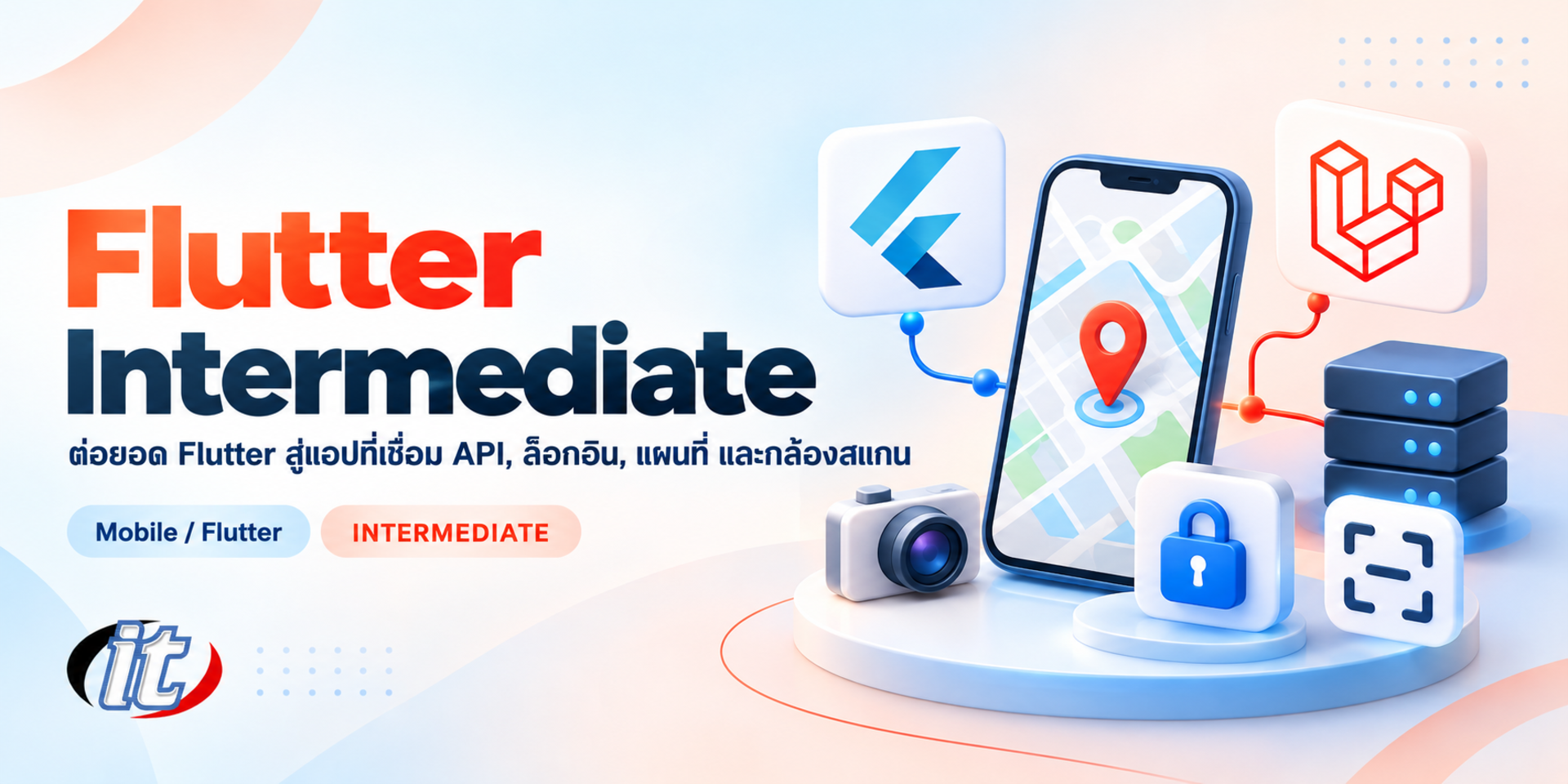
Flutter Intermediate is a mobile development course that connects Flutter apps to a real back end, covering a Laravel REST API, CRUD over the API, Provider, animations, sign-in with Firebase, Google Maps and QR code scanning. It suits students, web developers and IT staff who can already write basic Flutter and want to build apps for real use.

Updated
From 8,550 THB / person 9,500 −10% excl. VAT 7% · group rates available
PDFDownload the course outline
  • Duration18 hours · 3 days
  • FormatOnsite / live online
  • Next roundOn request
  • CertificateIncluded

Course overview

Once you can build a basic Flutter app, real projects ask for more than good-looking screens. The app has to talk to a back-end API, create, update and delete data, sign users in securely, look right on phones and tablets, and use device features such as maps and the camera. Many developers get stuck on structuring the code so that these features fit together without turning into a mess.

This new edition of the course is updated for Flutter 3.47 and Dart 3.13 and builds on the beginner level. It starts with a REST API built with Laravel 13 and Sanctum, then covers responsive and adaptive UI, animations, state management with Provider, CRUD over the API, token-based login and Firebase Authentication with Google and Facebook, Google Maps, and QR code and barcode scanning, bringing everything together in an asset audit app workshop. (3 days, 6 hours per day, 18 hours in total, Intermediate level.)

What you’ll gain

  • Build a REST API with Laravel 13 and protect endpoints with Sanctum tokens
  • Design responsive and adaptive UI that works on both phones and tablets
  • Create implicit animations, AnimationController-based animations and Hero transitions
  • Manage app state with Provider and split classes to suit larger projects
  • Display, create, update and delete data through an API backed by a MySQL database
  • Build token-based login and Firebase Authentication with Google and Facebook
  • Show Google Maps with markers from API data and the current location
  • Scan QR codes and barcodes and send the results to an API

Who this course is for

  • Students who can write basic Flutter and want to build apps connected to a back end
  • Teachers, lecturers and trainers who want to take their Flutter teaching further
  • IT staff, web developers and system administrators building mobile apps for existing systems
  • Anyone who wants to develop cross-platform apps with Flutter for real use

Prerequisites

  • Able to write basic Flutter, or completed the Flutter for Beginners course
  • Basic Dart knowledge; a refresher is given during the course if needed
  • No PHP or Laravel experience is needed, as the instructor provides API code to follow
  • No Swift or Kotlin experience is needed, and you have used apps on Android or iOS

Curriculum

Course Details

This course is a 2026 edition that replaces the previous Flutter 3 Intermediate course. It has been rewritten and updated for Flutter 3.47, Dart 3.13 and Laravel 13. It runs for 3 days, 6 hours per day (18 hours in total, 09:00-16:00), as lectures alternating with labs and workshops. Intermediate level. It builds on Flutter for Beginners and Flutter Workshop for Beginners. Learners work on

both a Laravel REST API and the Flutter app, covering adaptive UI, animations, Provider, CRUD over the API, token login and Firebase sign-in with Google and Facebook, Google Maps, and QR code and barcode scanning, and bring it all together in an asset audit app workshop. Afterwards they can continue to the Flutter Advanced course. Learners take home a lab guide and the source code for both sides.

Day 1 Back-End API and UI That Adapts to the Screen

Section 1: Lab: Preparing a REST API with Laravel 13

  • Install PHP, Composer and Laravel with Laravel Herd or XAMPP
  • Create a Laravel 13 project and connect it to a MySQL database
  • Design tables with migrations and create models with Eloquent
  • Enable the API with php artisan install:api and write routes in routes/api.php
  • Write a CRUD API with a controller and API resources, and test it with Postman

Section 2: Lab: Protecting the API with Sanctum Tokens

  • An overview of Laravel Sanctum for authenticating mobile apps
  • Create a login endpoint that returns a token with createToken
  • Protect routes with the auth:sanctum middleware and implement logout
  • Validate incoming data and return errors as JSON
  • Support image uploads for each record

Section 3: Lab: Responsive and Adaptive UI

  • Responsive versus adaptive design, and choosing breakpoints
  • Lay out screens by available space with LayoutBuilder and MediaQuery.sizeOf
  • Switch between NavigationBar and NavigationRail, and build list-detail screens
  • Use .adaptive widgets so that the app feels at home on Android and iOS
  • Support screen rotation and the user's text size settings

Section 4: Lab: Reusable Components and Multi-Size Screens

  • Split widgets by responsibility and pass data through constructors
  • Keep colours, spacing and styles in the theme and a ThemeExtension
  • Fix overflow and text that spills over on small screens
  • Test several screen sizes with emulators, simulators and real tablets
  • Lab: build a set of app components used in every later workshop

Section 5: Lab: Getting Started with Implicit Animations

  • Animation in Flutter: implicit versus explicit
  • AnimatedContainer, AnimatedOpacity and AnimatedAlign
  • TweenAnimationBuilder for custom values
  • AnimatedSwitcher for smooth content changes
  • Lab: add animations to the cards and buttons of a sample app
Day 2 Animations, State and CRUD over an API

Section 6: Lab: AnimationController, Tween and Hero

  • Create an AnimationController with Tween and CurvedAnimation
  • Control motion with AnimatedBuilder and transition widgets
  • Hero animations between a list screen and a detail screen
  • Custom page transitions with PageRouteBuilder
  • Apply animations to the sample project without slowing the app down

Section 7: Lab: State Management with Provider

  • The problem of passing state across many screens as an app grows
  • ChangeNotifier, ChangeNotifierProvider and MultiProvider
  • context.watch, context.read and Selector to avoid unnecessary rebuilds
  • Split provider classes by feature to support larger projects
  • An overview of Riverpod and Bloc to choose from at the next level

Section 8: Lab: Connecting Flutter to the Laravel API

  • Install the http package and set the base URL for emulators and real devices
  • Write a service and a repository that keep API calls out of the screens
  • Create models with fromJson and toJson
  • Show API data in a ListView with loading and error states
  • Handle errors, timeouts and HTTP status codes systematically

Section 9: Workshop: CRUD over the API

  • Build a form to add records, with input validation
  • Edit existing records and send the changes to the API
  • Delete records with a confirmation step
  • Pick a photo from the camera or gallery with image_picker and upload it to the API
  • Workshop: refresh the list immediately after adding, editing or deleting

Section 10: Lab: Token Login and Secure Storage

  • A login screen that calls the Sanctum endpoint and receives a token
  • Store the token with flutter_secure_storage instead of plain text
  • Attach a bearer token to every request and handle expired tokens
  • Sign in automatically when the app reopens, and log out

Day 3 Firebase Auth, Maps and Scanning

Section 11: Lab: Firebase Authentication with Google Sign-In

  • Create a project in the Firebase console and enable Authentication
  • Configure Firebase for the app with the FlutterFire CLI
  • Use google_sign_in 7: initialize, authenticate and authenticationEvents
  • Pass the Google credential to Firebase Auth and show the user's details
  • Set up the SHA-1 fingerprint for Android and the URL scheme for iOS

Section 12: Lab: Facebook Login through Firebase

  • Create an app in Meta for Developers and enable Facebook Login
  • Add the app ID and client token to the Android and iOS projects
  • Use the flutter_facebook_auth package and pass the credential to Firebase Auth
  • Combine several sign-in buttons on one screen and handle cancellation

Section 13: Lab: Google Maps and the Current Location

  • Create an API key in Google Cloud and restrict it to the app
  • Install google_maps_flutter and show a map in the app
  • Place markers with info windows that show details
  • Load lat and lng coordinates from the API and show them on the map
  • Request permission and read the current location with the geolocator package

Section 14: Lab: Scanning QR Codes and Barcodes

  • Design a scanning screen with a viewfinder and a torch button
  • Install mobile_scanner and set up camera permissions on Android and iOS
  • Read values in onDetect and choose the barcode formats you need
  • Check the scanned value against the API and show the result
  • Generate a QR code for each record with qr_flutter

Section 15: Workshop: An Asset Audit App

  • Sign in and view the asset list from the Laravel API
  • Scan the QR code on an asset to open its record and log the audit
  • Save the location of each check and show it on Google Maps
  • Present the work, review it together and plan the path to Flutter Advanced

Schedule & training options

For individuals — public rounds

No public rounds are open right now. Join the waiting list and we will contact you first when the next round opens, or ask us on LINE. Or call 02-570-8449 or 088-807-9770

For organisations — in-house / private

  • Tailor the content to your team’s tools and projects
  • Your dates, at your office or live online
  • Quotation with tax ID for procurement
Corporate training quote

Instructors

Frequently asked questions

What are the ways to create animations in Flutter?

There are two main approaches. Implicit animations use ready-made widgets such as AnimatedContainer, AnimatedOpacity or TweenAnimationBuilder: you change a value and Flutter animates it for you, which covers most needs. Explicit animations use an AnimationController with Tween and CurvedAnimation when you need full control, such as repeating, reversing or sequencing. Hero moves a widget between screens, and PageRouteBuilder customises page transitions.

What is Provider in Flutter and how does it manage state?

Provider is a package that delivers state to the widgets that need it without passing it down through every constructor. You keep data and logic in a class that extends ChangeNotifier and call notifyListeners when the data changes. Wrap the app in ChangeNotifierProvider or MultiProvider, then use context.watch where the UI must rebuild, context.read to call methods, and Selector to avoid unnecessary rebuilds.

How do you design a Flutter app for both phones and tablets?

Read the available space with LayoutBuilder or MediaQuery.sizeOf and set breakpoints to switch layouts, for example NavigationBar on phones and NavigationRail on wide screens, with list and detail side by side on tablets. Split screens into reusable components, and test screen rotation and larger user text sizes. To match each platform's look, use the .adaptive widgets that adjust to Android and iOS.

Who is the Flutter Intermediate course for, and what should I know beforehand?

It suits students, teachers, IT staff, web developers and system administrators who want to build mobile apps connected to a back end. You should be able to write basic Flutter or have completed the Flutter for Beginners course, and know basic Dart. No PHP or Laravel experience is needed, as the instructor provides API code to follow, and no Swift or Kotlin is required.

What will I be able to do after the Flutter Intermediate course?

You will be able to build a REST API with Laravel 13 protected by Sanctum, design UI that adapts to phones and tablets, create animations, manage state with Provider, perform CRUD over an API, build token login and Firebase sign-in with Google and Facebook, show Google Maps and scan QR codes and barcodes, and combine it all into an asset audit app. Participants who complete the training receive a Certificate of Completion with its own number, which can be verified online.

Can the Flutter Intermediate course be run in-house for our team?

Yes. IT Genius Institute runs in-house training for organisations. The workshops can be adapted to the style of API your team already uses, or to problems close to your real work such as a field check-in app or a stock-count app, and the focus can be shifted to the topics your team needs. Contact the institute for details and a quotation.