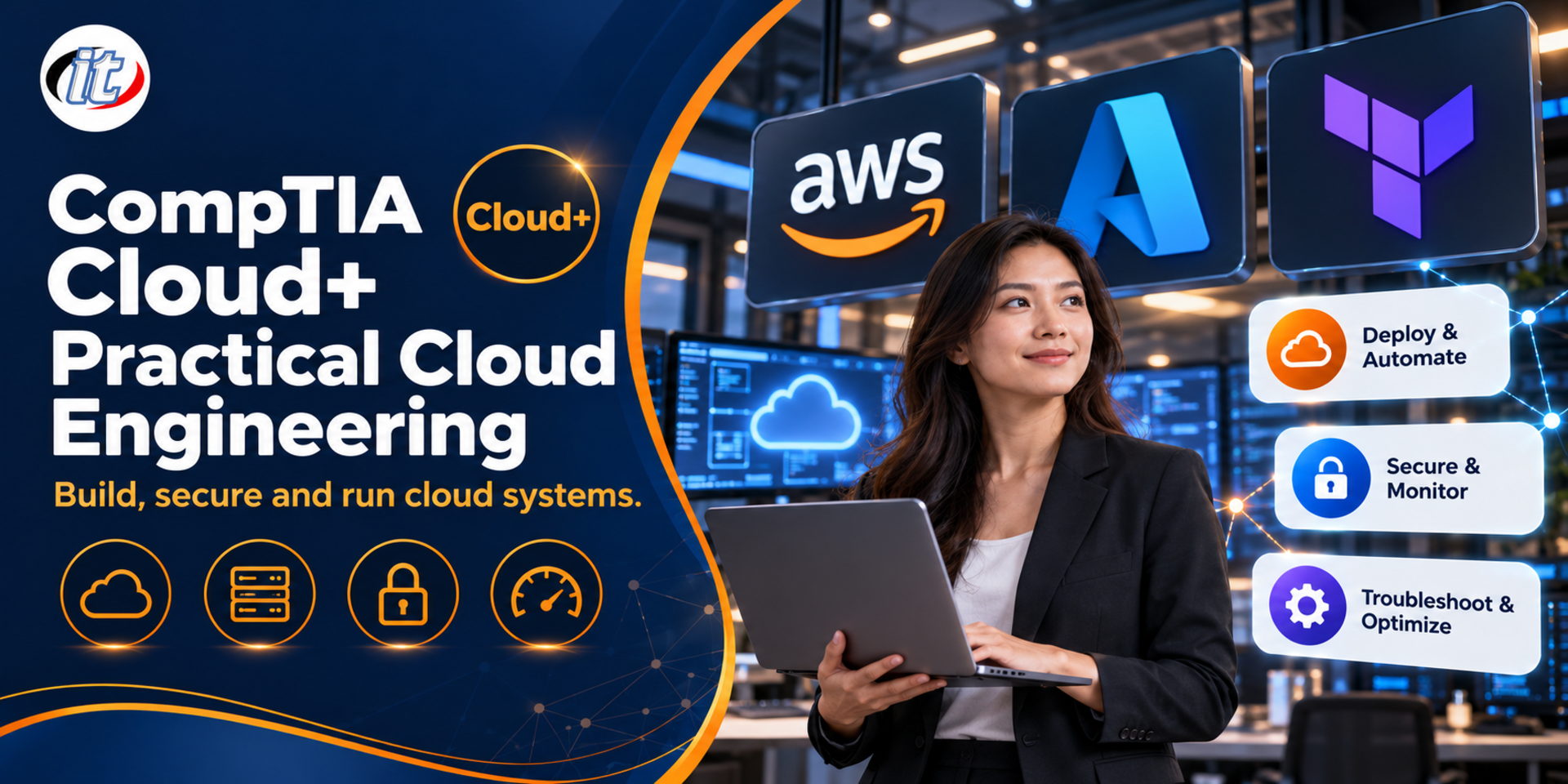
CompTIA Cloud+ Practical Cloud Engineering is a hands-on course built around the CV0-004 exam objectives, working in AWS with Azure comparisons, from network and storage design and Terraform deployments to cloud security, monitoring, backup and troubleshooting. It suits developers and DevOps engineers who run systems in the cloud and want a solid, vendor-neutral foundation.
Software developers today are responsible for more than code. They need to understand how their systems run in the cloud, from choosing a service model, designing networks and storage and deploying with code, to security, cost and fixing problems when a system goes down. Many organisations find that their development teams can use the cloud but lack a shared architectural picture, so systems end up costly, fragile and hard to audit.
This course uses the CompTIA Cloud+ (CV0-004) exam objectives, all 6 domains, as its framework, with the emphasis on real-world use rather than exam cramming. Learners work hands-on in AWS and compare the services with Microsoft Azure, together with Terraform or OpenTofu, Docker, Git and a CI/CD pipeline, to build a sample system, the CloudHarbor Booking Platform, from design, deployment and security through to monitoring and troubleshooting. Learners who want the certification can use it as a foundation and book the exam with CompTIA themselves. (5 days, 6 hours per day, 30 hours in total, Intermediate level.)
What you’ll gain
Understand cloud service models, deployment models and availability concepts in a structured way
Design cloud networks, storage and databases to suit the workload and the budget
Choose containers, virtualisation and cloud-native approaches appropriately
Provision and configure cloud resources with infrastructure as code
Plan low-risk deployment and cloud migration strategies
Apply IAM, security controls and vulnerability management in the cloud
Set up observability, scaling, backup and recovery so systems are ready for production
Analyse and fix deployment, network and security problems step by step, while keeping costs under control
Who this course is for
Software developers (backend and full stack) who deploy and run systems in the cloud
DevOps engineers and people starting out in a cloud engineer role
Tech leads and solution architects who make cloud architecture decisions
IT teams planning to move systems from on-premises to the cloud
Learners who want a foundation before preparing for CompTIA Cloud+ or another cloud certification
Prerequisites
Programming in at least one language, with an understanding of how web applications work
Basic command line (Linux shell or PowerShell) and Git use
Basic networking such as IP addresses, DNS, HTTP/HTTPS and ports
No prior experience with AWS, Azure or Terraform is needed
Curriculum
Course Details
This is a hands-on course that uses the CompTIA Cloud+ (CV0-004) exam objectives, all 6 domains, as its framework: cloud architecture, deployment, operations, security, DevOps fundamentals and troubleshooting. It is not an official CompTIA course, does not include an exam voucher and does not focus on practice exams. Learners who want the certification book the exam with CompTIA themselves. It builds on AWS Cloud Practitioner, which covers AWS service fundamentals, and links to Infrastructure as Code with Terraform, covering the full cloud engineering lifecycle. It runs for 5 days, 6 hours per day (30 hours in total,
09:00-16:00), as a continuous workshop on a sample project, the CloudHarbor Booking Platform, using generated data only. Learners use their own laptop and their own AWS account (free tier or trial credits) or an organisation sandbox account. Some services, such as NAT gateways, load balancers and RDS, may cost more than the free allowance, and learners are responsible for those charges; the instructor shows how to set a budget and delete resources after each lab. Amazon ECS and Kubernetes are instructor demonstrations. Content follows the latest cloud services on the training day. CompTIA and Cloud+ are trademarks of CompTIA, Inc.
Day 1Cloud Architecture Foundations
Section 1: Cloud Service Models and Shared Responsibility
IaaS, PaaS, SaaS and FaaS (serverless) compared from a developer's point of view
The shared responsibility model: what the provider looks after and what the organisation owns
Choosing a service model to suit the team, the budget and the level of control needed
An overview of the CloudHarbor Booking Platform project and the 6 CV0-004 domains
Section 2: Service Availability
Regions, availability zones and edge locations
How high availability, fault tolerance and disaster recovery differ
SLA, RPO, RTO and estimating the impact of downtime
Lab: calculate the combined availability of a multi-tier system from each service's SLA
Section 3: Lab: Cloud Networking
VPC and VNet, public and private subnets, route tables, internet gateways and NAT gateways
Security groups versus network ACLs
Load balancers, DNS, CDN, and VPN or Direct Connect at a conceptual level
Lab: build a VPC with subnets across 2 availability zones in AWS
Section 4: Lab: Storage Resources and Technologies
Block, file and object storage and their use cases
Storage tiers, lifecycle policies and long-term retention
Durability, replication and encryption of stored data
Lab: create an S3 bucket for attachments with a lifecycle policy and compare it with Azure Blob Storage
Section 5: Workshop Day 1: Virtualisation, Cost and Architecture
Hypervisors, instance types and right-sizing
Pricing models: on-demand, reserved instances and savings plans, and spot
Controlling cost with tagging, budgets and the pricing calculator
Workshop: draw a multi-tier architecture diagram across 2 AZs and estimate the monthly cost
Day 2Cloud-native Design, Data and Migration
Section 6: Cloud-native Design Concepts
Microservices, loose coupling, stateless services and event-driven architecture
Message queues, pub/sub and serverless functions
Design principles for systems that scale and recover on their own
Lab: build a Lambda function triggered by a new file in S3
Section 7: Lab: Containerisation
Containers versus virtual machines
Container images, registries and container orchestration (Kubernetes, Amazon ECS) at a conceptual level
State and persistent storage for containers
Lab: containerise the REST API with Docker and push the image to Amazon ECR
Section 8: Lab: Databases in the Cloud
Relational versus NoSQL, and managed database services
Replication, read replicas, Multi-AZ and database backups
Choosing a database to fit the data model and the workload
Lab: create a database on Amazon RDS in a private subnet
Section 9: Workload Optimisation and Evolving Technologies
Optimising workloads with caching, auto scaling and the right instance choice
An overview of newer cloud technologies such as AI/ML services, edge computing and serverless containers
Criteria for assessing new technologies before adopting them
Case study: cut the cost and response time of an over-engineered system
Section 10: Workshop Day 2: Deployment Models and Cloud Migration
Public, private, hybrid, multi-cloud and community cloud
Migration strategies: rehost, replatform, refactor, repurchase, retire and retain
Assessing readiness and risk, and planning the cutover
Workshop: write a migration plan for the existing room booking system (a simulated on-premises system) with reasons for the chosen strategy
Day 3Deployment as Code and DevOps Fundamentals
Section 11: Infrastructure as Code
Declarative versus imperative approaches
Terraform or OpenTofu project structure: providers, resources, variables, outputs and modules
Remote state and preventing conflicting changes
Lab: rebuild the day 1 VPC entirely in Terraform
Section 12: Lab: Provisioning Cloud Resources
Matching resources to performance, availability and budget requirements
Provision load balancers, compute, databases and storage with code
Configuration with user data, images and environment variables
Lab: build every tier of the CloudHarbor infrastructure with remote state
Section 13: Deployment Strategies
Rolling, blue-green, canary and recreate
Immutable infrastructure and rollback
Separate environments: dev, staging and production
Choosing a strategy to match each system's risk and cost
Section 14: Lab: Source Control and CI/CD
Branching strategies and the pull request workflow
The parts of a CI/CD pipeline: build, test, scan and deploy
Storing pipeline credentials safely with OIDC instead of long-lived access keys
Lab: set up a pipeline that builds the container, runs tests and pushes to ECR
Section 15: Workshop Day 3: System Integration and DevOps Tools
Integrating systems through APIs, webhooks and message queues
The role of configuration management, container registries and artifact repositories
GitOps at an overview level
Workshop: have the pipeline run terraform plan and deploy to the cloud with a rolling update automatically
Day 4Cloud Security
Section 16: Lab: Identity and Access Management
Users, groups, roles and policies with least privilege
MFA, federation, single sign-on and temporary credentials
Avoiding long-lived access keys, and comparing the ideas with Microsoft Entra ID
Lab: rework CloudHarbor IAM into least-privilege roles
Section 17: Lab: Security Best Practices and Security Controls
Network segmentation, security groups and web application firewalls
Encryption at rest and in transit, and key management with KMS
Storing secrets in Secrets Manager instead of in code
Lab: enable encryption for the database and S3 and move credentials into Secrets Manager
Section 18: Lab: Vulnerability Management
Scanning instances and container images for vulnerabilities
Patch management and prioritising by risk
Feeding scan results into the CI/CD pipeline and setting criteria that stop a deployment
Lab: add container image scanning to the pipeline
Section 19: Compliance and Regulation
Data sovereignty, data residency and data classification
Relevant standards and laws such as ISO/IEC 27001 and Thailand's PDPA
Audit trails and keeping evidence for audits
Case study: choosing regions and data storage to meet organisational requirements
Section 20: Workshop Day 4: Monitoring Suspicious Activities
Common cloud attacks such as credential leaks, misconfiguration and DDoS
Using CloudTrail and logs to spot unusual behaviour
Setting alerts and first response steps
Workshop: turn on audit logging and alert on unusual sign-ins or permission changes
Day 5Operations, Troubleshooting and the Master Workshop
Section 21: Lab: Observability
How metrics, logs and traces differ
Building dashboards and alarms from key metrics with CloudWatch, compared with Azure Monitor
Setting thresholds and reducing alert noise
Lab: build a dashboard and alarms for CloudHarbor
Section 22: Lab: Scaling Approaches
Vertical versus horizontal scaling
Scheduled, dynamic and target tracking auto scaling
Basic load testing to confirm scaling works
Lab: set up auto scaling for the API and generate load to watch it scale out
Section 23: Backup, Recovery and Life Cycle Management
Full, incremental and snapshot backups, with restore testing
Disaster recovery strategies: backup and restore, pilot light, warm standby and active-active
Resource life cycle: patching, upgrades, deprecation and decommissioning
Lab: test database backup and restore against set RPO/RTO targets
Section 24: Troubleshooting Methodology
A systematic method: identify the problem, form a theory, test, fix and document
Deployment problems: template errors, exhausted quotas and missing dependencies
Network and security problems: routing, DNS, security groups, IAM permissions and expired certificates
Using logs, metrics and the CLI to find the root cause with evidence
Section 25: Master Workshop: A Simulated Outage
Groups solve 3-4 scenarios such as a failed deployment, an unreachable database and denied permissions
Present the root cause and how to prevent it
Review how the 5 days of work map to the 6 CV0-004 domains
Delete all resources with IaC and check Cost Explorer to keep costs under control
Schedule & training options
For individuals — public rounds
No public rounds are open right now. Join the waiting list and we will contact you first when the next round opens, or ask us on LINE. Or call 02-570-8449 or 088-807-9770
How does this course differ from AWS Cloud Practitioner and Infrastructure as Code with Terraform?
AWS Cloud Practitioner covers AWS service fundamentals and cloud concepts, and Infrastructure as Code with Terraform focuses on writing Terraform. This course covers the full cloud engineering lifecycle across the 6 Cloud+ CV0-004 domains: designing the architecture, network, storage and databases, deploying with code through CI/CD, security, and then monitoring, backup and troubleshooting. Terraform is one of the tools, used on day 3, and services are compared between AWS and Azure.
Is this an official CompTIA course, and does it include the exam fee?
No. It is not an official CompTIA course and does not include an exam voucher. It is a hands-on course by IT Genius Institute that uses the Cloud+ (CV0-004) exam objectives as its framework. Learners who want to sit the exam book and pay for it with CompTIA themselves, and should also review the official exam objectives on comptia.org.
Will I be ready to take the Cloud+ exam after the course?
The course covers all 6 CV0-004 domains and builds understanding through hands-on work, which is a good foundation for exam preparation, but it does not focus on practice exams and does not guarantee a result. Learners who plan to sit the exam should review the exam objectives and practise questions on their own. CV0-004 is the current version as of October 2026, and CompTIA estimates it will be replaced around 2027, so check the latest exam code on comptia.org before booking.
Do I need an AWS account, and will there be cloud charges?
Learners use their own AWS account on the free tier or trial credits, or a sandbox account provided by their organisation. A personal account needs a credit card to sign up. Some services, such as NAT gateways, load balancers and RDS, may cost more than the free allowance, and learners are responsible for those charges. The instructor shows how to set budget alerts and delete resources with IaC after each lab. Azure is used for comparison, and an Azure account is optional.
What laptop and background do I need?
Learners bring their own laptop with 16 GB RAM or more, with VS Code, Git, Docker, the AWS CLI and Terraform or OpenTofu installed, rights to install software and a network that can reach AWS. You should be able to program in at least one language, use the command line and Git at a basic level, and understand IP addresses, DNS and HTTP. No prior experience with AWS, Azure or Terraform is needed.
Why use AWS when Cloud+ is a vendor-neutral certification?
Cloud+ tests principles that apply to every provider, so the course teaches the principle first in every topic. Real understanding needs hands-on practice, so AWS is the main workshop platform, and service names and concepts are compared with Microsoft Azure throughout, such as VPC and VNet or IAM and Entra ID, so learners can apply the ideas to whichever cloud their organisation uses.
AWS is the world's leading cloud provider, and the AWS Certified Cloud Practitioner (CLF-C02) is the first gateway into a cloud career, with the highest enrollment of any cloud course worldwide. It suits people without an IT background as well as those…
Building and changing infrastructure by hand through a web console creates inconsistency, leaves no audit trail and makes it hard to reproduce an environment. Terraform solves this by expressing infrastructure as code that lives in Git, is reviewed through…
Kubernetes is the standard platform for running containerised applications, both in the cloud and in an organisation's own data centre. It lets systems heal themselves when something fails, scale with demand and roll out new versions without downtime. Yet…
18 hours3 days
8,550THB9,500 THB
View details
CompTIA Cloud+ Practical Cloud Engineering30 hrs · 5 days