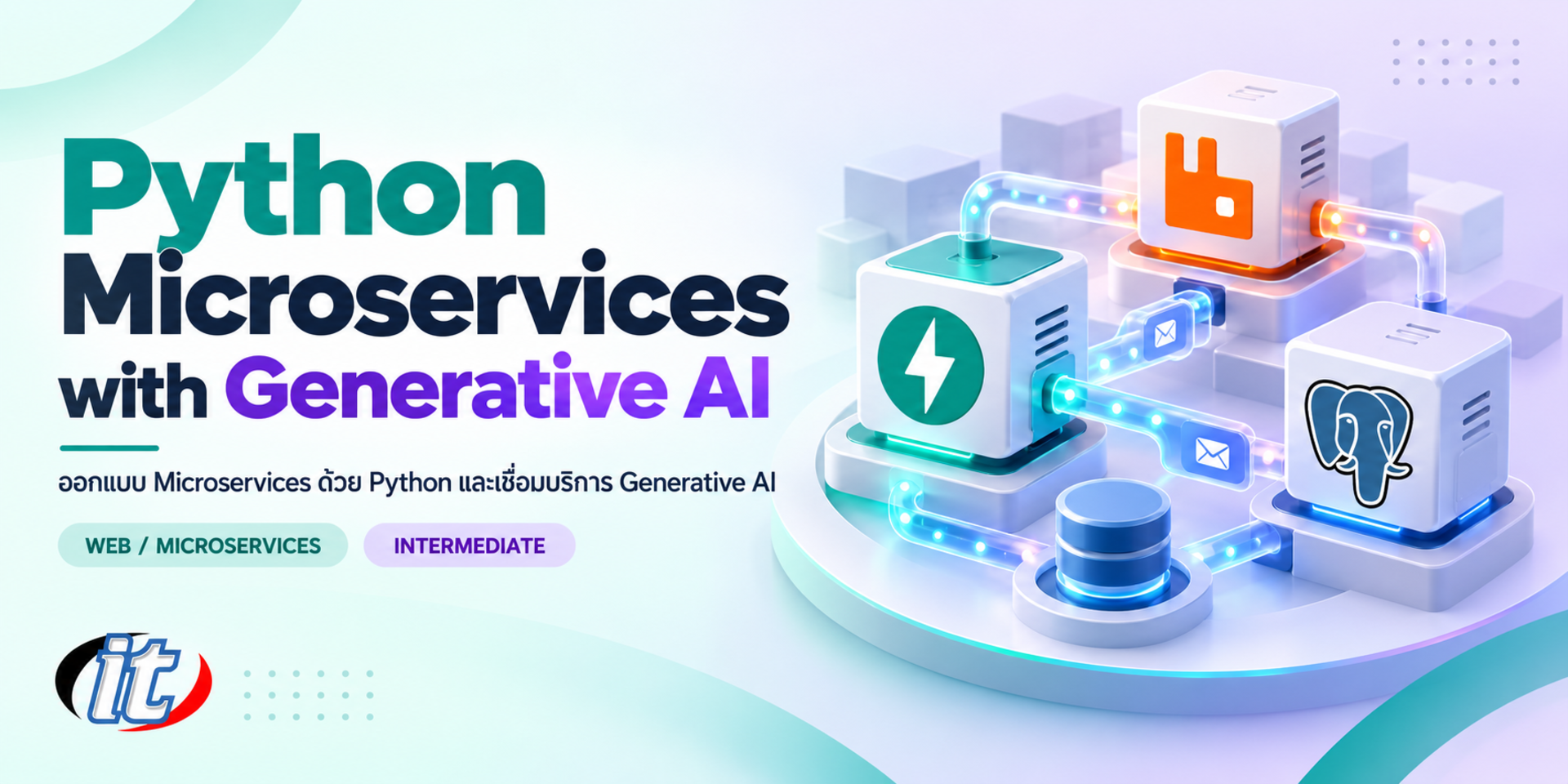
Python Microservices with Generative AI is a hands-on course in designing and building FastAPI microservices that talk over REST, gRPC and RabbitMQ, then adding an AI service with RAG on pgvector, tool calling and OpenTelemetry tracing. It suits Python backend developers and tech leads who need to bring generative AI into existing systems, and you leave with a working reference platform that runs on Docker Compose.
Many organisations no longer want only a system split into small services that scale easily. They also want generative AI inside the system, such as an assistant that answers customer questions, search by meaning across documents, or automatic summaries. The problems teams meet most often are services split along the wrong boundaries, fragile communication between services, and LLM calls scattered across the code so that cost, security and troubleshooting are out of control.
This course has learners build a sample shop platform, SiamCart, continuously over 4 days. It starts by drawing service boundaries with bounded contexts, builds services with FastAPI and Pydantic, and connects them with REST, gRPC and RabbitMQ using the outbox and saga patterns. Learners then add an AI Assistant service that can switch between a cloud LLM and Ollama on the laptop, build RAG with PostgreSQL 18 and pgvector, let the LLM look up orders through tool calling, and trace the whole system with OpenTelemetry until it all runs with Docker Compose. (4 days, 6 hours per day, 24 hours in total, Intermediate level.)
What you’ll gain
Understand the trade-offs of microservices against a monolith and a modular monolith, and know when not to split a service
Draw service boundaries with Domain-Driven Design, bounded contexts and a context map
Build services with FastAPI and Pydantic in a structure that is easy to maintain and test, with a database per service
Design REST, gRPC and event-driven communication through RabbitMQ to suit each situation
Use timeouts, retries, circuit breakers, idempotency, the outbox and sagas to handle failure and data consistency
Build an AI service that calls an LLM through a cloud API or Ollama, with RAG on pgvector and safe tool calling
Observe a distributed system with OpenTelemetry, covering traces, metrics, logs and LLM calls
Test with pytest and Testcontainers, and prepare the system against a checklist before production
Who this course is for
Python backend developers who want to move into designing microservice systems
Developers asked to connect generative AI to an organisation's existing systems
Tech leads and software architects who need a long-lived structure for services and AI services
DevOps and platform teams who want the developer's view of building services that are ready to deploy and observe
Prerequisites
Working Python, including functions, classes, type hints and basic async/await
An understanding of HTTP, REST APIs and JSON, and basic SQL
Git and the command line, and some experience running containers with Docker
No machine learning or AI background is needed; the course covers the LLM, embedding and RAG ideas you need
Curriculum
Course Details
This course builds on Building Microservices with Python (3 days), which lays the foundation for splitting services in Python, and adds what organisations now need: an AI service designed as part of the architecture, RAG on pgvector, safe tool calling so the LLM can use data from other services, and OpenTelemetry tracing of LLM calls. Learners who want to take a single API deep to enterprise standard, covering authentication, RFC 9457 and OWASP API security, should see Enterprise REST API with Python. It runs
for 4 days, 6 hours per day (24 hours in total, 09:00-16:00), as a continuous workshop on a sample project, SiamCart, using generated data only. Learners use their own laptop with Docker installed. A cloud LLM uses the learner's or the organisation's own API key, which is charged by usage, or Ollama can run on the laptop instead. Learners take home the source code of every service, the Docker Compose files and a production readiness checklist to use as a reference.
Day 1Microservices Architecture and Service Design
Section 1: Microservices: When to Use Them and When Not To
Monolith, modular monolith and microservices compared from the angle of teams, deployment and complexity
What makes a good service: loose coupling, high cohesion and independent deployment
Hidden costs: network latency, data consistency and the operational load
Case study: systems that should start as a modular monolith before splitting
Section 2: Drawing Service Boundaries with Domain-Driven Design
Ubiquitous language, subdomains and bounded contexts
A short Event Storming session to find domain events and service boundaries
Context maps and relationships such as customer/supplier and the anti-corruption layer
Workshop: run Event Storming and draw the SiamCart context map
Section 3: Lab: Structuring a Service with FastAPI
Set up the project with uv and Ruff, with router, service and repository layers
Define schemas with Pydantic and manage configuration with pydantic-settings
FastAPI dependency injection, health checks and readiness endpoints
Lab: build the Catalog service on the team's standard structure
Section 4: Lab: Database per Service
The database-per-service principle and its effect on cross-service queries
Async SQLAlchemy 2 with PostgreSQL 18, and migrations with Alembic
Store a snapshot of product data in the order instead of joining across databases
Lab: build the Order service with its own database and migrations
Section 5: Workshop Day 1: Running SiamCart with Docker Compose
A multi-stage Dockerfile for a Python service built with uv
Docker Compose for several services, with networks, volumes and health checks
Separate configuration per environment with environment variables
Workshop: run the Catalog service, the Order service and PostgreSQL with separate databases in one command
Day 2Service Communication: REST, gRPC and Event-driven
Section 6: Lab: Synchronous Calls with REST and gRPC
Call other services with async HTTPX and set sensible timeouts
Design contracts with Protocol Buffers and build a gRPC server and client in Python
REST and gRPC compared on performance, versioning and internal use
Lab: have the Order service check products and prices with Catalog over gRPC
Section 7: Resilience Patterns
Exponential backoff retries with Tenacity, and the risk of retry storms
Circuit breakers, bulkheads and fallbacks when a downstream service is unavailable
Idempotency keys to prevent duplicate transactions
Lab: stop the Catalog service during checkout and observe how the system behaves
Section 8: Lab: Event-driven Messaging with RabbitMQ
Events, commands and message brokers, with a conceptual comparison of RabbitMQ and Apache Kafka
Exchanges, queues, routing keys, quorum queues and dead letter queues in RabbitMQ 4
Async publishers and consumers with aio-pika, and handling acknowledgements
Lab: send an OrderPlaced event to the Notification service
Section 9: Data Consistency in Distributed Systems
The dual-write problem and the transactional outbox
Choreographed and orchestrated sagas with compensating transactions
Consumers that cope with duplicate and out-of-order messages
Caching with Redis or Valkey, cache invalidation and a basic CQRS read model
Section 10: Workshop Day 2: Cross-Service Ordering
Add a mock Payment service and a Notification service that work through events
Publish events reliably with the outbox
A saga that cancels the order automatically when payment fails
Workshop: send duplicate messages and crash a consumer mid-way, then check that the data is still correct
Day 3Generative AI Services: LLM, RAG and Tool Calling
Section 11: LLM Fundamentals for Developers
Tokens, context windows and temperature, and their effect on quality and cost
Chat messages, system prompts and structured output validated with Pydantic
Cloud and local LLMs compared on data privacy, cost and performance
Lab: have the LLM answer in JSON that matches a given schema
Section 12: Lab: The AI Service and the LLM Client
Separate the AI service from business services and define a clear contract
An LLM client abstraction that switches between an OpenAI-compatible cloud API and Ollama through configuration
Run Ollama in Docker Compose and choose chat and embedding models that suit the machine
Stream responses to the client with Server-Sent Events (SSE) from FastAPI
Lab: build an AI Assistant service that streams its answers
Section 13: Lab: RAG with pgvector
Embeddings, chunking and similarity search
Install pgvector on PostgreSQL 18 and create vector tables with HNSW indexes
An ingestion pipeline that receives documents through events and creates embeddings asynchronously
Build prompts from search results, cite sources and take a first measure of answer quality
Lab: load the shop policy documents (generated data) into pgvector
Section 14: Tool Calling, MCP and AI Service Security
Function and tool calling, and defining tool schemas
Connect a tool to the Order service while passing on the user's permissions correctly
The Model Context Protocol (MCP) and exposing a service as an MCP tool (demonstration)
Prompt injection, data leakage, limiting tools and masking personal data
Timeouts, rate limits, fallback models and token logging to control cost
Section 15: Workshop Day 3: The SiamCart AI Assistant
Answer shop policy questions with RAG and cite the sources
Let the LLM look up the user's order status from the Order service through tool calling
Switch between a cloud LLM and Ollama and compare quality, speed and cost
Workshop: try a prompt injection that attempts to read another user's orders, and close the gap
Day 4Observability, Security and Production Readiness
Section 16: Lab: Observability with OpenTelemetry
Traces, spans, metrics, logs and context propagation across HTTP, gRPC and RabbitMQ
Auto-instrumentation for FastAPI, HTTPX and SQLAlchemy, and adding custom spans
The OpenTelemetry Collector sending data to Jaeger, Prometheus and Grafana
Tracking LLM calls: latency, token counts and error rates
Lab: follow a distributed trace from the user's question to the LLM and the Order service
Section 17: Security Between Services
JWT authentication at the edge and passing identity on to internal services
Handling secrets and LLM API keys safely
The role of an API gateway in microservices, with an example using Traefik
Lab: add JWT and Traefik as the single entry point to SiamCart
Section 18: Lab: Testing Microservices
Unit and integration tests with pytest and Testcontainers for PostgreSQL and RabbitMQ
Contract testing between services
Testing the AI service by mocking the LLM
Lab: write integration tests for the ordering process
Section 19: The Road to Production
Configuration, graceful shutdown and health checks for an orchestrator
An overview of moving the system to Kubernetes and what is needed beyond Docker Compose
A readiness checklist for services and AI services before going live
Lab: review SiamCart against the checklist and list what must be added before going live
Section 20: Master Workshop: The Complete SiamCart Platform
Bring every service together, from product search, ordering, payment and notification to questions through the AI Assistant
Simulate a Payment service outage and a slow LLM, then find the cause from traces in Jaeger
Adjust timeouts, fallbacks and alerts based on the findings
Present the team's architecture and the reasons behind its design
Schedule & training options
For individuals — public rounds
No public rounds are open right now. Join the waiting list and we will contact you first when the next round opens, or ask us on LINE. Or call 02-570-8449 or 088-807-9770
How does this course differ from Building Microservices with Python and Enterprise REST API with Python?
Building Microservices with Python is a 3-day course that lays the foundation for splitting a system into services with Python. This 4-day course goes further with DDD service boundaries, gRPC and RabbitMQ with the outbox and sagas, and an AI service with RAG on pgvector and tool calling, all traced with OpenTelemetry. Enterprise REST API with Python, launched alongside it, takes a single API deep to enterprise standard, covering OAuth2/JWT, RBAC, RFC 9457 errors and OWASP API security, and does not cover multiple services or generative AI.
Do I need an AI or machine learning background?
No. The course treats LLMs from a system developer's point of view. Day 3 starts with the ideas you need, such as tokens, context windows, embeddings and RAG, before the labs. You should write Python comfortably, including basic async/await, understand REST APIs and SQL, and have run containers with Docker. Training or fine-tuning models is not covered.
Do I need a cloud LLM API key, and who pays for usage?
It is optional. The institute does not provide accounts or API keys. To use a cloud LLM, bring your own key or one your organisation allows, which is charged by usage. Without one, you can run a small model through Ollama on your laptop at no cost. The lab code switches between the two through configuration. Small models may give weaker answers, but they are enough to learn the whole architecture.
What laptop specification do I need?
At least 16 GB of RAM and 40 GB of free disk, because several services run in Docker Compose together with PostgreSQL, RabbitMQ and the observability tools. If you also want to run a local LLM with Ollama, 32 GB is recommended. Install Docker Desktop (with WSL2 on Windows) or Docker Engine, Python 3.14 or later, uv, Git and VS Code or PyCharm before the training day, and download the Docker images and models from the list sent in advance.
Does the course teach Kafka and Kubernetes?
The labs use RabbitMQ as the main message broker, while Apache Kafka is covered as concepts and a comparison of which suits which job. Kubernetes and API gateways are covered as an overview and demonstration, with Traefik as the example, so that most of the time goes to service design, the AI service and observability. For a deeper look at Kubernetes, continue with Kubernetes (K8s) Orchestration.
Does lab data leave my machine?
All lab data is generated SiamCart data. With Ollama, data is processed on your own machine. With a cloud LLM, the prompts and documents you send go to the provider under that service's terms. That is why the course covers a switchable LLM client, masking personal data before sending, and limiting which tools the LLM can call, so you can apply the approach to real organisational data with care.
Microservices split a system into several small services, each handling its own work with its own database, and each developed, tested and deployed separately while still working together as one system. This lets several teams work in parallel and scale only…
Once staff in every department start using AI, organisations tend to hit the same problems. Each team signs up for a different service and holds its own API keys, nobody knows the total cost, customer data or confidential documents can be sent out by…
Today's apps and web sites talk to their back ends mainly through APIs, so building REST APIs has become a core skill for modern developers. FastAPI is a Python framework that is concise and fast, validates data automatically from type hints and generates API…
12 hours2 days
3,510THB3,900 THB
View details
Python Microservices with Generative AI24 hrs · 4 days