การจัดการฐานข้อมูลด้วย Microsoft Excel และ Access
รายละเอียด Course ID: mic-04-14
ในหลักสูตรนี้จะแนะนำพื้นฐานการสร้างฐานข้อมูลในโปรแกรม Microsoft Access 2010 โดยเริ่มจากการใช้ Template ที่มากับตัวโปรแกรม เนื้อหาในหลักสูตรครอบคลุมโครงสร้างและการปรับแต่งฐานข้อมูลให้ตรงกับความต้องการของผู้ใช้งาน มีหัวข้อพื้นฐานเช่น การทำงานกับตาราง แบบฟอร์ม คิวรี่ แมโคร และการทำรีพอร์ทรวมถึงกราฟต่างๆ
ส่วนในการทำงานกับโปรแกรม Microsoft Excel จะได้เรียนรู้ฟังก์ชันการทำงานกับฐานข้อมูลเชิงลึกมากมาย แต่พื้นฐานจนถึงการนำไปประยุกต์ใช้งานจริงต่อไป
รอบการเปิดอบรม
วิดีโอแนะนำคอร์ส
ไฟล์รายละเอียดคอร์ส
- การจัดการฐานข้อมูลด้วย Microsoft Excel และ Access (Course outline PDF)
- โปรไฟล์ของบริษัทไอทีจีเนียส เอ็นจิเนียริ่ง (โปรไฟล์ไอทีจีเนียส PDF)
วัตถุประสงค์
- มีความรู้ความสามารถในการเรียกใช้งานโปรแกรม Microsoft Excel ได้
- มีความรู้ความสามารถในการเรียกใช้งานโปรแกรม Microsoft Accessได้
- สามารถประยุกต์รูปแบบการใช้งานต่างๆ ได้
กลุ่มเป้าหมาย
- นักเรียน-นักศึกษา
- ครู-อาจารย์ที่ต้องการเพิ่มทักษะความรู้
- บุคคลทั่วไปที่สนใจการใช้งาน MS Access และ Excel
ความรู้พื้นฐาน
- มีความรู้ด้านภาษาอังกฤษบ้างเล็กน้อย
- มีความเข้าใจในระบบคอมพิวเตอร์อยู่บ้าง
- ใช้งานระบบปฏิบัติการ Windows ได้ดี
ระยะเวลาในการอบรม
- 18 ชั่วโมง
ราคาคอร์สอบรม
- ราคาปกติ 8,900 บาท / คน
- โปรโมชั่นลด 10% เหลือ 8,010 บาท / คน
- ราคาเหมาจ่าย (ผู้อบรมตั้งแต่ 10 คน) ตามแต่ตกลงกัน
- ขอใบเสนอราคา
วิทยากรผู้สอน
 อาจารย์ว่าที่ พ.ต. ณัฐศิระ เยาวสุต
คอร์สที่ควรอบรมก่อนหน้า
 Basic Microsoft Access 2010/2013 พื้นฐาน
คอร์สต่อเนื่องที่แนะนำ
 Advanced Microsoft Excel 2010/2013 ขั้นสูง
เนื้อหาการอบรม
1. Understanding Databases
- What are databases?
- Exploring databases and database management systems
2. Database Fundamentals
- The features of a relational database
- Exploring unique values and primary keys
- Defining table relationships
- Describing many-to-many relationships
- Transactions and the ACID test
- Introduction to Structured Query Language (SQL)
3. Database Modeling: Tables
- Introduction to database modeling
- Planning your database
- Identifying columns and selecting data types
- Choosing primary keys
- Using composite keys
4. Database Modeling: Relationships
- Creating relationships
- Defining one-to-many relationships
- Exploring one-to-one relationships
- Exploring many-to-many relationships
- Understanding relationship rules and referential integrity
Microsoft Access 2010
1. Basic Microsoft Access 2010
- Database concepts and terminology
- Starting Access
- Creating a new file
- Trusting a file
- The Quick Access toolbar
- Backstage view
- Exploring ribbons
- Using the Navigation pane
2. Formatting and Appearance
- Entering data into your tables
- Formatting tables
- Finding, sorting, and filtering records
3. Forms
- Creating data-entry forms
- Using the Form Wizard
- Modifying a form in Layout view
- Using Design view
- Setting tab stops
- Adding buttons to a form
- Using navigation forms
4. Queries
- Introduction to queries
- Using the Query Wizard
- Creating a query in Design view with criteria
- Creating wildcard queries
- Creating reusable parameter queries
- Creating yes/no queries
- Creating crosstab queries
5. Using Other Applications with Access
- Importing Excel and text data
- Exporting data into Excel
- Exporting to PDF
- Exporting into a Word Mail Merge
- Publishing to a web browser in HTML or XML
- Sharing via email
- Collecting data over email
6. Access Database maintenance and backup
- Backup your data!
- How to backup your database file
- Online backup recommendations
- Backing up a table
Microsoft Excel 2010
1. Getting Started
- Exploring three common uses for Excel
- Touring the interface
- Finding the commands you need
- Using Backstage view or the File tab
- Maintaining file compatibility
2. Worksheet Basics
- Creating a worksheet
- Techniques for copying and pasting
- Entering data automatically with Auto Fill
- Targeting large data groups
- Changing a worksheet's structure
3. Excel Formula Basics
- Understanding formulas and functions
- Entering data in a worksheet
- Adding numbers manually
- Adding numbers using Sum and AutoSum
- Adding a whole worksheet
- Working with numbers in columns
- Preventing errors using absolute references
- Working with times and dates
- Using IF
- Using SUMIF and AVERAGEIF
- Naming and using cell ranges
4. Essential Formatting
- Formatting numbers and dates
- Applying fonts, background colors, and borders
- Adjusting columns, rows, and text
- Using conditional formatting
- Using custom conditional formatting
- Adding pictures and shapes
5. Advanced Formatting
- Inserting SmartArt
- Coordinating a look using themes
- Applying built-in styles
- Creating and sharing styles
- Using templates
- Creating and using original templates
6. Collaborating with Others
- Importing and exporting data in Excel
- Setting workbook permissions
- Inserting and editing comments
- Sharing a workbook
- Tracking changes
- Saving files in shared locations
Example using Excel and Access to collect result of LAB test
- Setting Up a Database in Excel
- Cleaning Up Your Excel Data
- Financial Functions in Depth
- Charts in Depth
- Pivot Tables in Depth
- Data Validation in Depth
- Advanced Formatting Techniques
- Macros in Depth
- Real-World Projects
คำถามที่พบบ่อย (FAQ)
คอร์ส การจัดการฐานข้อมูลด้วย Microsoft Excel และ Access เหมาะกับใคร ต้องมีพื้นฐานอะไรมาก่อน
ดูรายละเอียดกลุ่มเป้าหมายและพื้นฐานที่ต้องมีได้ในหัวข้อ "กลุ่มเป้าหมาย" และ "พื้นฐานที่ผู้เรียนต้องมี" บนหน้านี้ หากไม่แน่ใจว่าพื้นฐานพอหรือไม่ ปรึกษาทีมงานได้ฟรีทาง LINE @itgenius หรือโทร 02-570-8449
คอร์ส การจัดการฐานข้อมูลด้วย Microsoft Excel และ Access ราคาเท่าไร ใช้เวลาเรียนกี่ชั่วโมง
ราคาปกติ 8,900 บาท (โปรโมชันปัจจุบันเหลือ 8,010 บาท) ใช้เวลาอบรม 18 ชั่วโมง ราคานี้รวมเอกสารประกอบการอบรม อาหารกลางวัน และอาหารว่างตลอดหลักสูตร
เรียนจบได้รับ Certificate หรือไม่
ได้รับ ผู้ผ่านการอบรมทุกท่านจะได้รับใบประกาศนียบัตร (Certificate of Completion) จากสถาบันไอทีจีเนียส
อบรมที่ไหน มีเรียนแบบออนไลน์หรือไม่
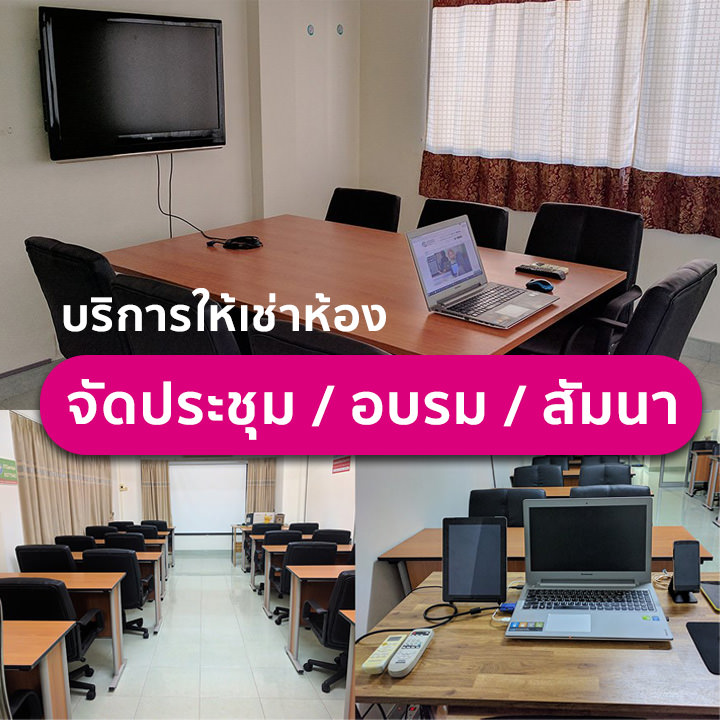
อบรมแบบ Onsite ที่สถาบันไอทีจีเนียส สาขาลาดพร้าววังหิน 68 กรุงเทพฯ และมีบริการจัดอบรมนอกสถานที่ (In-house Training) สำหรับองค์กร บางหลักสูตรมีเวอร์ชันเรียนออนไลน์ผ่าน GeniusHub ดูได้ที่เมนูคอร์สออนไลน์
ถ้าเรียนไม่ทันหรือขาดเรียน มีเรียนซ้ำ/เรียนชดเชยหรือไม่
มี ผู้เรียนสามารถแจ้งขอเรียนซ้ำ (repeat) ในรอบถัดไปของหลักสูตรเดียวกันได้ฟรีตามเงื่อนไขของสถาบัน ดูรายละเอียดที่หน้า "เรียนซ้ำฟรี" หรือสอบถามทีมงาน
สมัครเรียนหรือขอใบเสนอราคาในนามบริษัทได้อย่างไร
สมัครออนไลน์ได้จากแบบฟอร์มลงทะเบียนบนหน้านี้ หรือขอใบเสนอราคา (Quotation) ในนามนิติบุคคลได้ทันทีจากปุ่ม "ขอใบเสนอราคา" สอบถามเพิ่มเติมโทร 02-570-8449 หรือ LINE @itgenius