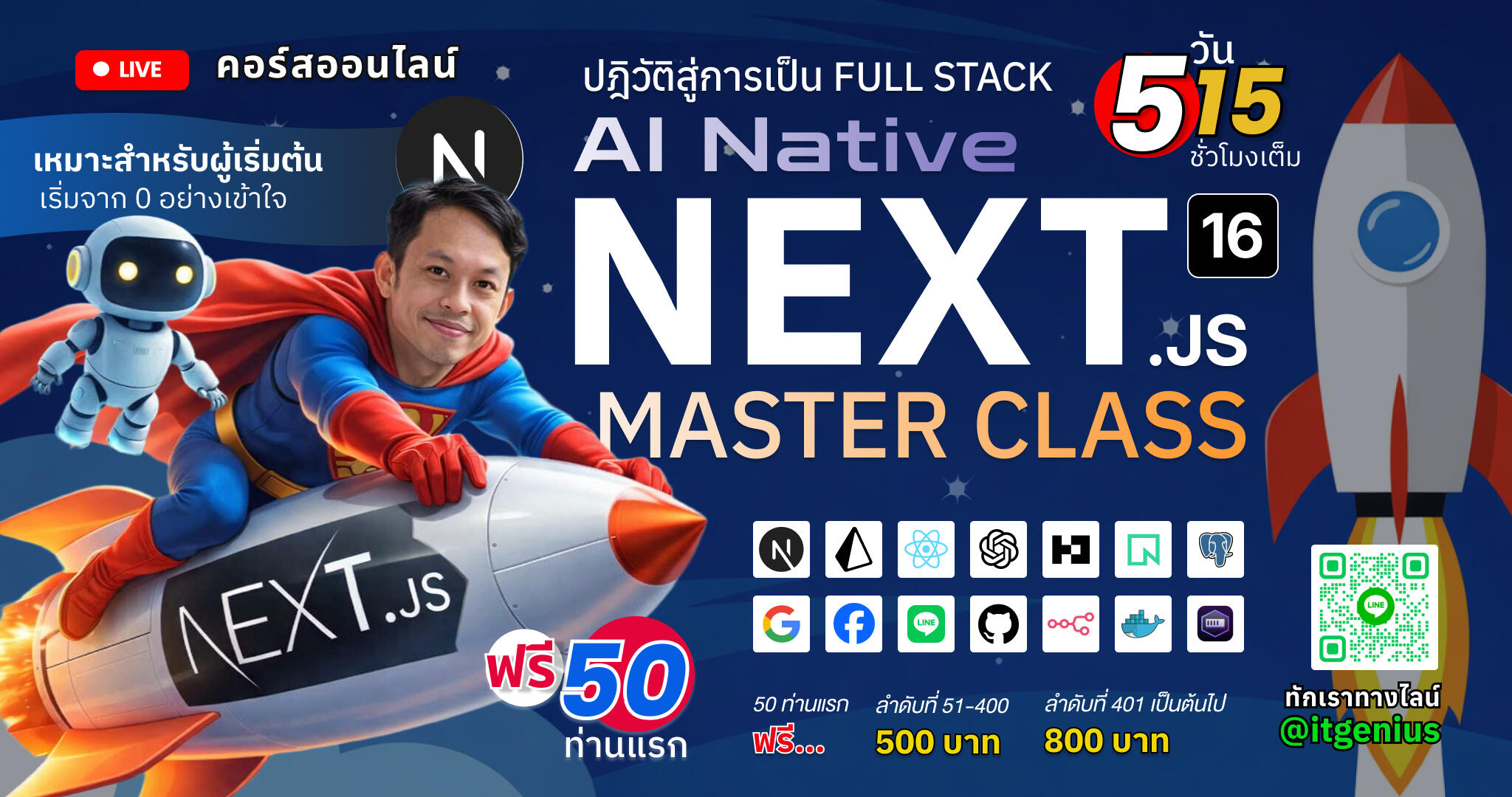
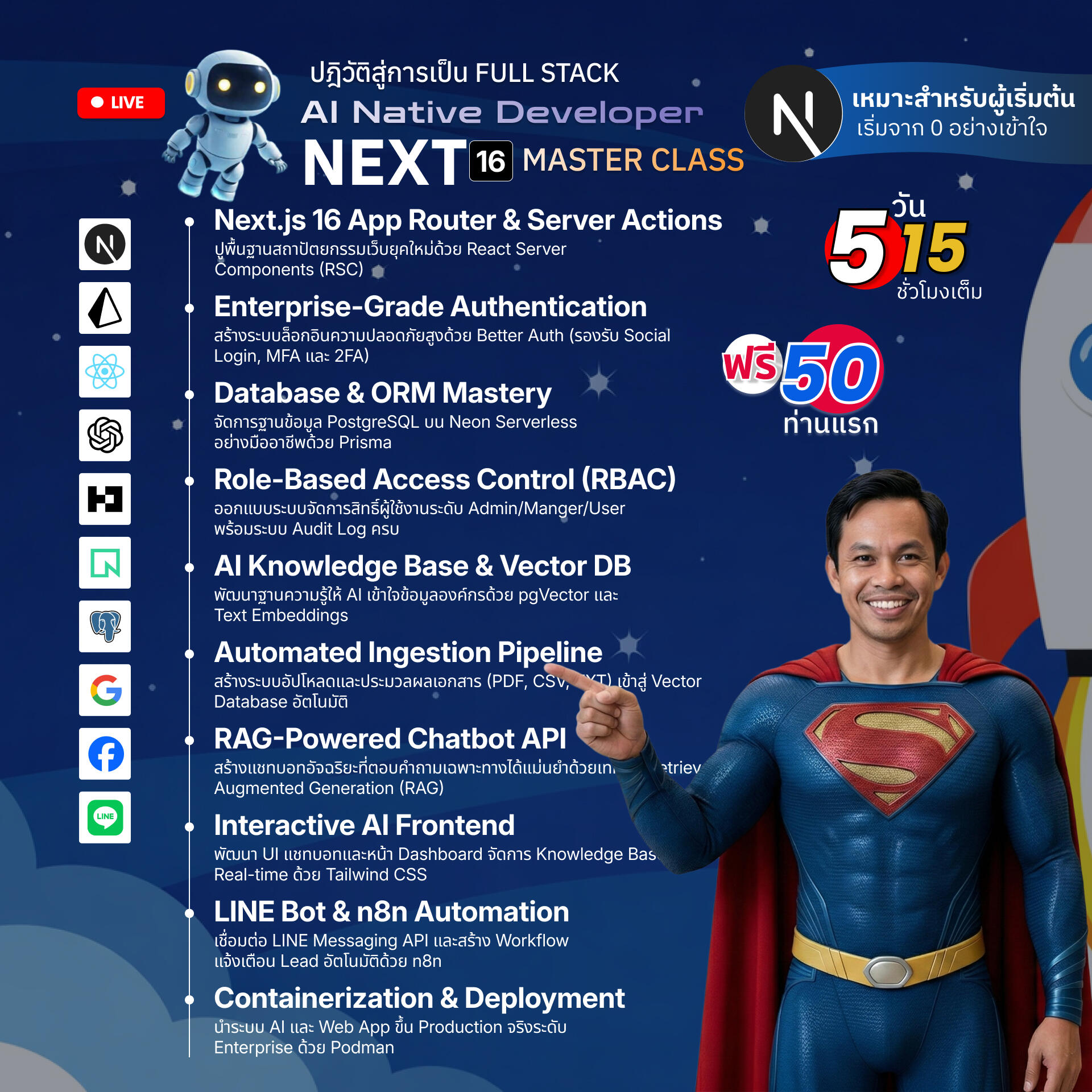
เปลี่ยนจากนักพัฒนาเว็บทั่วไปสู่การเป็น AI-Native Developer ที่พร้อมสร้างมูลค่าให้ธุรกิจด้วยเทคโนโลยีล่าสุด เรียนรู้การวางสถาปัตยกรรม Next.js 16 ร่วมกับ Better Auth เพื่อระบบที่ปลอดภัยสูงสุด พร้อมเจาะลึกการสร้าง RAG-based AI Chatbot ที่สามารถอ่านและตอบคำถามจากเอกสารภายในองค์กรได้อย่างแม่นยำผ่าน Vector Database

สัมผัสประสบการณ์การทำงานแบบ Full-stack ตั้งแต่การเขียนโค้ด การเชื่อมต่อ LINE Messaging API ไปจนถึงการทำ Automation ด้วย n8n และปิดท้ายด้วยการ Deploy ระบบอย่างมั่นใจด้วย Podman Container ซึ่งเป็นมาตรฐานใหม่ด้านความปลอดภัยสำหรับองค์กรยุคปัจจุบัน

*** หมายเหตุ หลักสูตรนี้เน้นการใช้งาน Next.js 16 ร่วมกับ Better Auth, Prisma และ PostgreSQL (Neon) เพื่อสร้าง AI Solution ที่ใช้งานได้จริง โดยผู้เรียนจะได้รับประสบการณ์ตั้งแต่การวางโครงสร้าง API ไปจนถึงการทำ Automation ด้วย n8n และการจัดการ Container ด้วย Podman

เปิดลงทะเบียนพร้อมกันตั้งแต่วันพุธที่ 11 มีนาคม 2569 เวลา 14.00 น. เป็นต้นไป

โปรโมชั่นราคาพิเศษ
  • สำหรับ 50 ท่านแรก ฟรี!
  • ลำดับที่ 51-400 ราคา 500 บาท
  • ลำดับที่ 401 เป็นต้นไปที่ราคา 800 บาทเท่านั้น
หลังจบหลักสูตรจะปรับราคาเป็น 1,000 บาท
จากราคาเต็มปกติ 6,500 บาท

สำหรับท่านที่ต้องการซื้อในนามนิติบุคคล สามารถซื้อได้ในราคา 6,500 บาท (ยังไม่รวมภาษีมูลค่าเพิ่ม 7%)

การอบรมในหลักสูตรนี้เป็นการสอนสดออนไลน์ ผ่านโปรแกรม Zoom Meeting และมีการบันทึกการอบรมส่งให้ดูย้อนหลังทั้งหลักสูตร

กำหนดการอบรม
  • วันที่ 19-21, 25, 28 มีนาคม 2569 เวลา 20:00-23.00 น.
  • อบรมรวม 5 วัน เฉลี่ยวันละ 3 ชั่วโมง
  • ระยะเวลารวมทั้งหลักสูตร 15 ชั่วโมง
ภาพรวมหัวข้อการฝึกอบรม
  • Next.js 16 App Router & Server Actions: ปูพื้นฐานสถาปัตยกรรมเว็บยุคใหม่ด้วย React Server Components (RSC)
  • Enterprise-Grade Authentication: สร้างระบบล็อกอินความปลอดภัยสูงด้วย Better Auth (รองรับ Social Login, MFA และ 2FA)
  • Database & ORM Mastery: จัดการฐานข้อมูล PostgreSQL บน Neon Serverless อย่างมืออาชีพด้วย Prisma
  • Role-Based Access Control (RBAC): ออกแบบระบบจัดการสิทธิ์ผู้ใช้งานระดับ Admin/User พร้อมระบบ Audit Log
  • AI Knowledge Base & Vector DB: พัฒนาฐานความรู้ให้ AI เข้าใจข้อมูลองค์กรด้วย pgVector และ Text Embeddings
  • Automated Ingestion Pipeline: สร้างระบบอัปโหลดและประมวลผลเอกสาร (PDF, CSV, TXT) เข้าสู่ Vector Database อัตโนมัติ
  • RAG-Powered Chatbot API: สร้างแชทบอทอัจฉริยะที่ตอบคำถามเฉพาะทางได้แม่นยำด้วยเทคนิค Retrieval-Augmented Generation (RAG)
  • Interactive AI Frontend: พัฒนา UI แชทบอทและหน้า Dashboard จัดการ Knowledge Base แบบ Real-time ด้วย Tailwind CSS
  • LINE Bot & n8n Automation: เชื่อมต่อ LINE Messaging API และสร้าง Workflow แจ้งเตือน Lead อัตโนมัติด้วย n8n
  • Containerization & Deployment: นำระบบ AI และ Web App ขึ้น Production จริงระดับ Enterprise ด้วย Podman

Next.js 16 AI-Native Developer Masterclass

แล้วผู้สอนเป็นใคร?

อ.สามิตร โกยม
(สถาบันไอทีจีเนียส)

สวัสดีครับ ผมอาจารย์สามิตร โกยม - ผู้สอนหลักสูตรนี้ครับ ผมจบการศึกษาระดับปริญญาโทด้านเทคโนโลยีสารสนเทศ จากมหาวิทยาลัยพระจอมเกล้าพระนครเหนือ และอยู่ในวงการพัฒนาโปรแกรมและไอทีมากว่า 15 ปีแล้ว
  • ประสบการณ์ทำงาน: เคยเป็นโปรแกรมเมอร์ในบริษัทเอกชน, ที่ปรึกษางานไอทีให้กับธุรกิจ SME หลายแห่ง และเป็น อาจารย์พิเศษ สอนวิชาคอมพิวเตอร์อยู่ที่มหาวิทยาลัยพระนครเหนือ (KMUTNB) ระหว่างปี 2557-2560
  • ประสบการณ์สอน: ปัจจุบันผมเป็น CEO และผู้ก่อตั้งสถาบัน IT Genius Engineering และได้ถ่ายทอดความรู้ด้านการเขียนโปรแกรมและพัฒนาเว็บให้กับผู้เรียนกว่า หลายพันคน ตั้งแต่ระดับนักศึกษาไปจนถึงระดับองค์กร
  • ความเชี่ยวชาญ: ผมสอนหลักสูตรด้าน Web Development, Programming และเทคโนโลยีใหม่ๆ มากมาย เช่น Next.js, AI Integration, Python และ DevOps ซึ่งผมมุ่งเน้นการนำเครื่องมือ AI มาช่วยเพิ่มประสิทธิภาพในการทำงานให้นักพัฒนาชาวไทย
  • ความมุ่งมั่น: เป้าหมายของผมคือการทำให้การเรียนรู้เทคโนโลยีที่ทันสมัย เป็นเรื่องง่ายและเป็นไปได้สำหรับทุกคน ดังนั้นคุณมั่นใจได้เลยว่าคุณจะได้รับการถ่ายทอดความรู้ด้วยวิธีที่เข้าใจง่าย เป็นกันเอง และนำไปใช้ได้จริง
ผู้เรียนต้องมีพื้นฐานอะไรบ้าง ?
  • มีความรู้ภาษา JavaScript หรือ TypeScript เบื้องต้น
  • เข้าใจคอนเซปต์ของ React หรือ Next.js (App Router) เบื้องต้น
  • พื้นฐานการใช้งานคำสั่ง Terminal/Command Line
  • คอมพิวเตอร์ส่วนตัวสำหรับใช้ในการอบรม (Windows, macOS, หรือ Linux)
จุดเด่นของหลักสูตร
  • Modern Auth Stack: ใช้ Better Auth รองรับทั้ง Social Login (Google, GitHub, LINE) และระบบ MFA (Multi-Factor Authentication)
  • AI Business Logic: สอนการทำ RAG (Retrieval-Augmented Generation) เพื่อให้แชทบอทตอบคำถามจากเอกสารบริษัทได้แม่นยำ 100%
  • Ready-to-Use Chat Widget: พัฒนาหน้าจอสนทนาที่เชื่อมต่อกับ AI API ได้โดยตรง พร้อมรองรับการแสดงผลแบบ Real-time
  • Sales Automation: บูรณาการ n8n เพื่อสร้างระบบ Lead Alert และแจ้งเตือนทีมขายผ่าน LINE ทันทีที่มีลูกค้าสนใจ
  • Container Security: ใช้ Podman เป็นเครื่องมือหลักในการจัดการ Container ซึ่งปลอดภัยและเป็นมาตรฐานใหม่สำหรับองค์กร
วัตถุประสงค์ของหลักสูตร
  • เพื่อให้ผู้เรียนสามารถวางโครงสร้างโปรเจกต์ Next.js 16 และ Rest API ตามมาตรฐานความปลอดภัยระดับสูงได้
  • เพื่อให้ผู้เรียนสามารถสร้างระบบ AI Chatbot ที่ค้นหาข้อมูลเฉพาะทางจากฐานข้อมูล Vector (pgVector) ได้
  • เพื่อให้ผู้เรียนสามารถเชื่อมต่อระบบ AI เข้ากับ LINE Messaging API และระบบ Automation ภายนอกได้
  • เพื่อให้ผู้เรียนเข้าใจการจัดการสิทธิ์การใช้งาน (RBAC) และการป้องกันข้อมูลในแอปพลิเคชัน AI
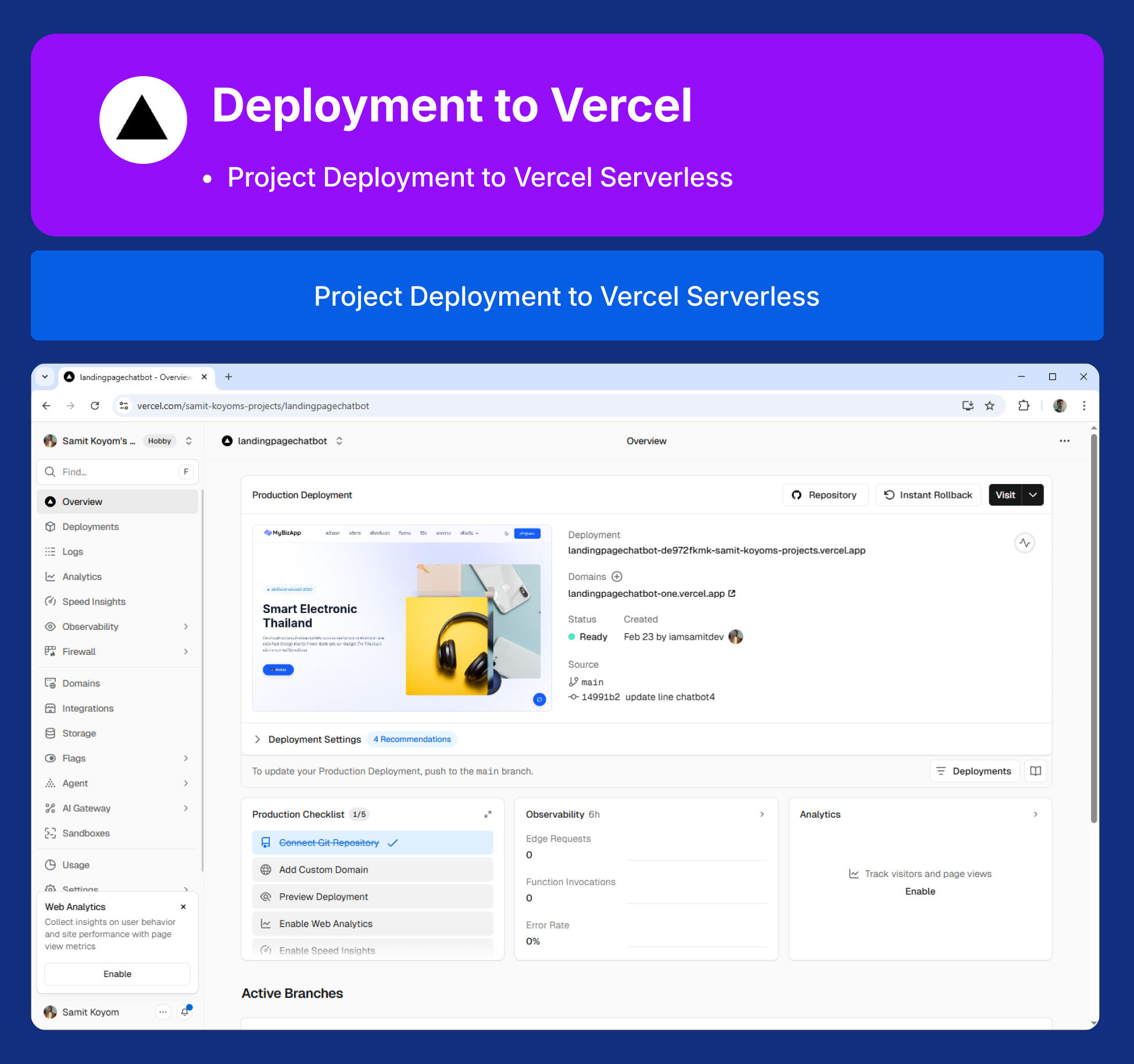
  • เพื่อให้ผู้เรียนสามารถบรรจุระบบลง Container ด้วย Podman และ Deploy สู่ระบบ Cloud ได้อย่างถูกต้อง
หลักสูตรนี้เหมาะกับใคร?
  • Software Developers ที่ต้องการอัปเกรดสกิลสู่การเป็น AI Full-stack Developer
  • Web Developers ที่ต้องการเรียนรู้การวางโครงสร้าง Next.js 16 และ API ระดับ Enterprise
  • Tech Leads ที่ต้องการสร้างระบบ AI Chatbot เพื่อนำไปประยุกต์ใช้กับฝ่ายขายหรือบริการลูกค้าขององค์กร
  • IT Infrastructure / DevOps ที่ต้องการเข้าใจการจัดการ AI Workload บน Container
คอมพิวเตอร์และโปรแกรมที่รองรับการพัฒนา
  • รองรับ Windows 10, 11
  • รองรับ MacOS
  • รองรับ Linux OS
อบรมออนไลน์ (สอนสด)
  • 19 - 28 มีนาคม 2026
  • 15 ชั่วโมง
รายละเอียดหลักสูตร
Day 1: สถาปัตยกรรม Next.js 16 และระบบความปลอดภัย Better Auth
  • Section 0: Setup Tools and Resources — ติดตั้งเครื่องมือที่จำเป็น (VS Code, Node.js, Git, Postman), ตรวจสอบการติดตั้งบน Windows / Mac OS / Linux, สมัครและเตรียม Neon Database
  • Section 1: รู้จัก Next.js v.16 พื้นฐาน — Next.js คืออะไร? ทำไมต้อง v.16?, App Router vs Pages Router, React Server Components (RSC), Server Actions, Streaming & Suspense, Caching & Revalidation
  • Section 2: Project Setup & Folder Structure — การเริ่มต้น Next.js 16 ด้วย TypeScript, Tailwind CSS, การวาง Folder Structure แบบ Scalable, รู้จัก shadcn/ui, การติดตั้งและตั้งค่า shadcn/ui, การใช้ Button, Input, Card, Label Components, การปรับแต่ง Theme และ Design System, สร้าง Landing Page, สร้างหน้า Register และ Login UI, สร้างหน้า Dashboard แสดง User Profile
  • Section 3: รู้จัก Better Auth พื้นฐาน — Better Auth คืออะไร? ทำไมเลือกใช้?, สถาปัตยกรรมการทำงาน, Core Schema (4 ตาราง: User, Session, Account, Verification), Database Adapters & CLI
  • Section 4: รู้จัก Prisma ORM พื้นฐาน — ORM คืออะไร? ทำไมต้องใช้?, Prisma คืออะไร? องค์ประกอบหลัก, เปรียบเทียบ Prisma vs Drizzle ORM, Prisma CLI Commands & Workflow
  • Section 5: Prisma & Neon Setup — การเชื่อมต่อ PostgreSQL บน Neon Serverless, การทำ Database Schema สำหรับ Better Auth, การ Push Schema และ Prisma Studio
  • Section 6: Basic Next.js RestAPI — พื้นฐาน REST API ใน Next.js 16 — Route Handlers, การสร้าง API Routes, การใช้ Route Handlers
  • Section 7: Better Auth Integration — ติดตั้งและตั้งค่า Better Auth (Server-side & Client-side), อัพเดทหน้า Register และ Login UI เรียกใช้ Better Auth, การตรวจสอบ Session ใน Server Component
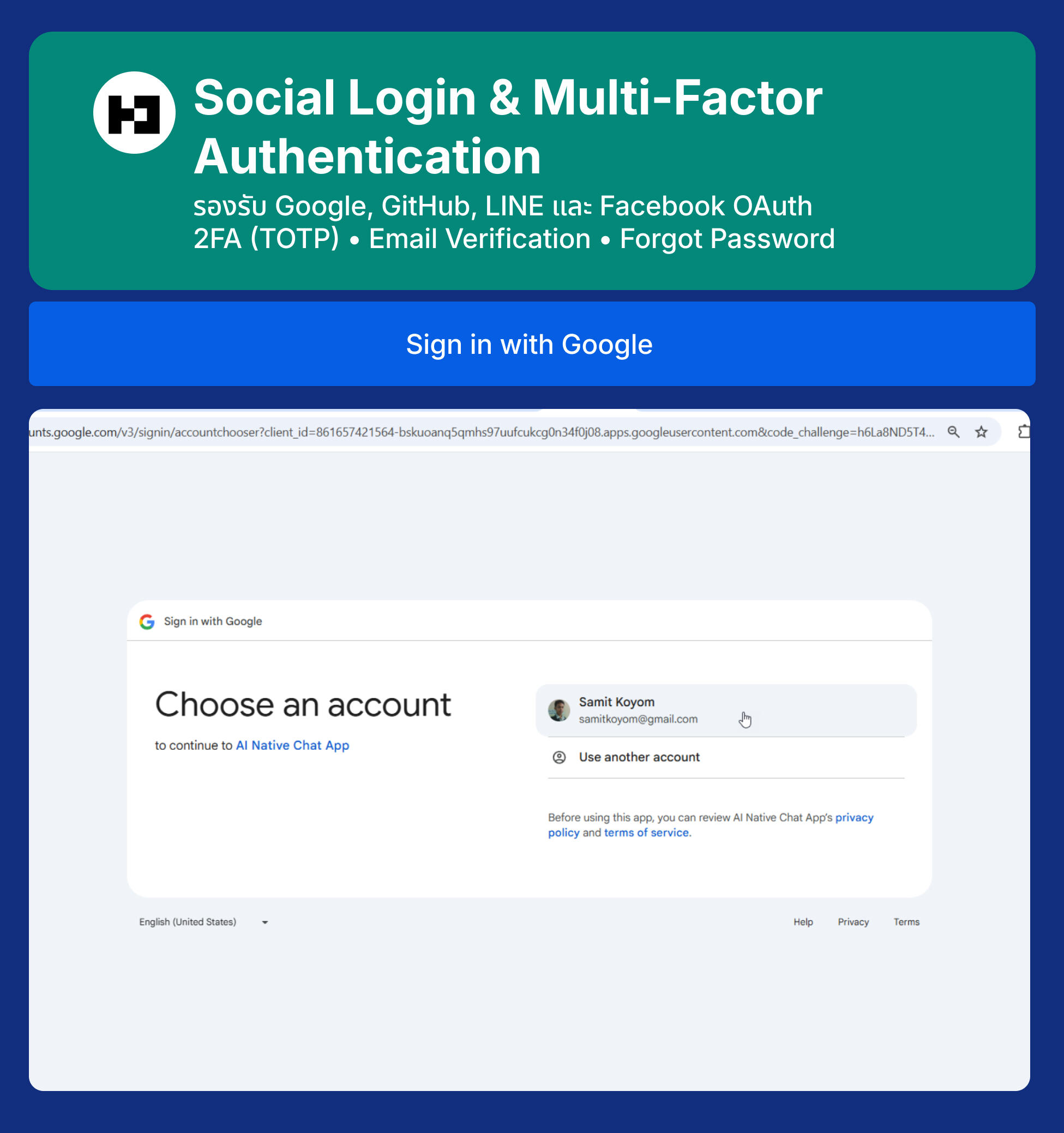
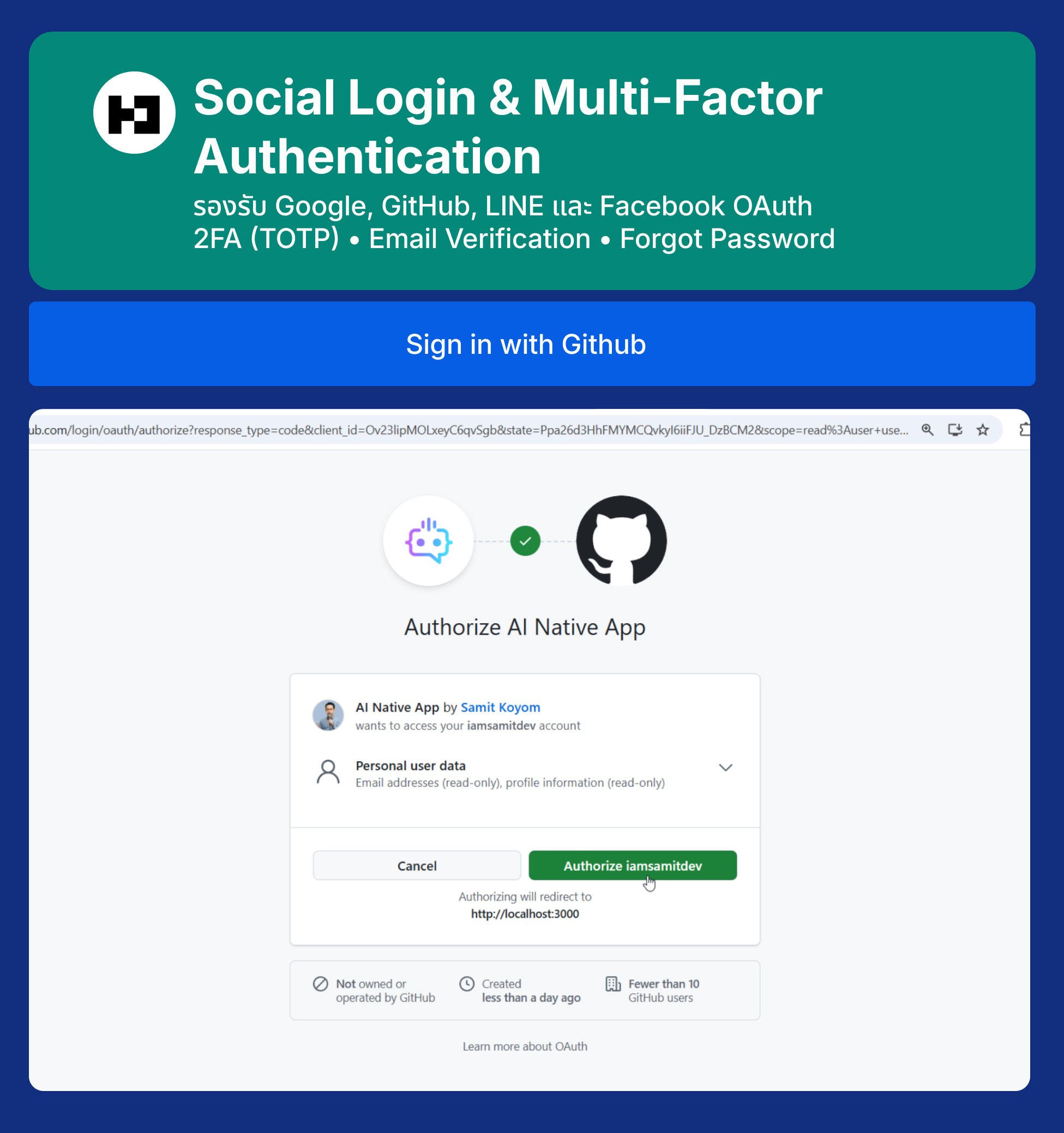
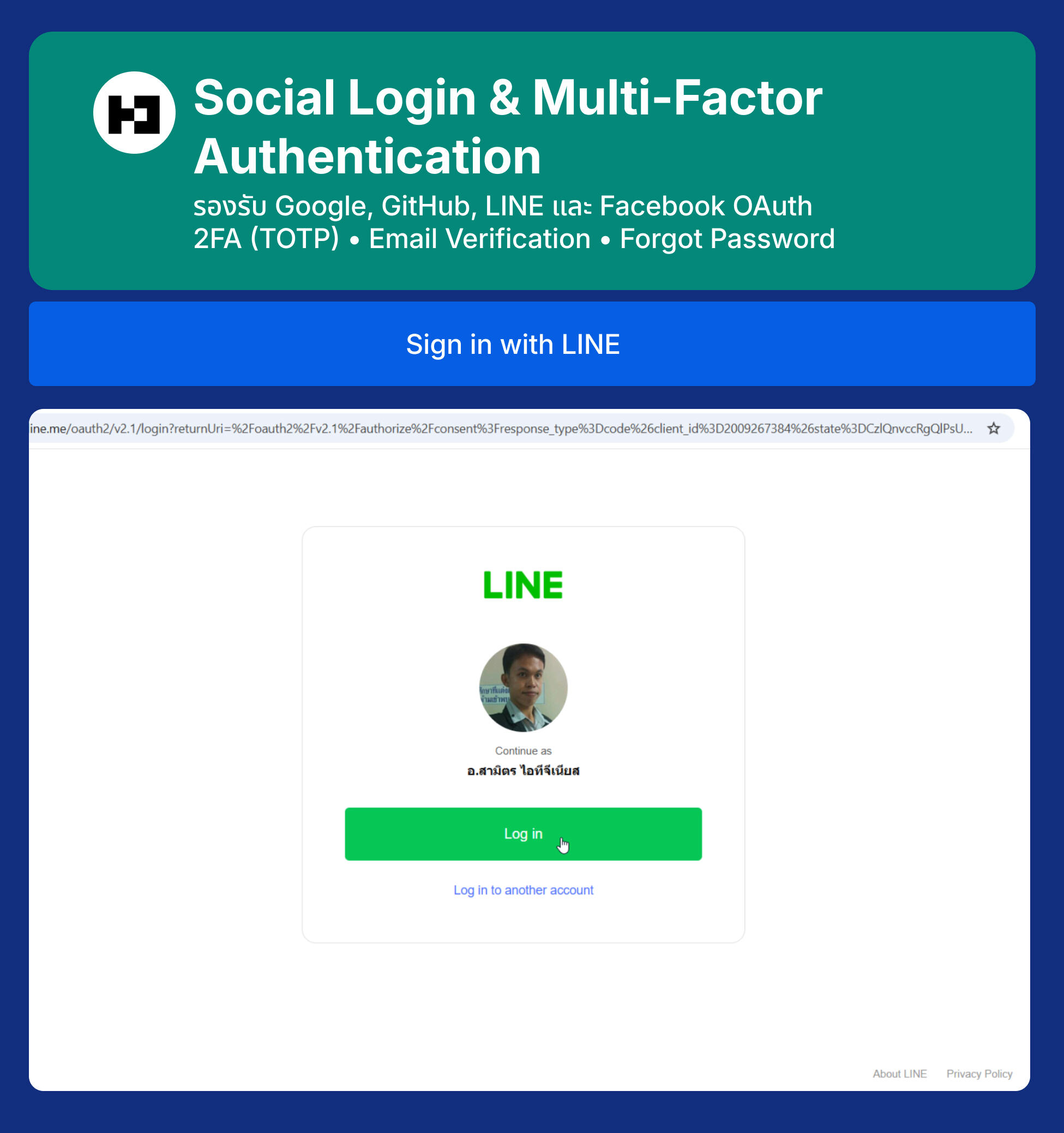
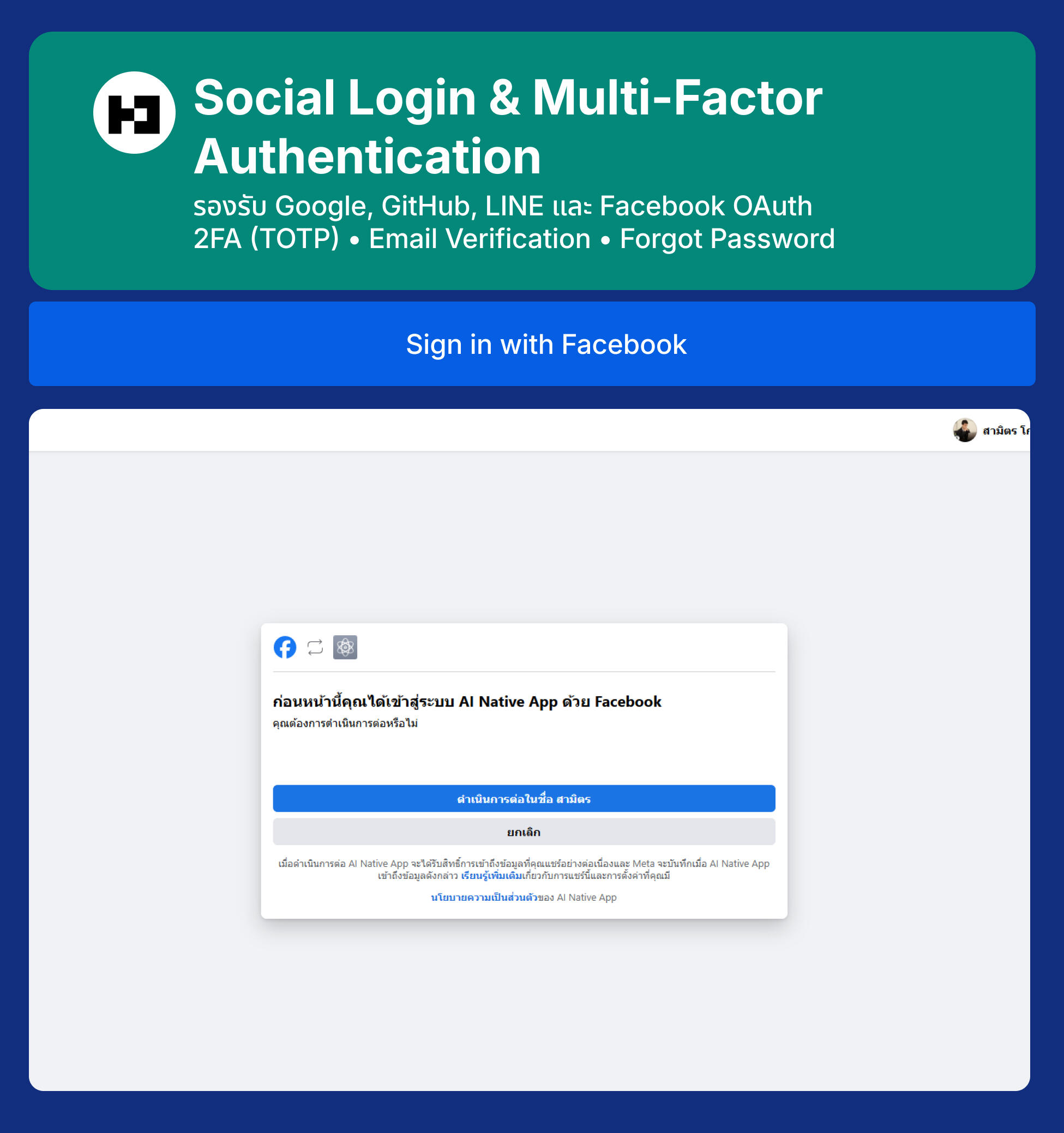
  • Section 8: Social Login (Google, GitHub, LINE, Facebook) — ตั้งค่า Google OAuth 2.0 Client, ตั้งค่า GitHub OAuth App, ตั้งค่า LINE Login Channel, ตั้งค่า Facebook Login App, เพิ่มปุ่ม Social Login ใน UI
  • Section 9: Update Main Layout & Dashboard — เพิ่ม Sidebar ใน Main Layout, ปรับปรุง Main Layout ให้รองรับการแสดงผลที่ดีขึ้น
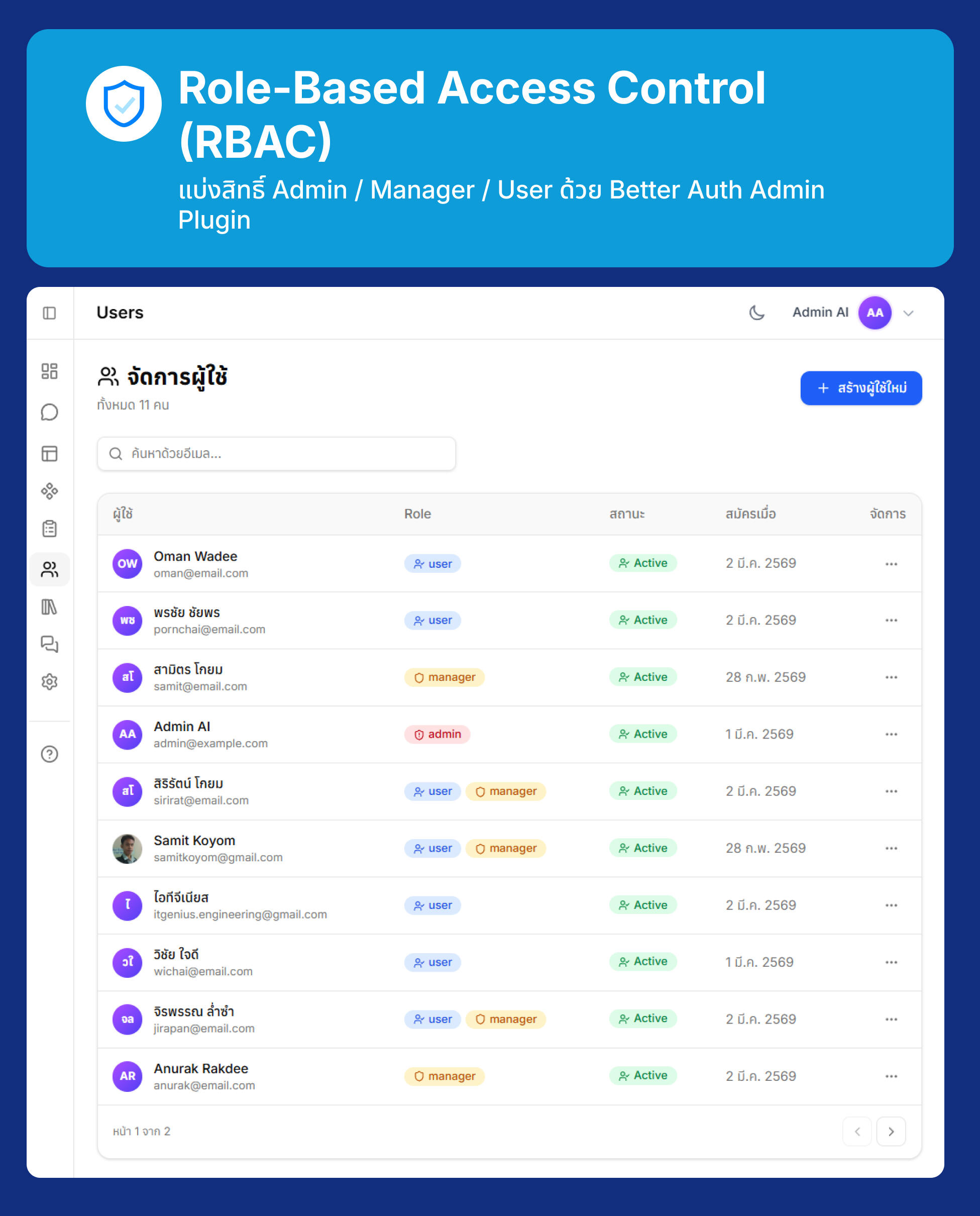
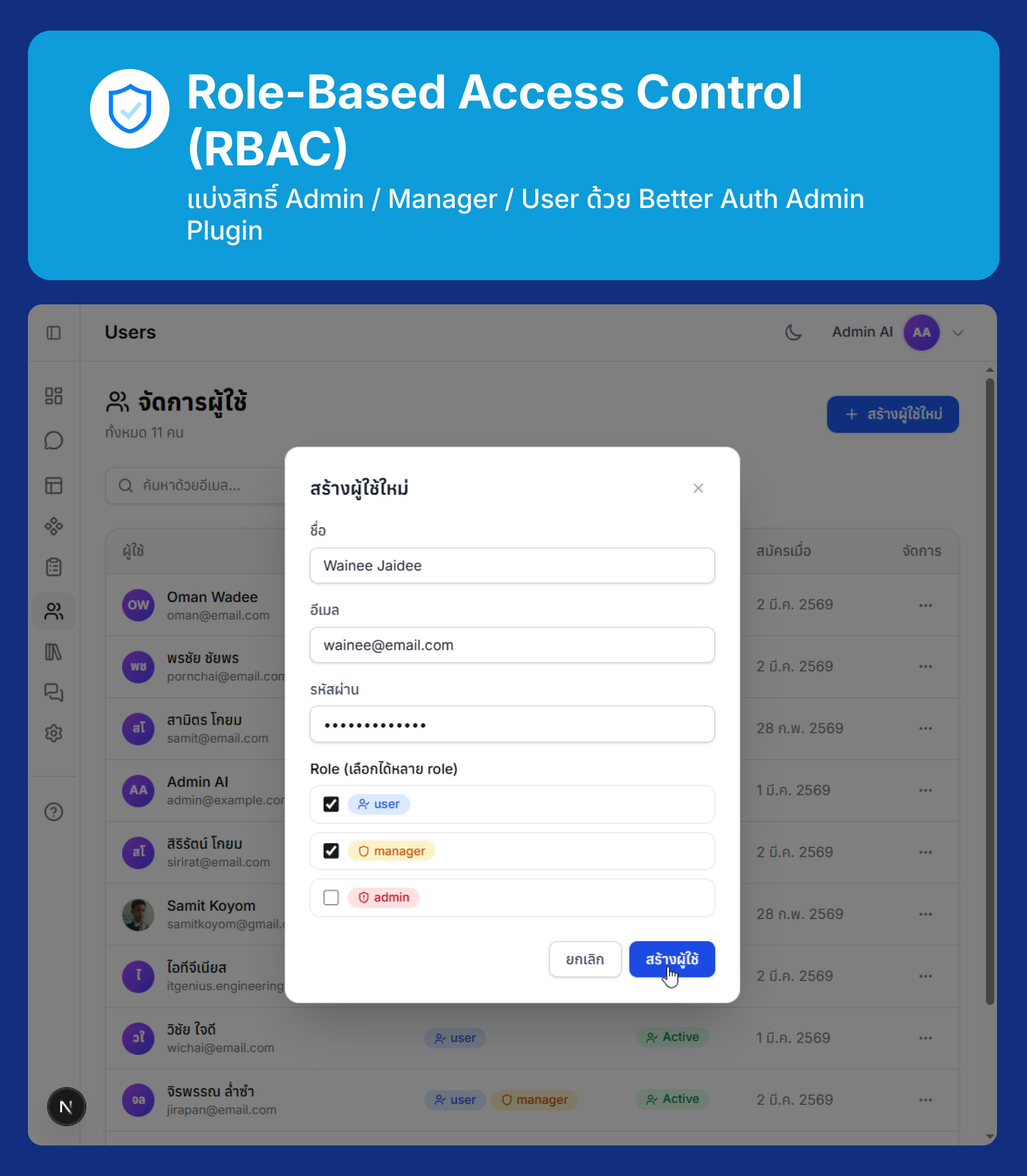
  • Section 10: Role-Based Access Control (RBAC) — Role-based Access Control (Admin/User), Better Auth Admin Plugin APIs, สร้าง Seed Script สำหรับ Admin เริ่มต้น, สร้าง Custom API Route สำหรับเปลี่ยน Role, ตรวจสอบสิทธิ์ใน Server Component, สรุป Better Auth Admin Plugin APIs, ทดสอบ RBAC ด้วย curl, Access Control ของ Better Auth, การออกแบบระบบ Access Control ด้วย Better Auth, Global Impersonation Banner, Update User Profile
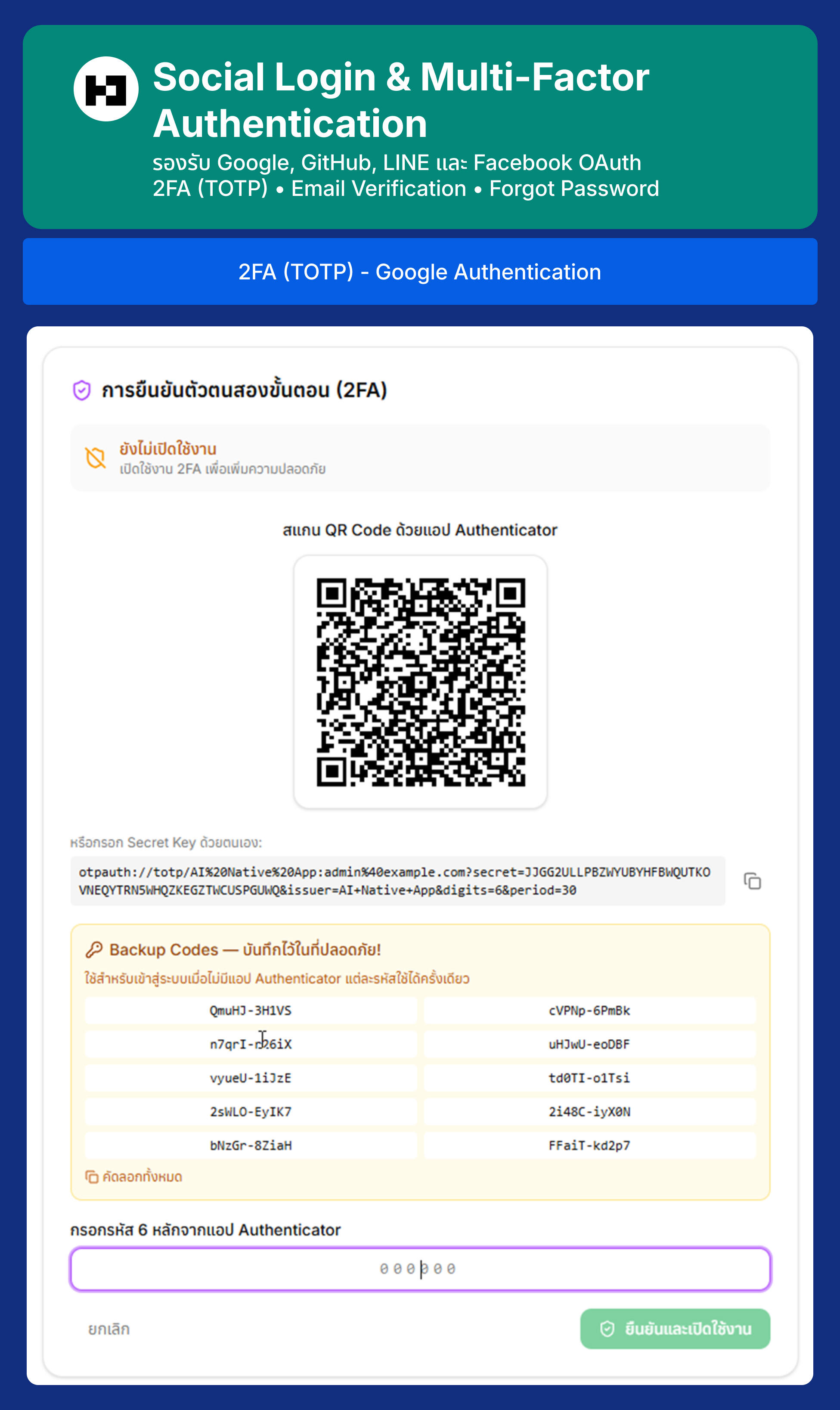
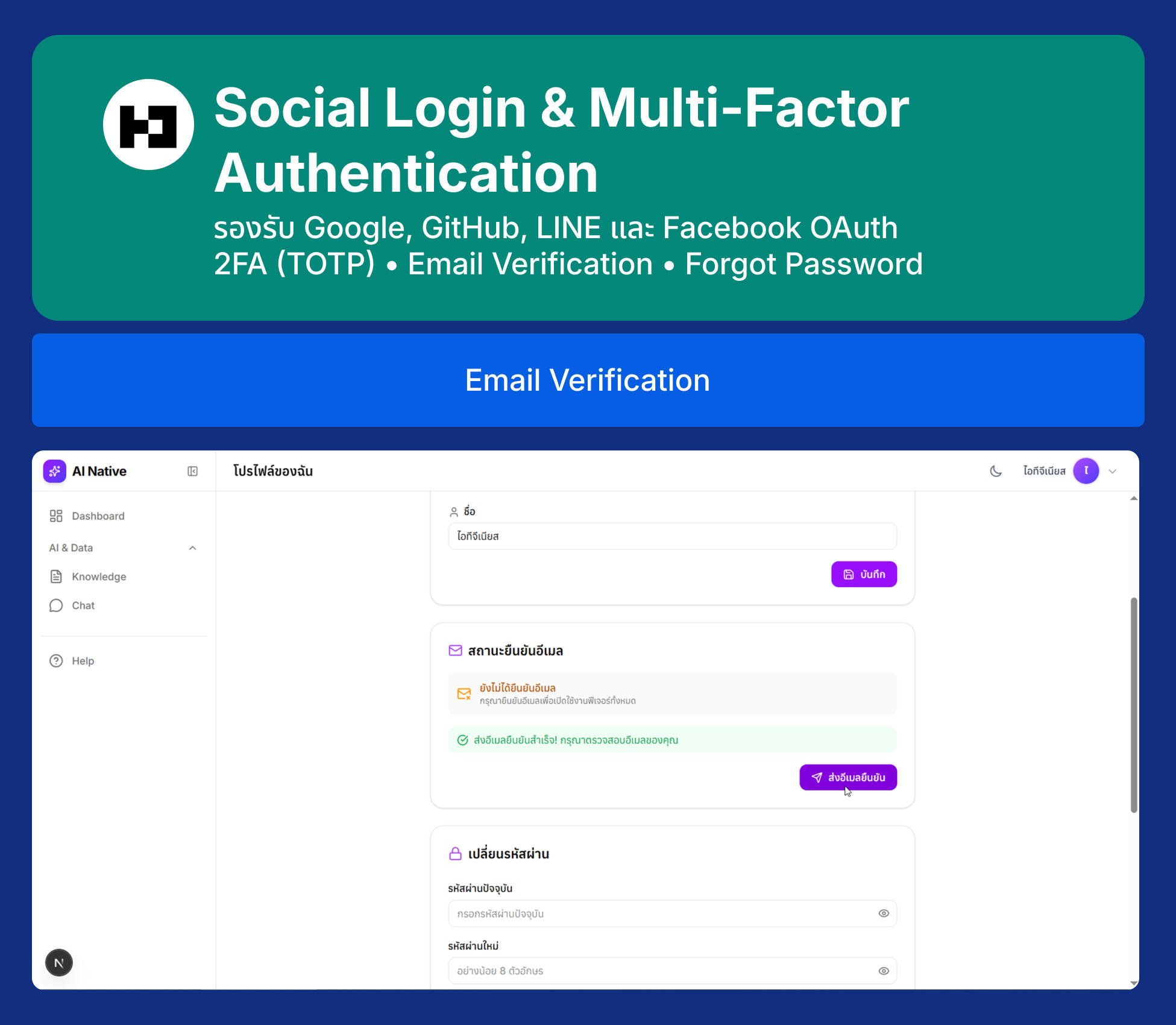
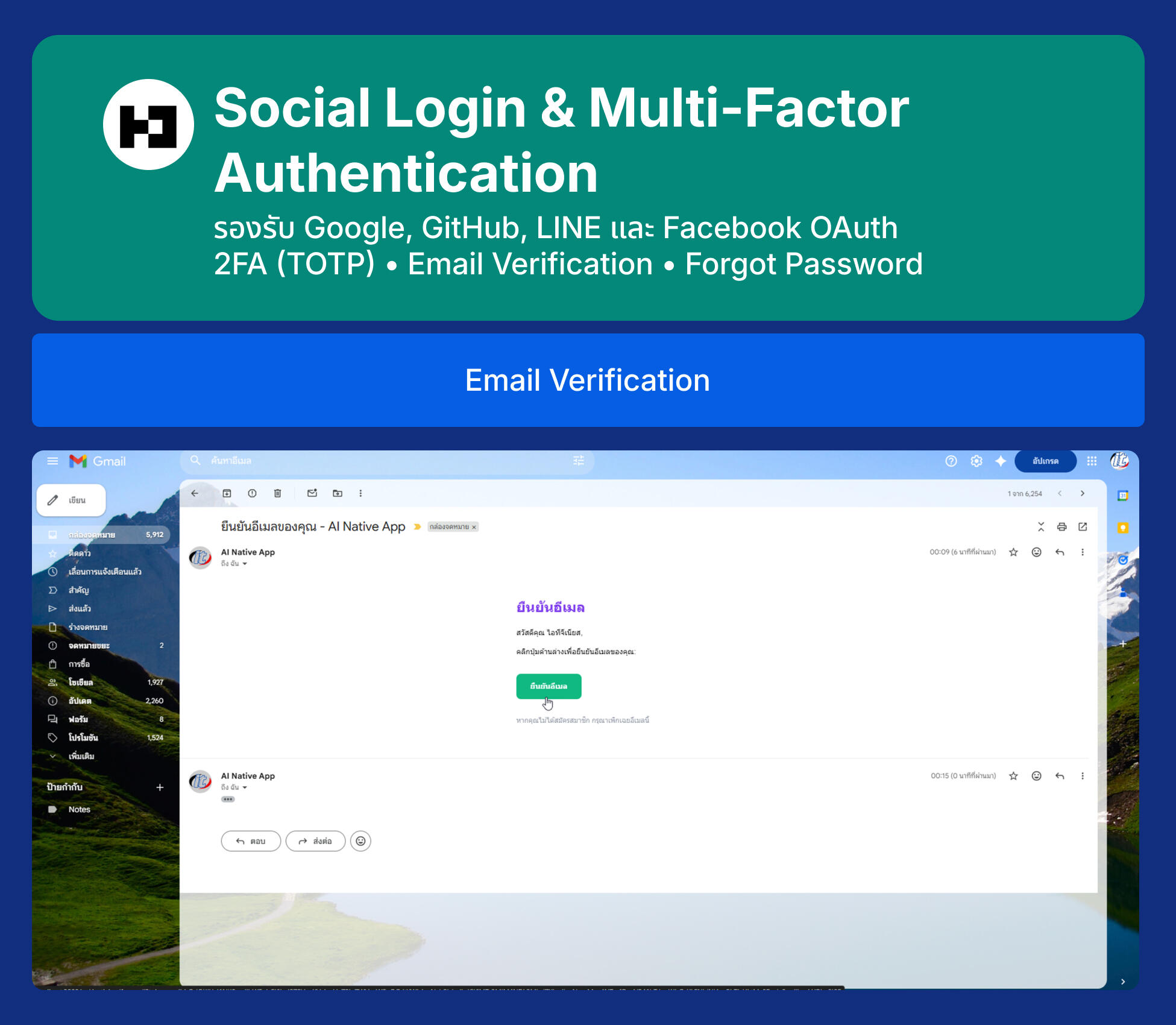
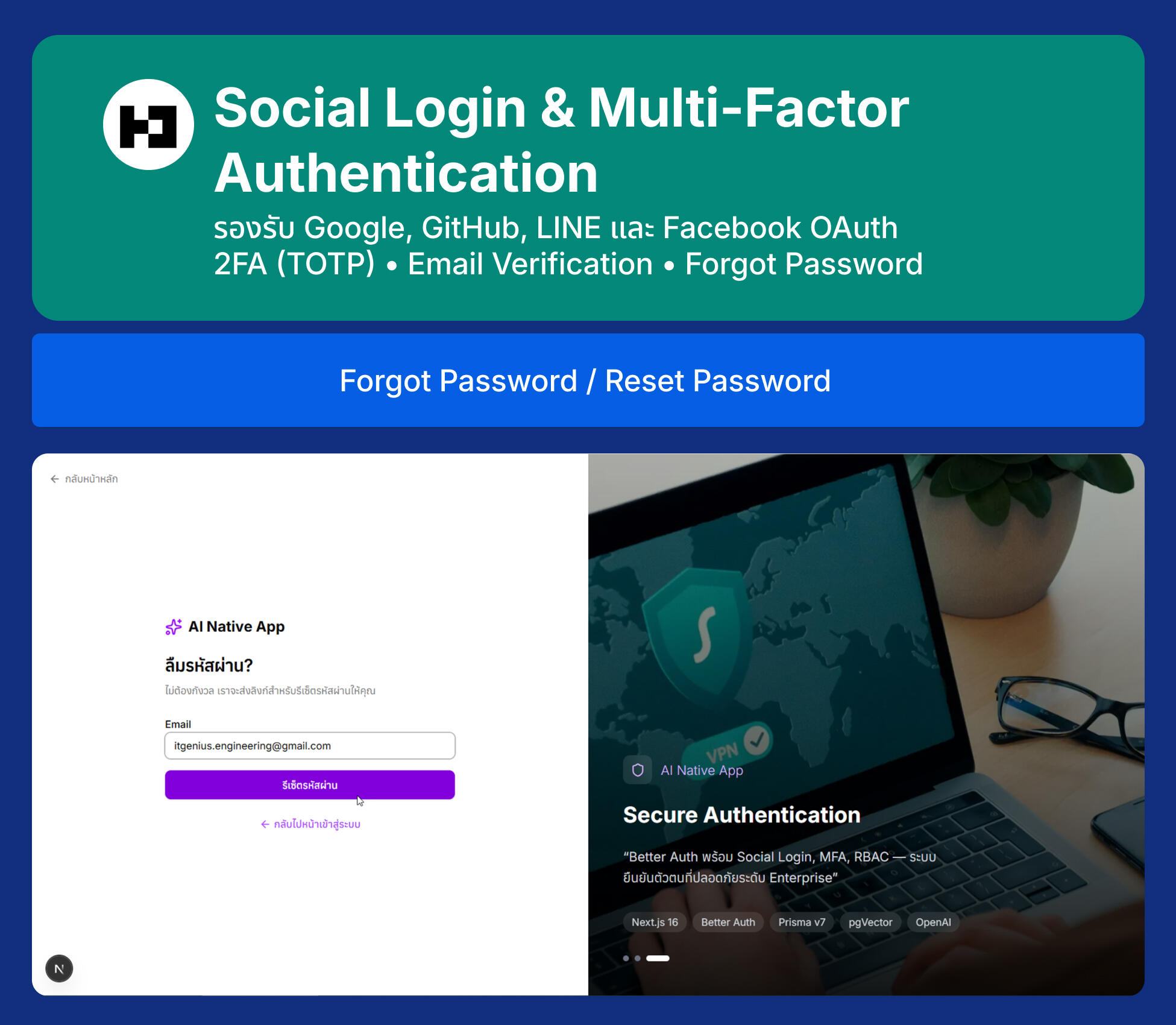
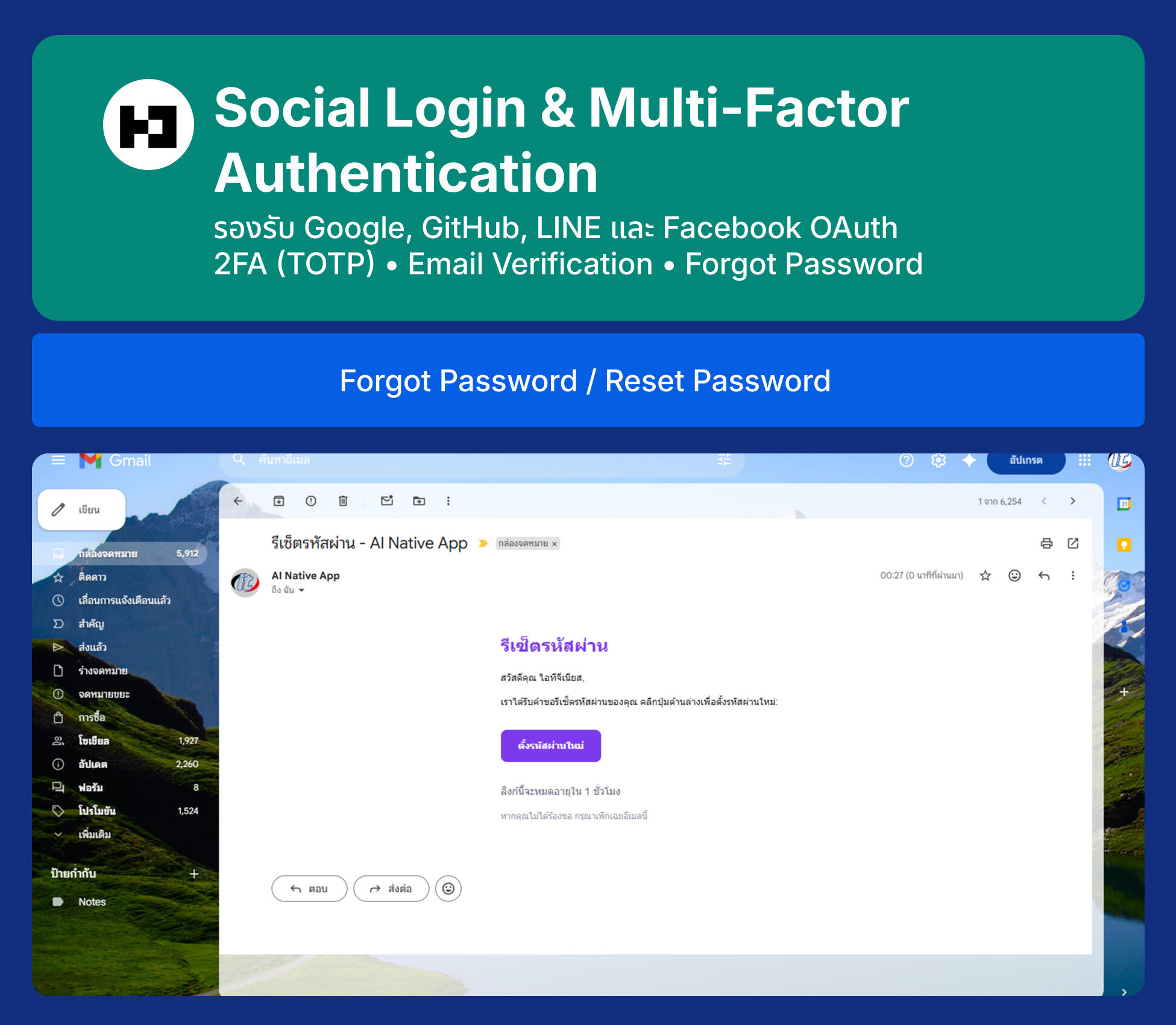
  • Section 11: Multi-Factor Authentication (MFA) & Email Features — อัปเดต Prisma Schema สำหรับ 2FA, ตั้งค่า Two-Factor Plugin (Server & Client), เพิ่ม TOTP UI ในหน้า Profile, สร้างหน้า Verify 2FA (Sign-in Flow), Verify Email ผ่าน Gmail (Email Provider), สร้างหน้า Verify Email, Forgot Password ผ่าน Gmail, สร้างหน้า Forgot Password
Day 2: การสร้างฐานความรู้ AI ด้วย Vector Database และ Ingestion Pipeline
  • Section 12: Embeddings Fundamentals — ทำความเข้าใจ Text Embeddings คืออะไร, การแปลงข้อความเป็นเวกเตอร์ตัวเลข, Cosine Similarity และการค้นหาเชิงความหมาย
  • Section 13: pgVector on Neon — การตั้งค่า Extension pgVector, การสร้างตารางเก็บข้อมูล Vector, การเขียน SQL Query สำหรับ Similarity Search
  • Section 14: Document Processing — Document Loader สำหรับ TXT, CSV และ PDF, Text Splitting: การแบ่งข้อความเป็น Chunks, Chunking Strategies
  • Section 15: Ingestion Pipeline — สร้าง Script อัตโนมัติสำหรับ Ingestion, การแปลง Chunks เป็น Embeddings ด้วย OpenAI, การบันทึก Embeddings ลงใน pgVector, Workshop: นำเอกสารองค์กรเข้าสู่ Vector Database
  • Section 16: Similarity Search & Testing — การเขียน Query เพื่อค้นหาข้อมูลจากความหมาย, ทดสอบ Similarity Search ด้วย Prisma, Workshop: สร้าง API Endpoint สำหรับ Search
Day 3: พัฒนา Chatbot API ด้วยเทคนิค RAG (Retrieval-Augmented Generation)
  • Section 17: ทบทวน RAG Architecture — ทบทวน Vector Database และ Similarity Search จาก Day 2, ทำความเข้าใจ RAG Pipeline ทั้งระบบ
  • Section 18: RAG Service Architecture — สร้าง Service สำหรับเชื่อมต่อ OpenAI และ Vector Store, การออกแบบ RAG Pipeline, Prompt Engineering สำหรับ RAG
  • Section 19: Context Management — เทคนิคการดึงเอกสารจาก Vector Database, การสร้าง Context Window ที่มีประสิทธิภาพ, การจัดการ Token Limit
  • Section 20: Chat API Endpoint — พัฒนา REST API สำหรับรับคำถามและส่งคืนคำตอบ, การทำ Streaming Response, Workshop: ทดสอบ Chat API
  • Section 21: Chat History & Memory — การจัดการบริบทการสนทนาต่อเนื่อง, Database Schema สำหรับ Chat History, การนำ History มาใช้ใน RAG
  • Section 22: Error Handling & Optimization — การจัดการข้อผิดพลาดในระบบ AI API, Rate Limiting และ Retry Logic, Workshop: ทดสอบความเสถียรของระบบ
Day 4: เชื่อมต่อ Frontend Next.js กับ Chat API และสร้าง Knowledge Base Management UI
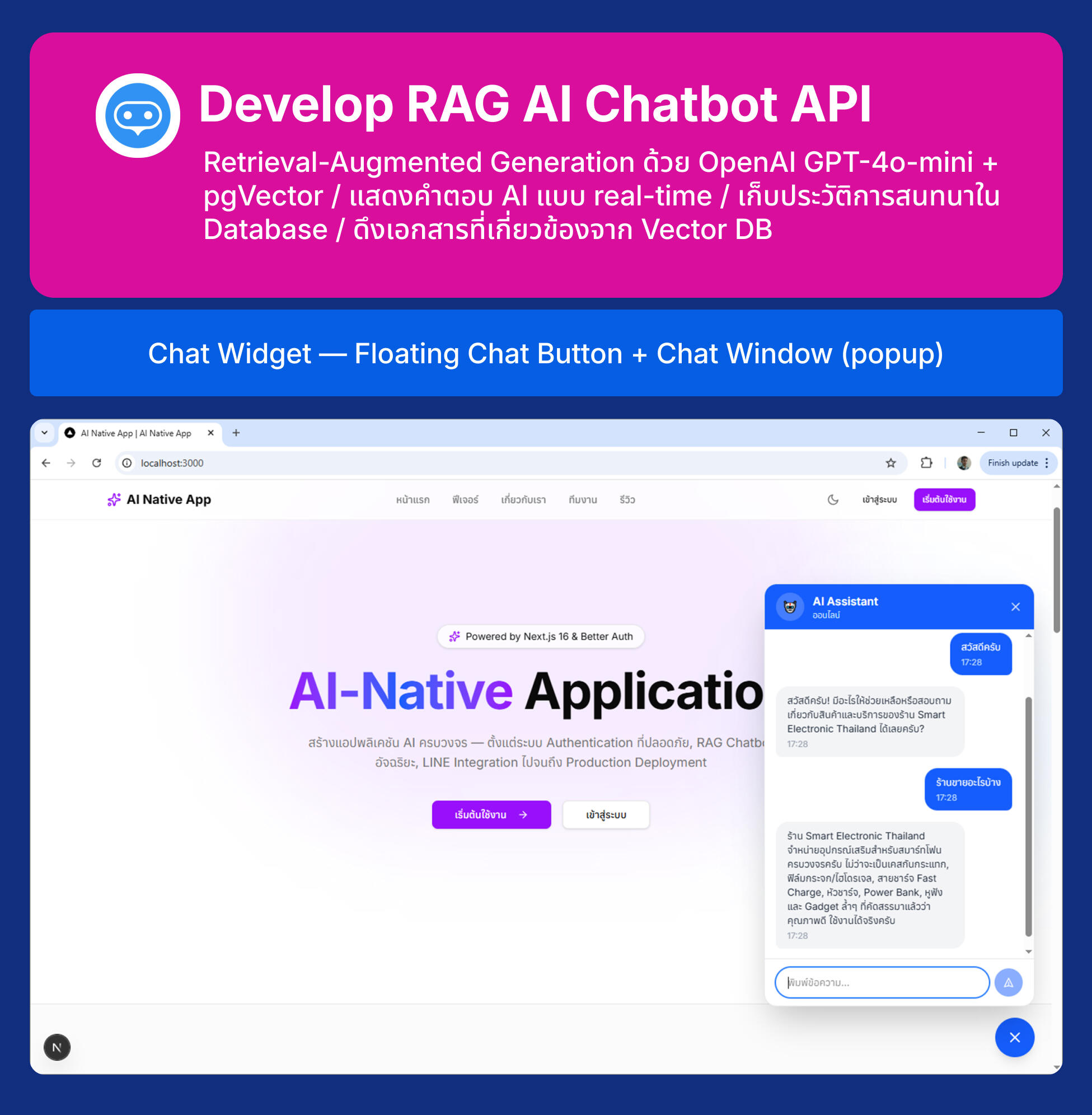
  • Section 23: Chat Widget UI — การสร้าง Floating Chat Button, การสร้างหน้าต่างสนทนา (Chat Window), Styling ด้วย Tailwind CSS
  • Section 24: Frontend Integration — เชื่อมต่อ UI เข้ากับ Chat API, การจัดการสถานะ Loading และ Streaming, การแสดงผลแบบ Real-time (Typewriter Effect)
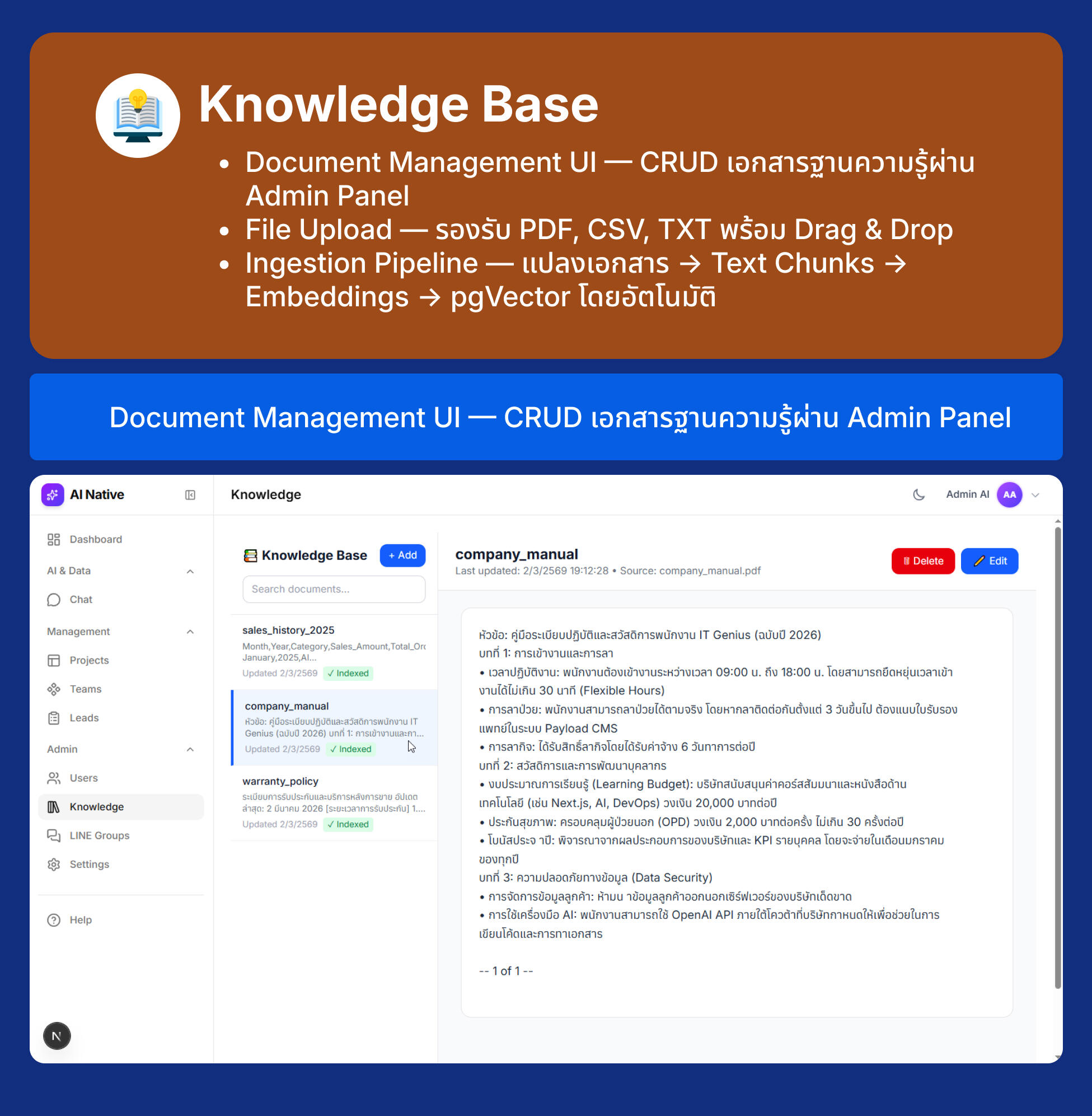
  • Section 25: Knowledge Base Management — Database Schema สำหรับ Knowledge Documents, API Routes (CRUD + File Upload), Knowledge Base UI (Sidebar + Document Detail), File Upload สำหรับ PDF, CSV, TXT, เชื่อมต่อกับ Ingestion Pipeline, Ingestion Library สำหรับใช้ใน API และ Script, Custom Modal Dialogs (Delete Confirmation + Index Success)
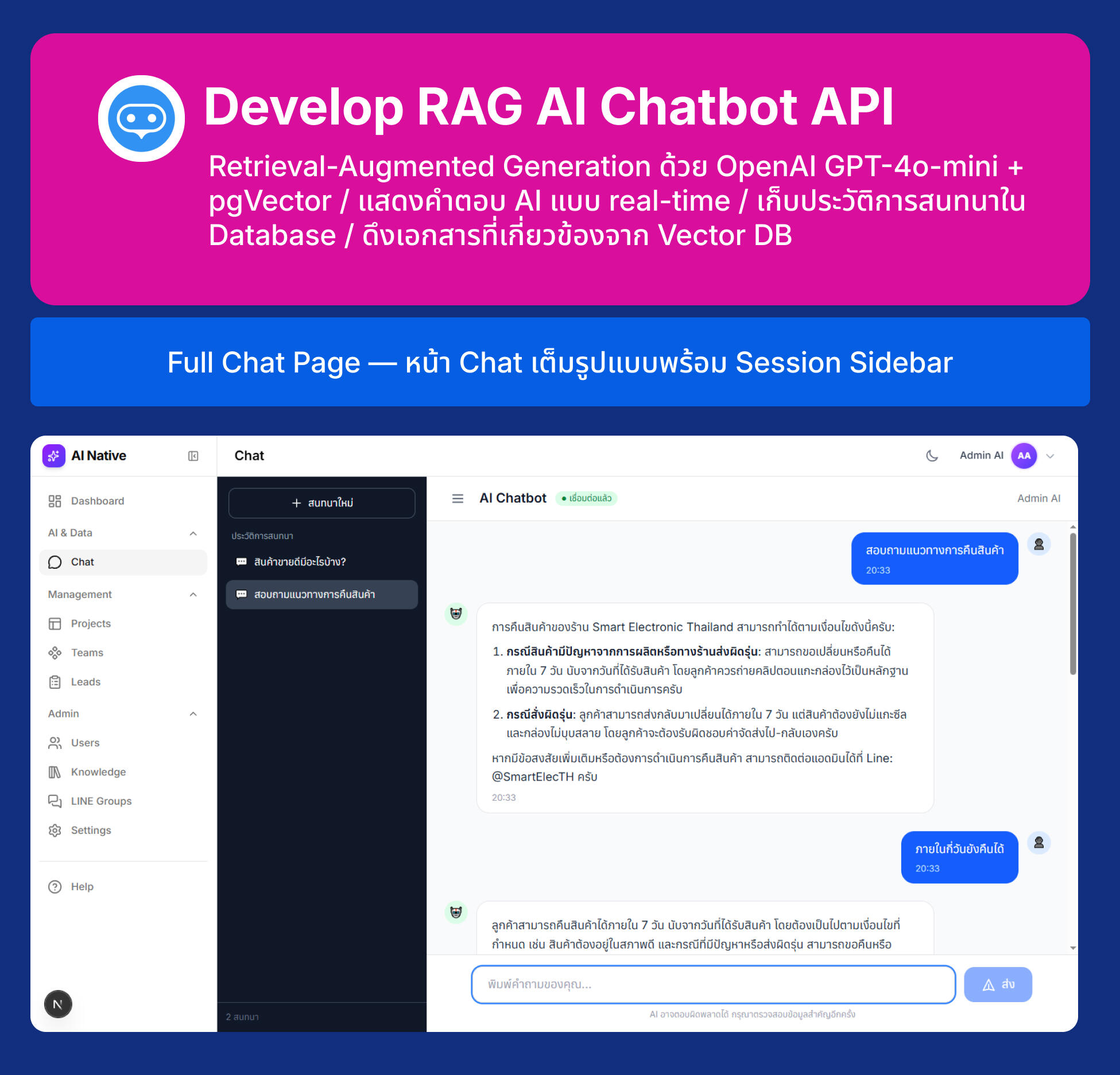
  • Section 26: Full Chat Page — สร้างหน้า Chat เต็มรูปแบบ, การจัดการ Chat Sessions, Workshop: ทดสอบระบบ Chat ทั้งหมด
Day 5: ระบบ Automation ด้วย n8n และการ Deployment ด้วย Podman
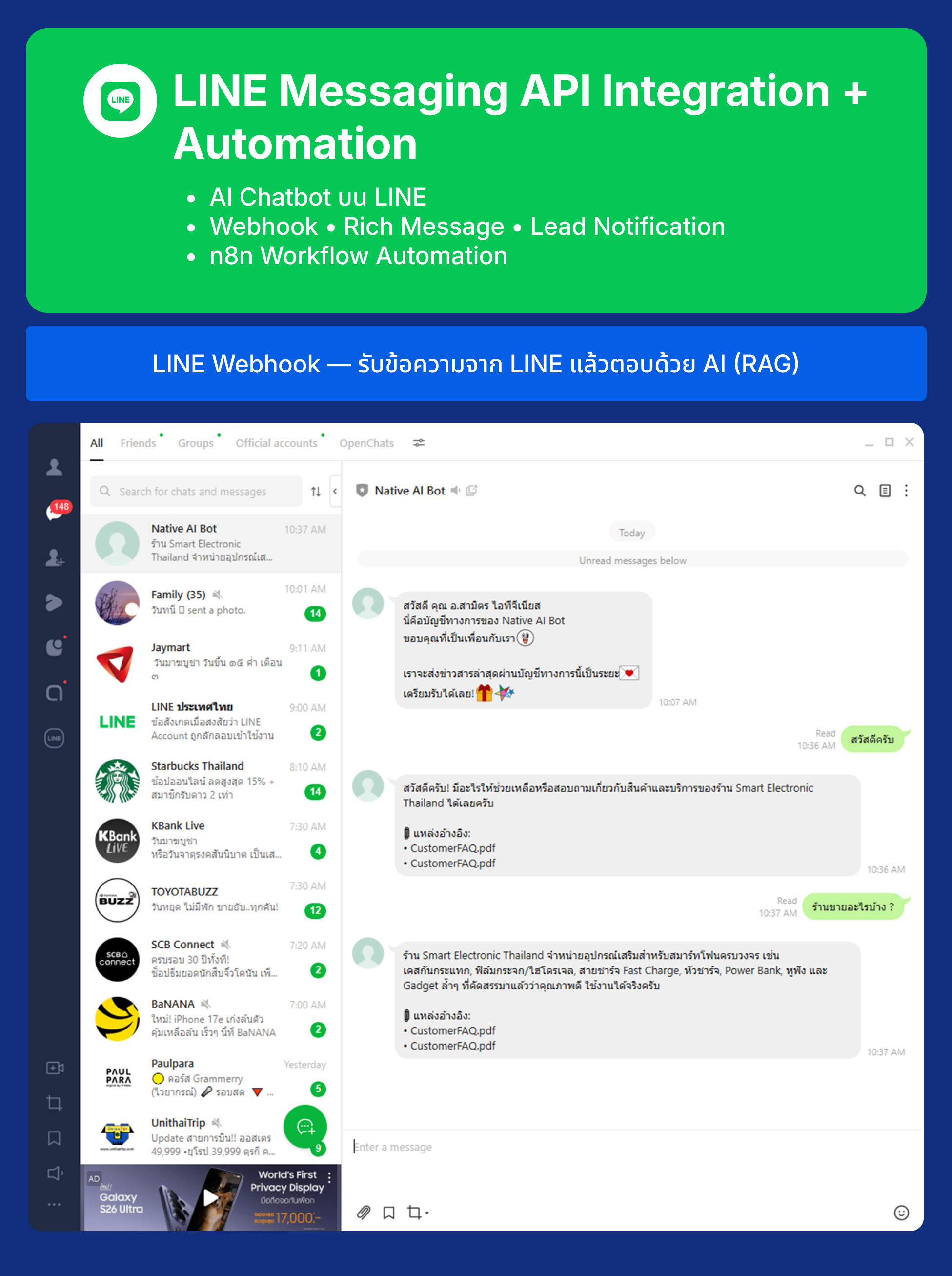
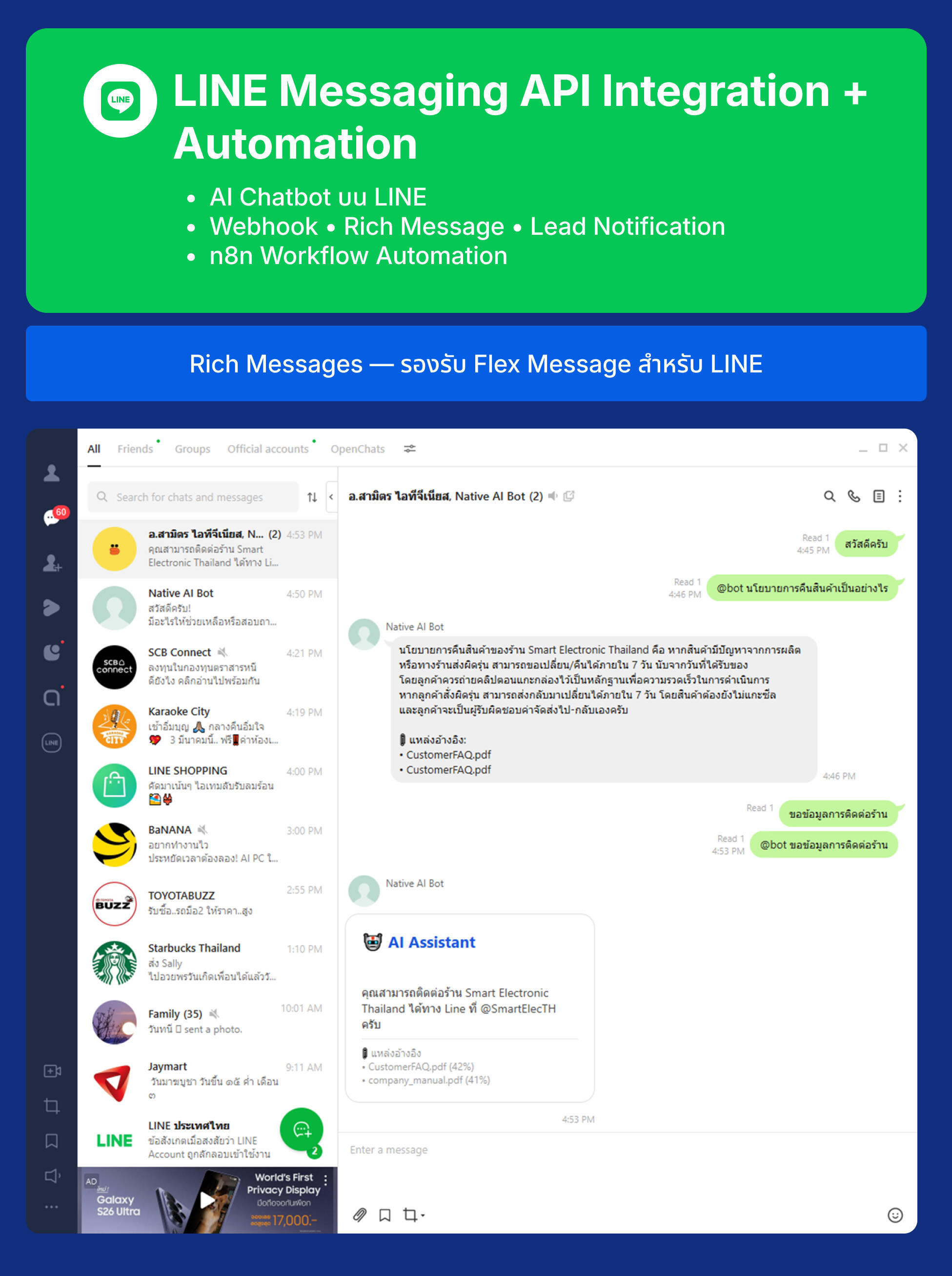
  • Section 27: LINE Webhook & Messaging API — ตั้งค่า LINE Messaging API Channel, สร้าง Webhook API สำหรับรับข้อความจาก LINE, เทคนิคการส่งข้อความตอบกลับจาก AI ไปยัง LINE
  • Section 28: LINE Bot Features — Keyword Triggers สำหรับ LINE Group, Rich Messages (Flex Message)
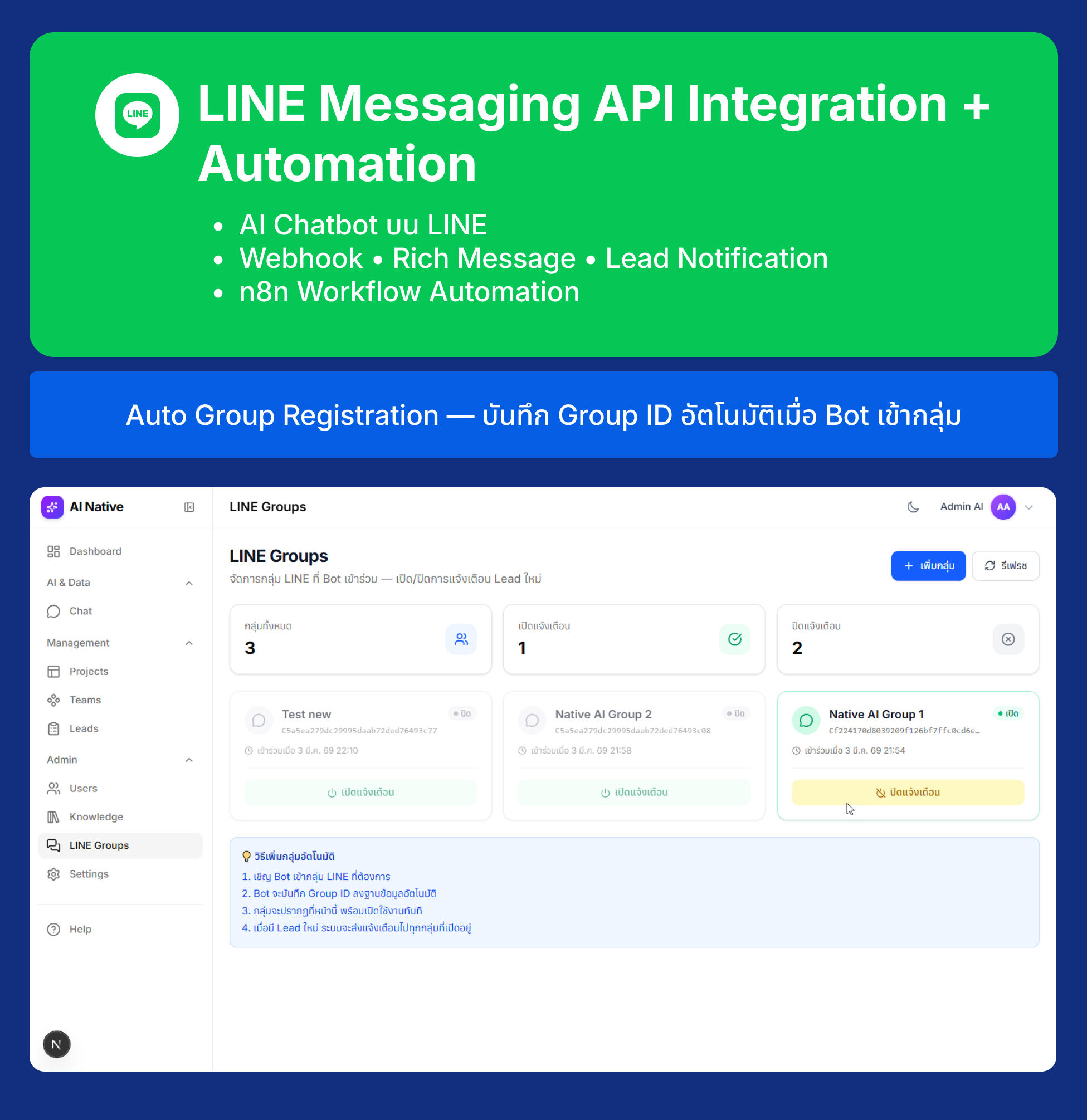
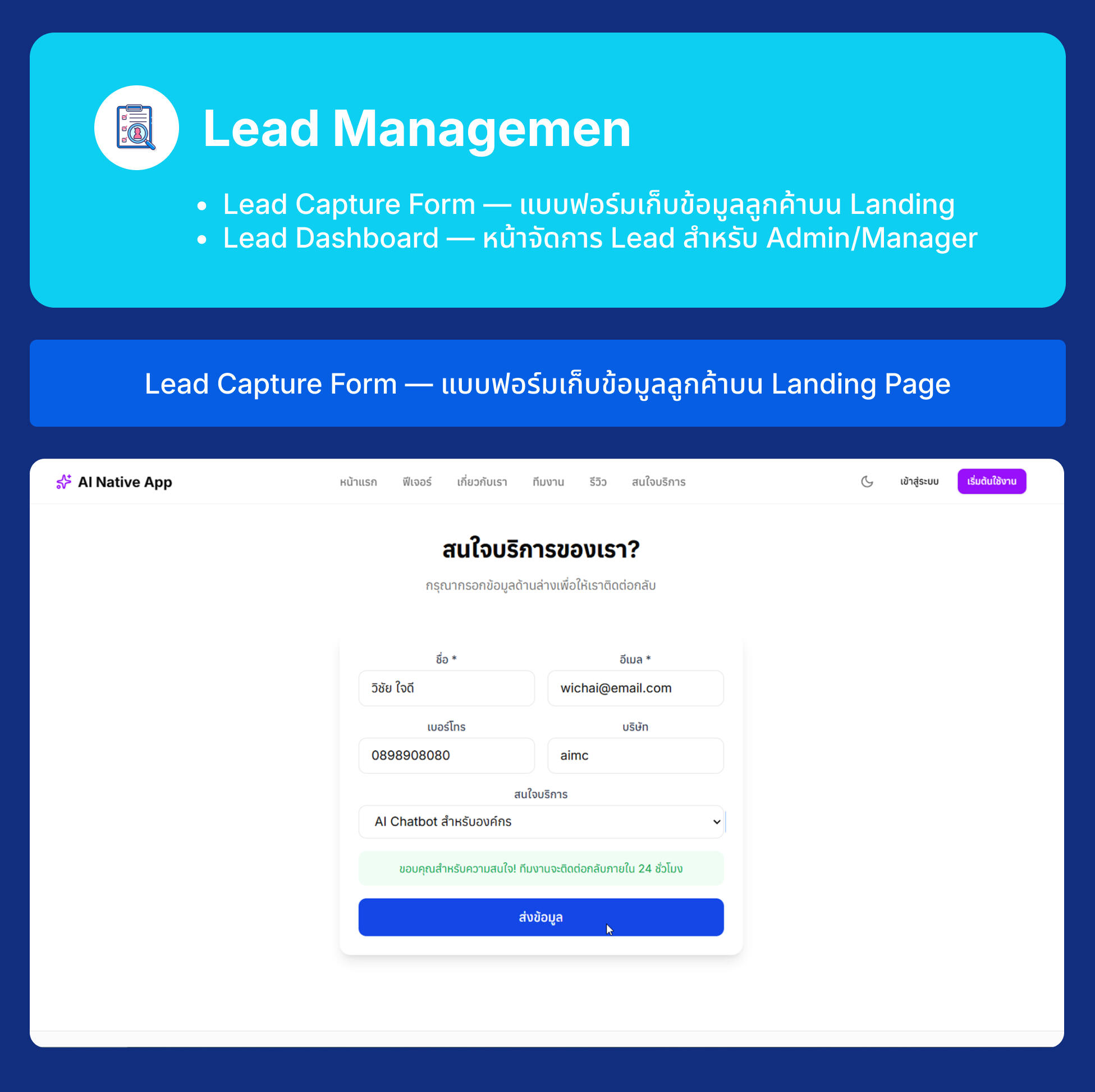
  • Section 29: Lead Database & LINE Group Alert — เพิ่ม Prisma Model สำหรับเก็บข้อมูล Lead ใน PostgreSQL, Auto-register Group ID เมื่อ Bot เข้ากลุ่ม (บันทึกลง DB อัตโนมัติ), สร้าง Lead Capture Form บนหน้า Landing Page, การส่งการแจ้งเตือนผ่าน LINE Messaging API (ส่งเข้ากลุ่ม), สร้างหน้าจัดการ Lead สำหรับ Admin/Manager, สร้างหน้า Admin จัดการกลุ่ม LINE (เปิด/ปิดแจ้งเตือน, เพิ่มกลุ่มด้วยมือ)
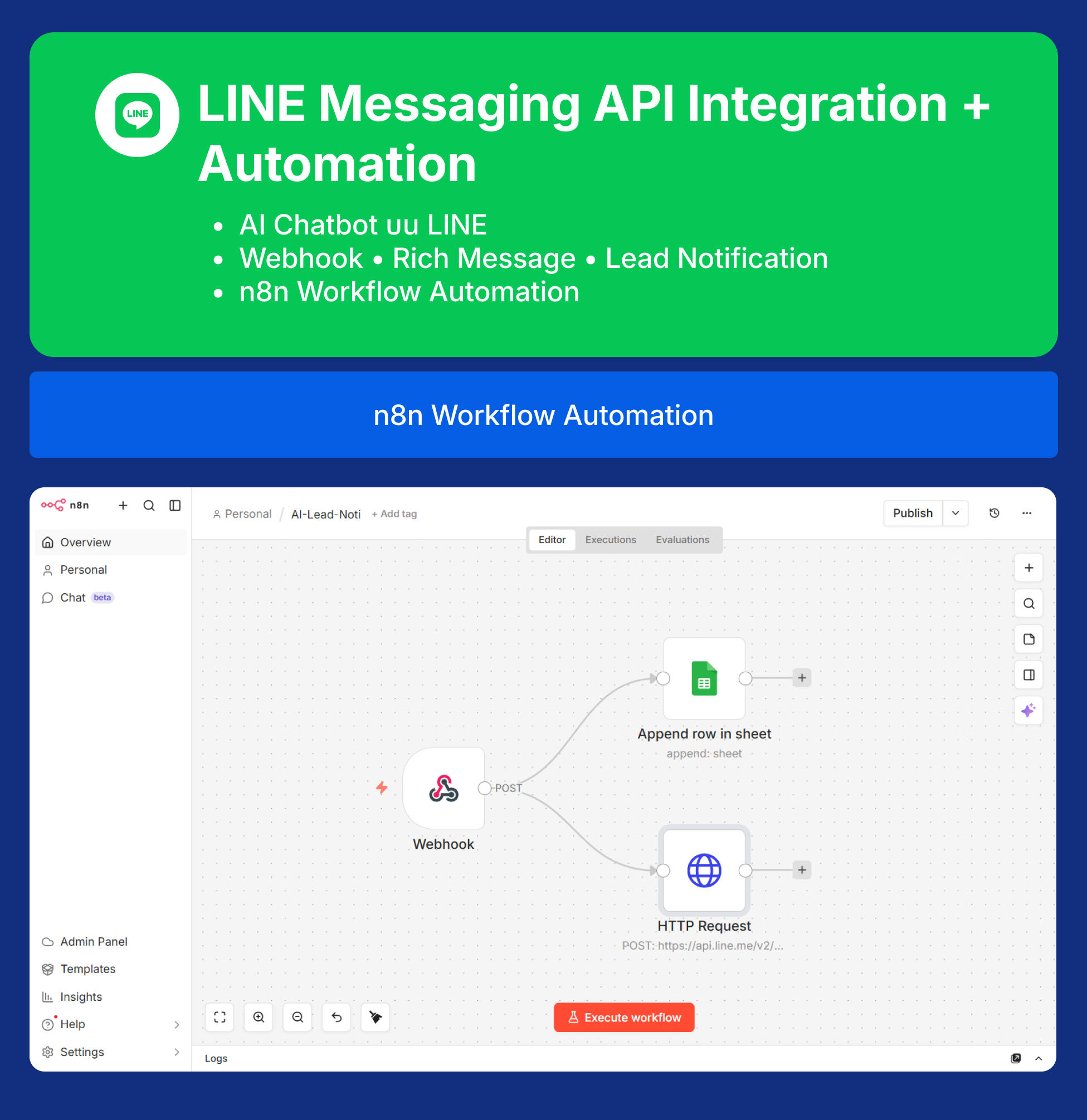
  • Section 30: n8n Lead Alert Automation — แนะนำ n8n Workflow Automation, Webhook สำหรับส่งข้อมูลไปยัง n8n
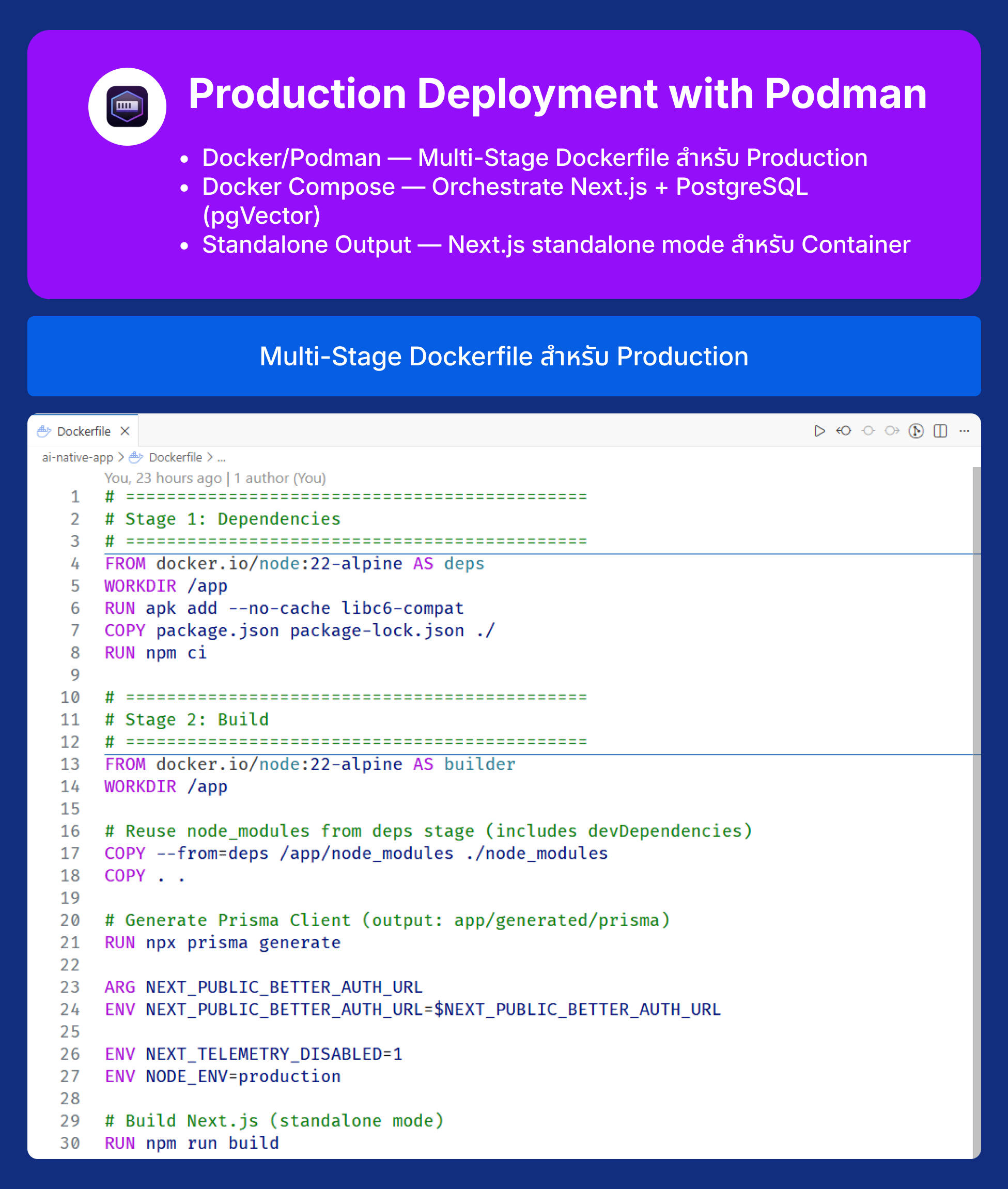
  • Section 31: Containerization ด้วย Podman — ภาพรวม Architecture ของแอปพลิเคชัน, ทำไมต้อง Podman? (vs Docker), การเขียน Dockerfile สำหรับ Next.js, Multi-Stage Build
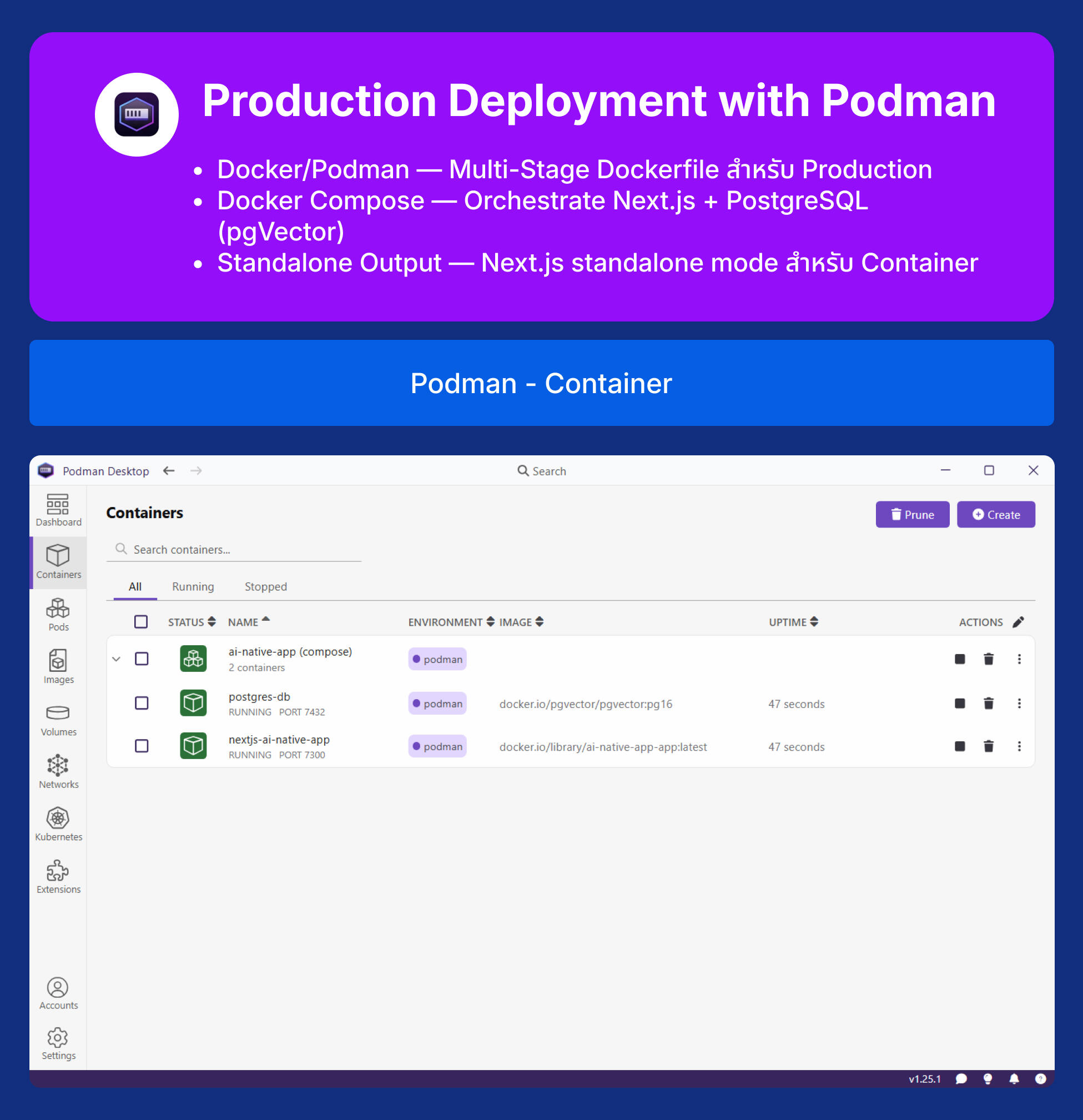
  • Section 32: Production Deployment — Podman Compose สำหรับ Multi-Container, Environment Variables ในระบบ Production, การทดสอบแอปพลิเคชันใน Container
  • Section 33: Final Workshop & Best Practices — รวม Checklist สำหรับ Production, Security Best Practices, Performance Optimization, Workshop: Deploy ระบบทั้งหมด
Workshop Next.js 16: The AI-Native Developer Masterclass

Next.js 16 AI-Native Developer Masterclass

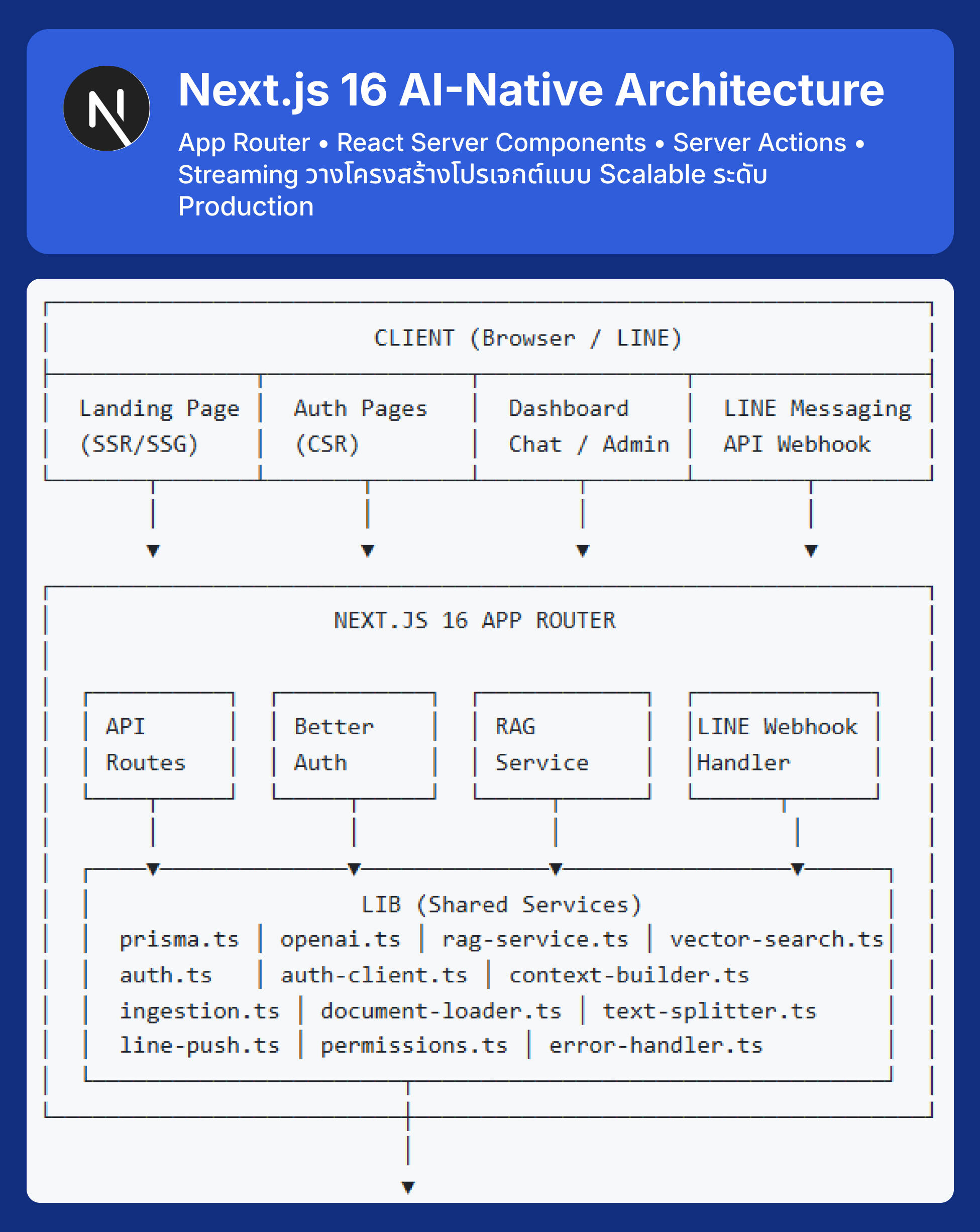
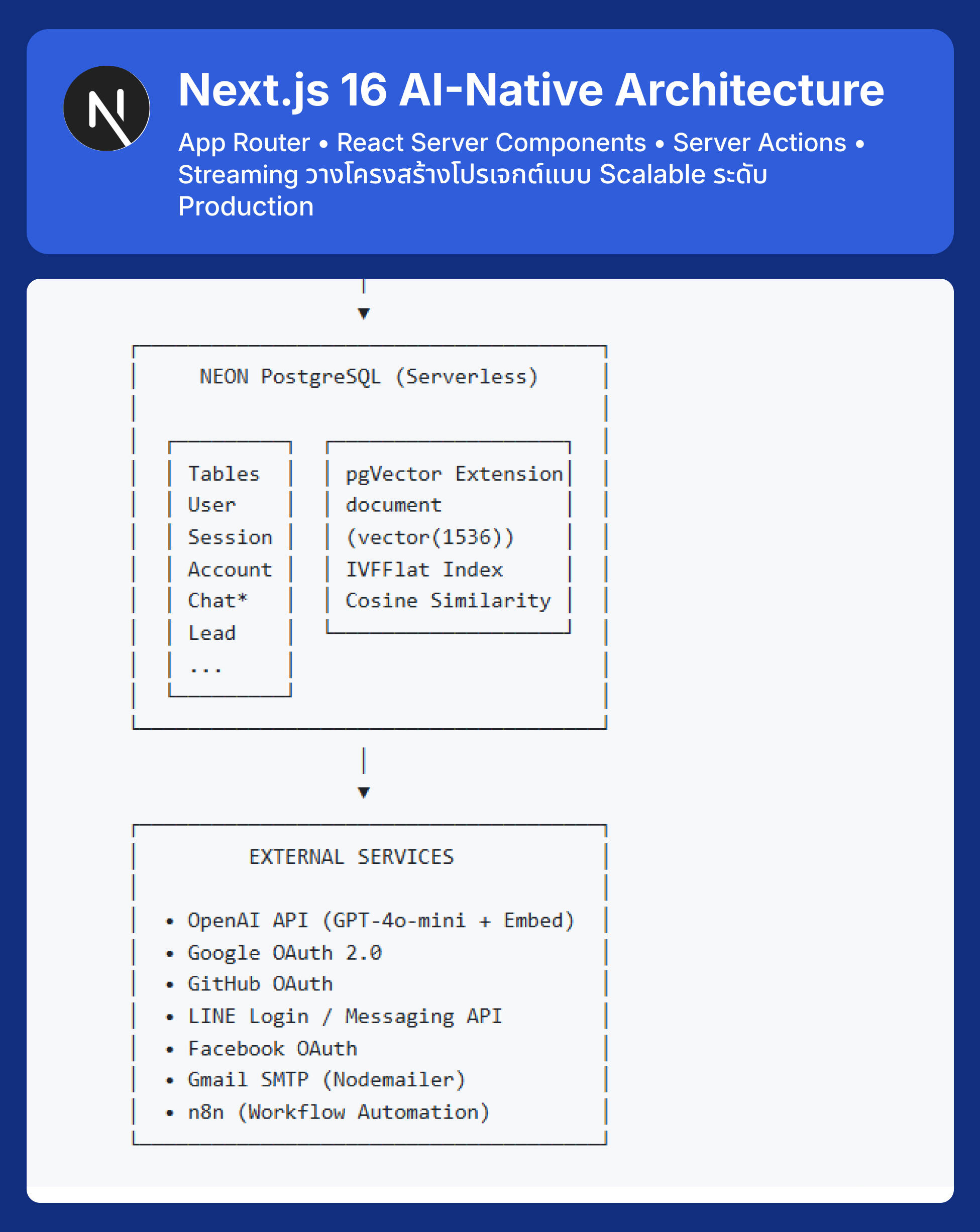
Next.js 16 AI-Native Architecture
App Router • React Server Components • Server Actions • Streaming วางโครงสร้างโปรเจกต์แบบ Scalable ระดับ Production
Next.js 16 AI-Native Developer Masterclass

Next.js 16 AI-Native Architecture
App Router • React Server Components • Server Actions • Streaming วางโครงสร้างโปรเจกต์แบบ Scalable ระดับ Production
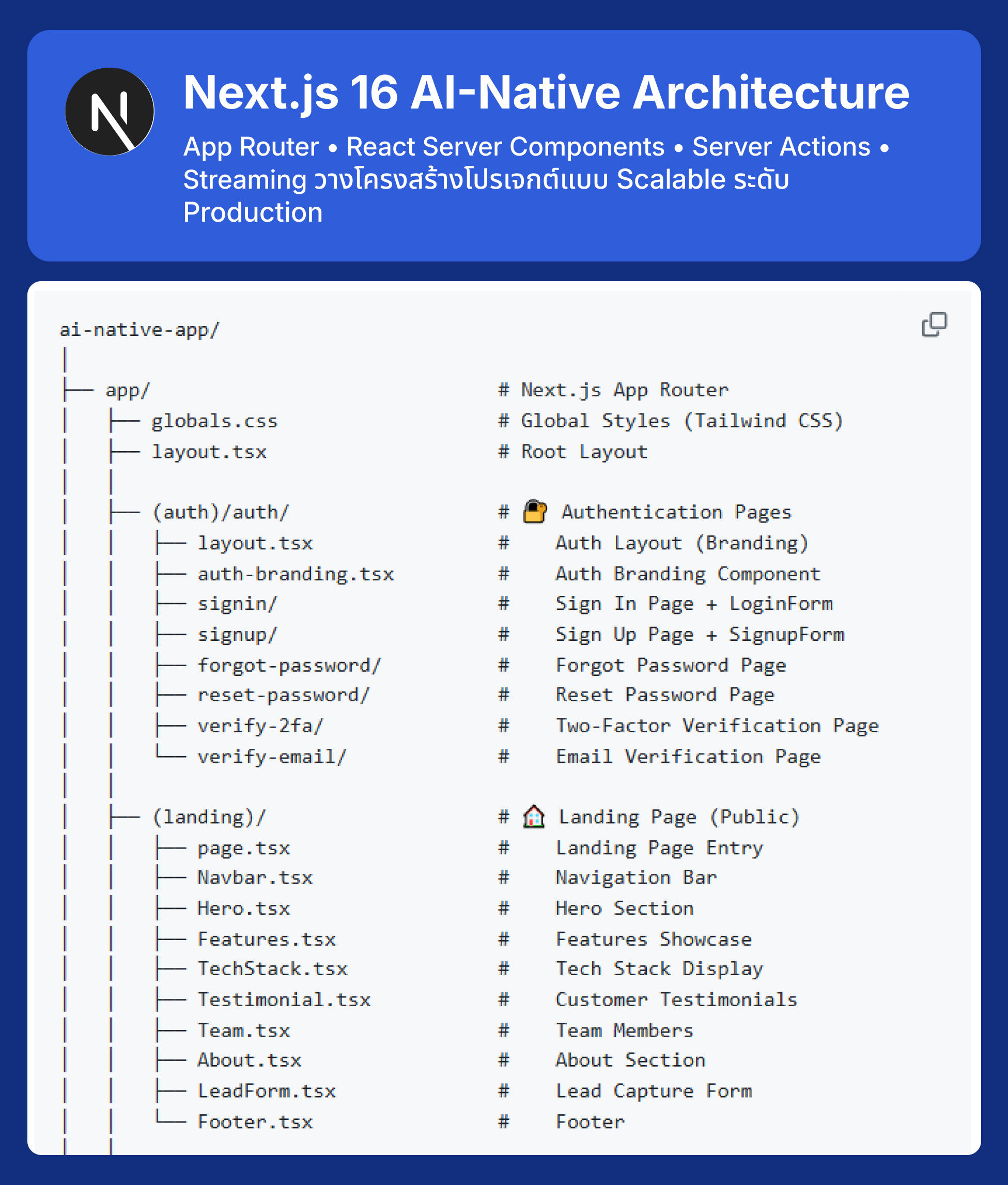
Next.js 16 AI-Native Developer Masterclass

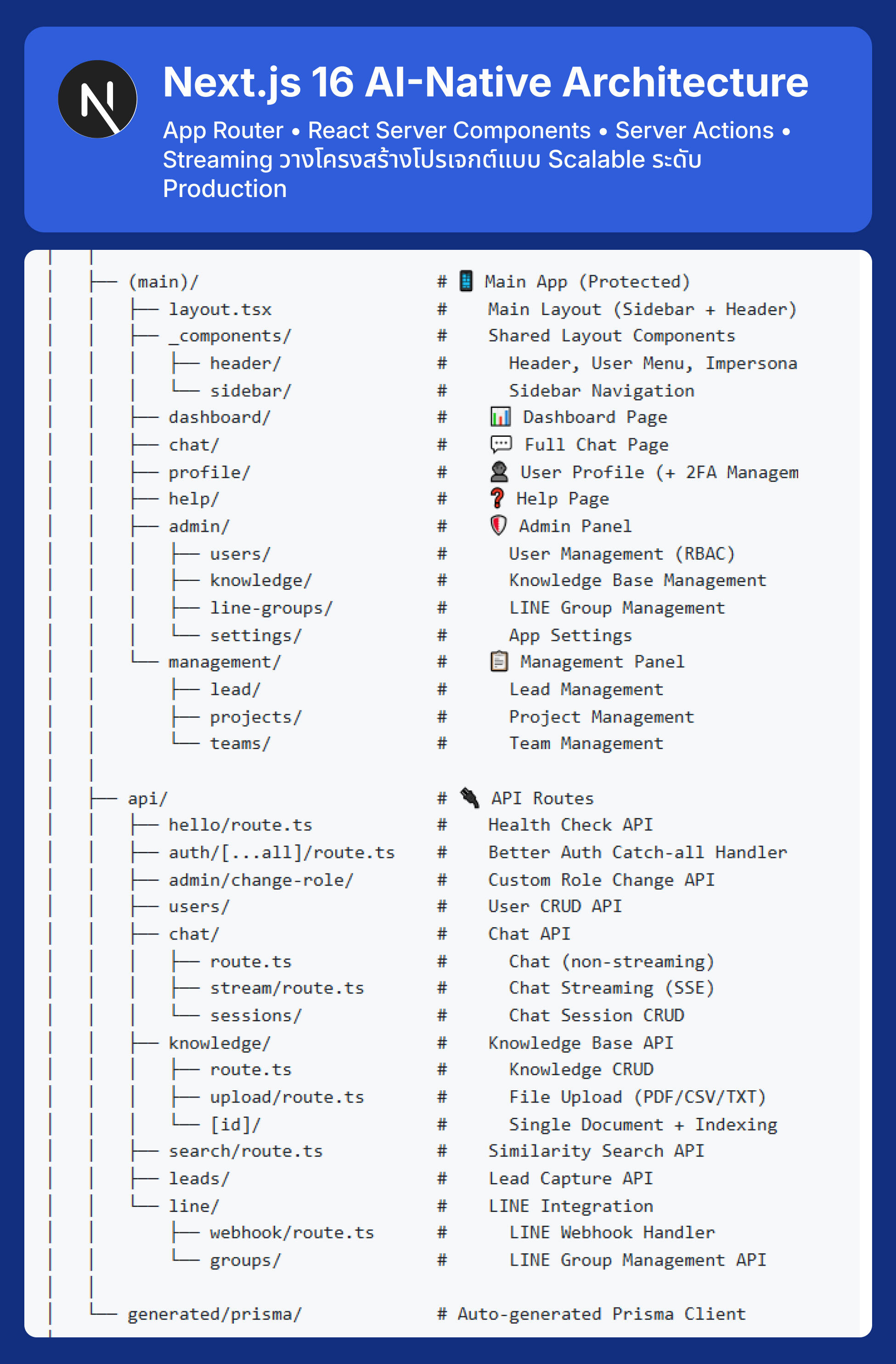
Next.js 16 AI-Native Architecture
App Router • React Server Components • Server Actions • Streaming วางโครงสร้างโปรเจกต์แบบ Scalable ระดับ Production
Next.js 16 AI-Native Developer Masterclass

Next.js 16 AI-Native Architecture
App Router • React Server Components • Server Actions • Streaming วางโครงสร้างโปรเจกต์แบบ Scalable ระดับ Production
Next.js 16 AI-Native Developer Masterclass

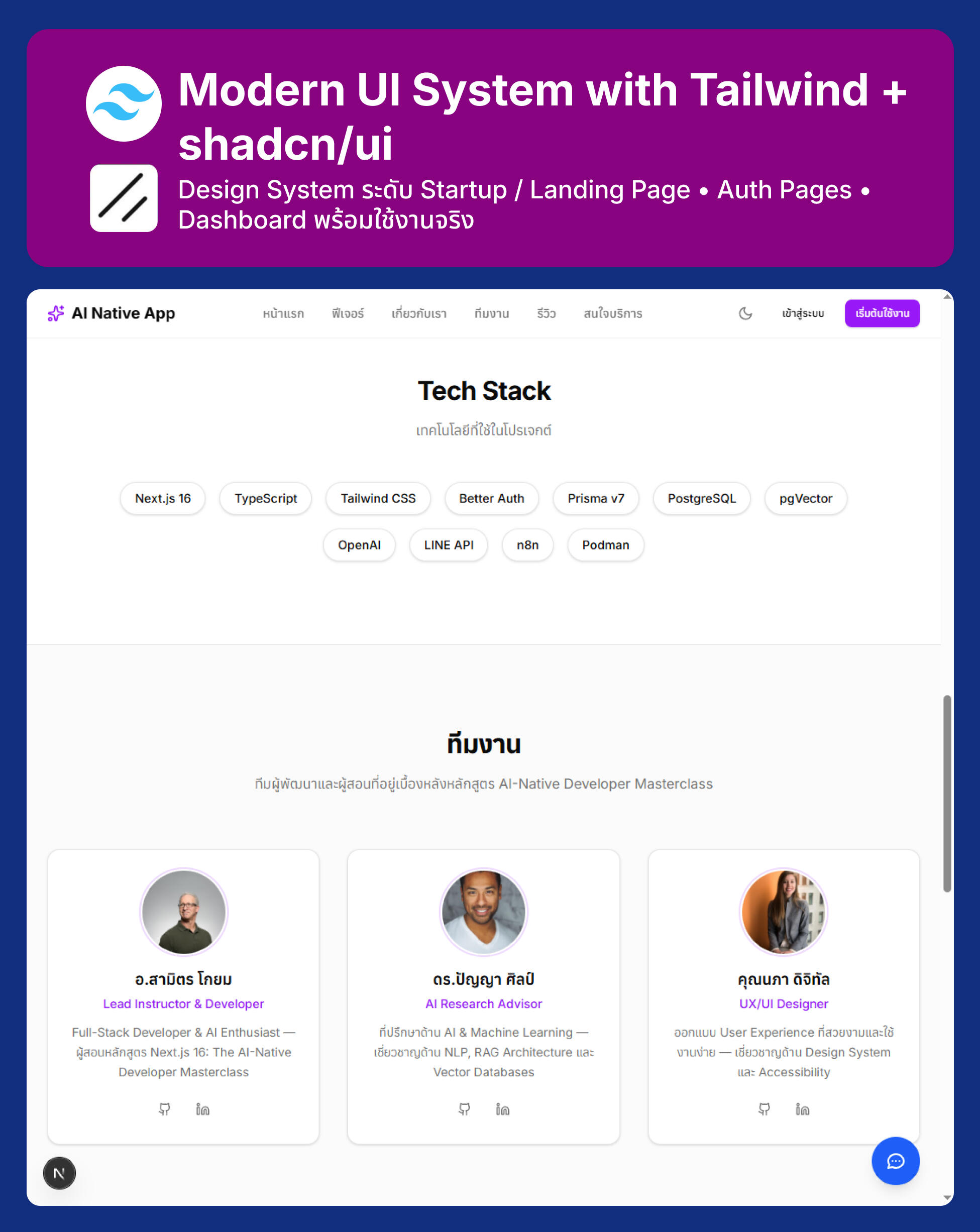
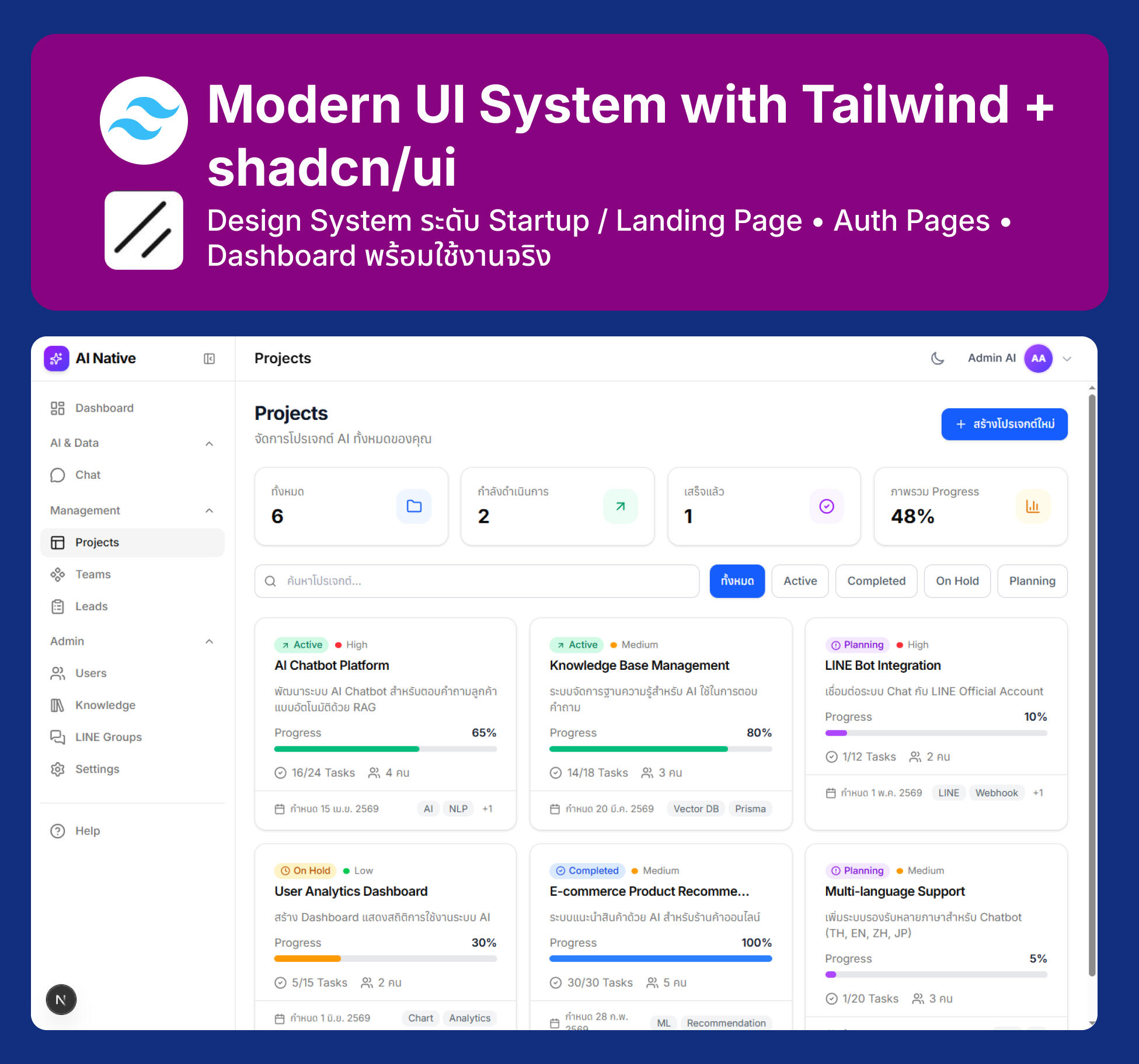
Modern UI System with Tailwind + shadcn/ui
Design System ระดับ Startup / Landing Page • Auth Pages • Dashboard พร้อมใช้งานจริง
Next.js 16 AI-Native Developer Masterclass

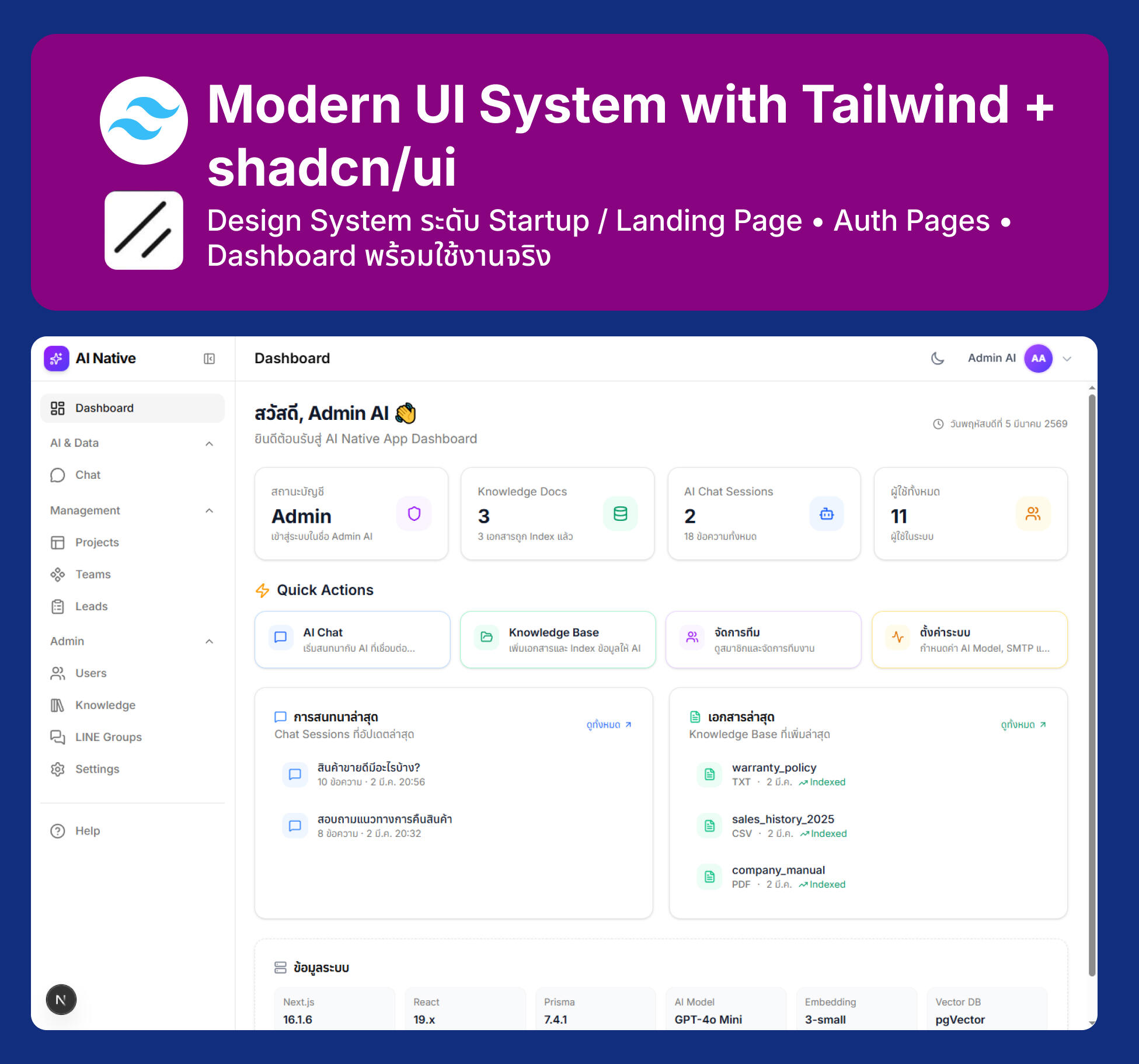
Modern UI System with Tailwind + shadcn/ui
Design System ระดับ Startup / Landing Page • Auth Pages • Dashboard พร้อมใช้งานจริง
Next.js 16 AI-Native Developer Masterclass

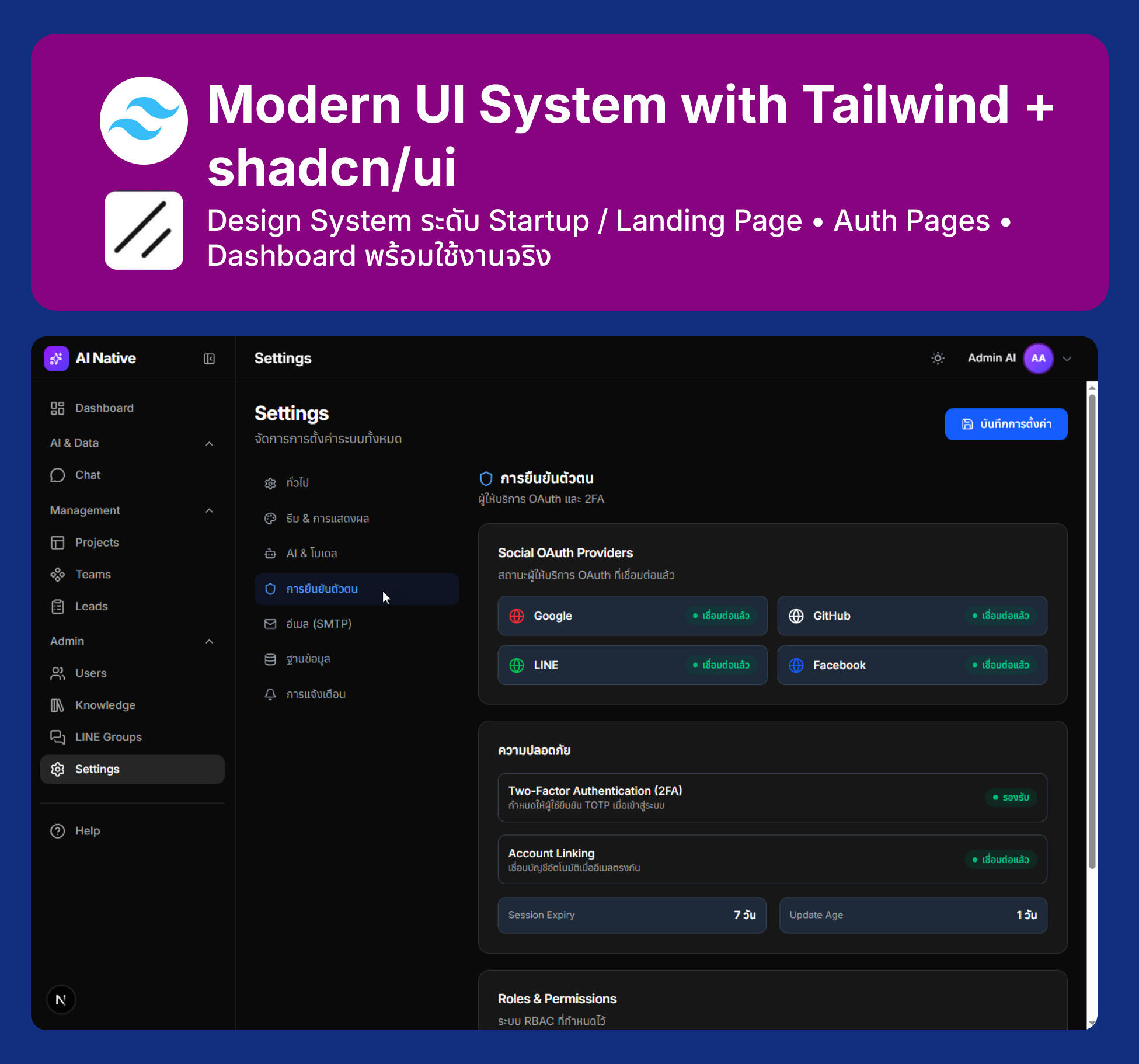
Modern UI System with Tailwind + shadcn/ui
Design System ระดับ Startup / Landing Page • Auth Pages • Dashboard พร้อมใช้งานจริง
Next.js 16 AI-Native Developer Masterclass

Modern UI System with Tailwind + shadcn/ui
Design System ระดับ Startup / Landing Page • Auth Pages • Dashboard พร้อมใช้งานจริง
Next.js 16 AI-Native Developer Masterclass

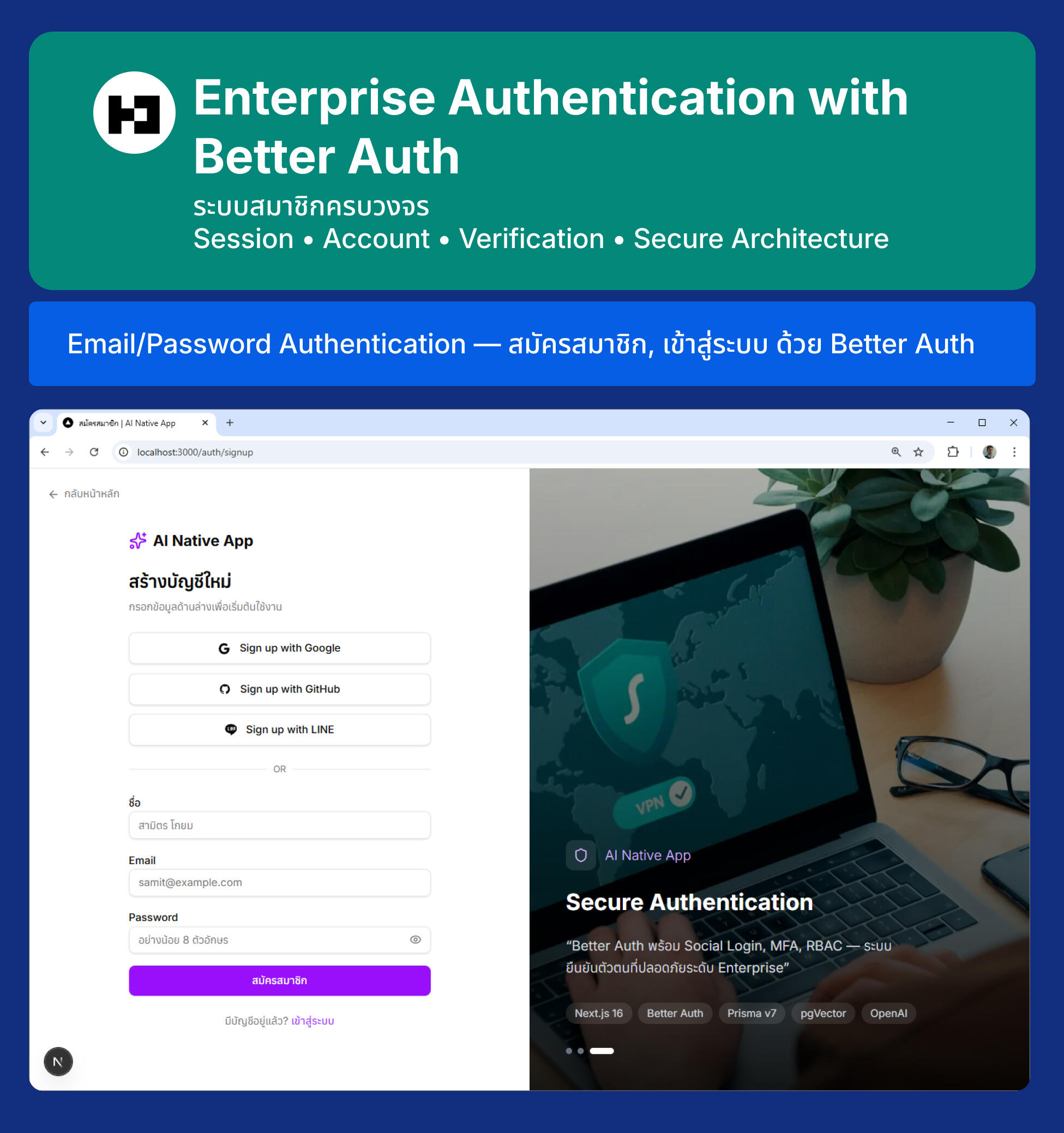
Enterprise Authentication with Better Auth
ระบบสมาชิกครบวงจร Session • Account • Verification • Secure Architecture
Email/Password Authentication — สมัครสมาชิก, เข้าสู่ระบบ ด้วย Better Auth
Next.js 16 AI-Native Developer Masterclass

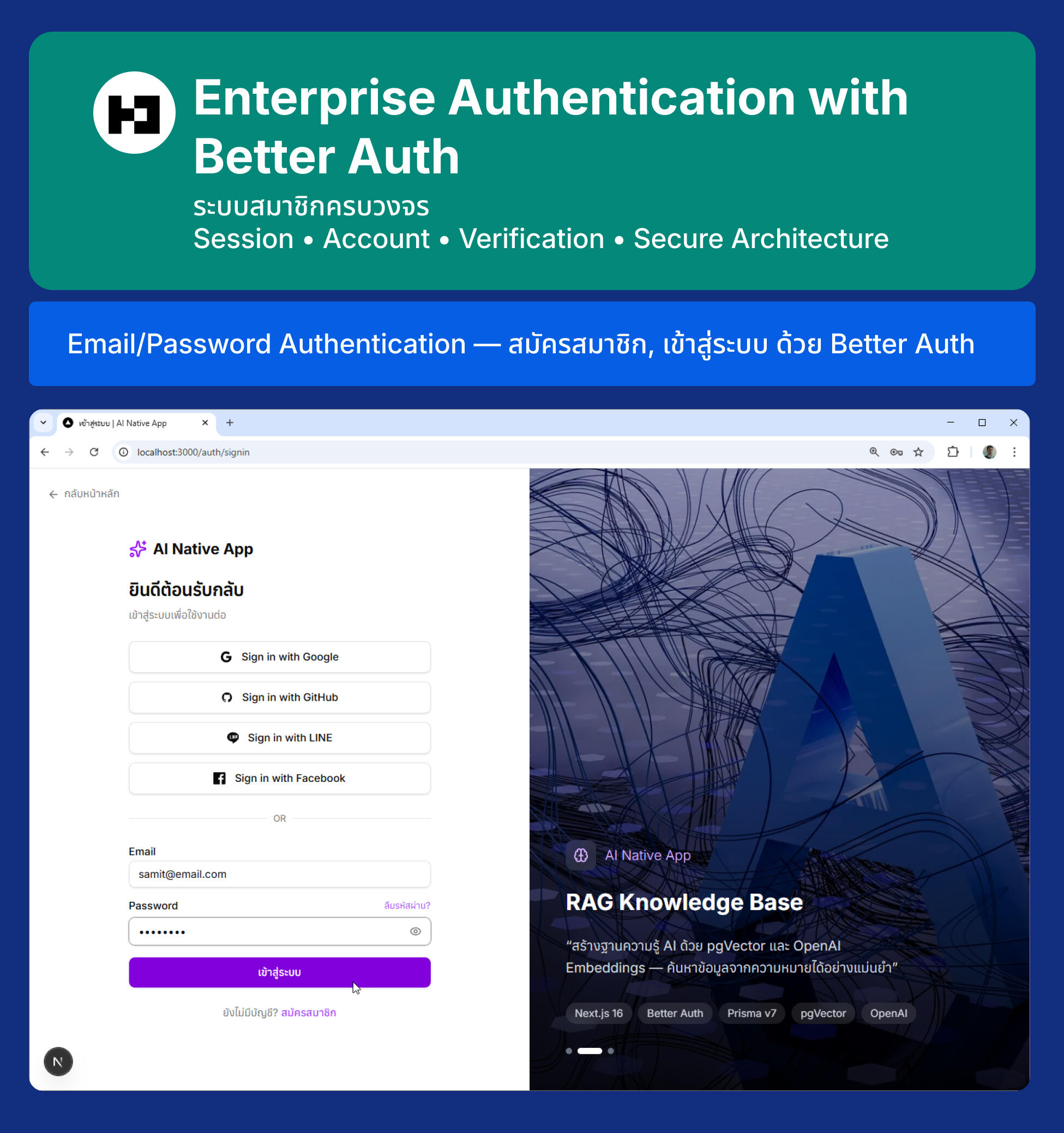
Enterprise Authentication with Better Auth
Email/Password Authentication — สมัครสมาชิก, เข้าสู่ระบบ ด้วย Better Auth
Next.js 16 AI-Native Developer Masterclass

Enterprise Authentication with Better Auth
Sign in with Google
Next.js 16 AI-Native Developer Masterclass

Enterprise Authentication with Better Auth
Sign in with Github
Next.js 16 AI-Native Developer Masterclass

Enterprise Authentication with Better Auth
Sign in with LINE
Next.js 16 AI-Native Developer Masterclass

Enterprise Authentication with Better Auth
Sign in with Facebook
Next.js 16 AI-Native Developer Masterclass

Enterprise Authentication with Better Auth
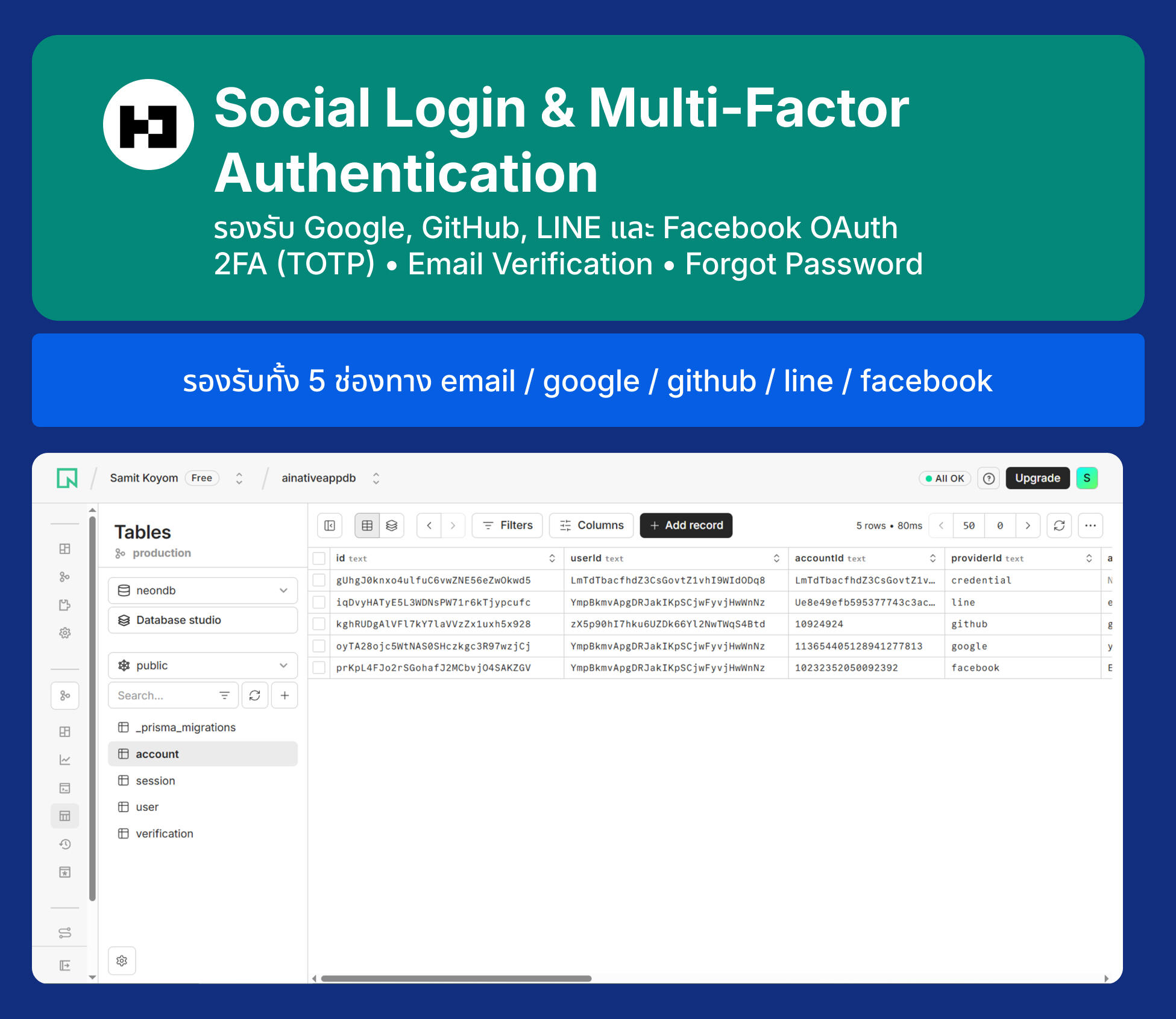
รองรับทั้ง 5 ช่องทาง email / google / github / line / facebook
Next.js 16 AI-Native Developer Masterclass

Enterprise Authentication with Better Auth
2FA (TOTP) - Google Authentication
Next.js 16 AI-Native Developer Masterclass

Enterprise Authentication with Better Auth
Email Verification
Next.js 16 AI-Native Developer Masterclass

Enterprise Authentication with Better Auth
Email Verification
Next.js 16 AI-Native Developer Masterclass

Enterprise Authentication with Better Auth
Forgot Password / Reset Password
Next.js 16 AI-Native Developer Masterclass

Enterprise Authentication with Better Auth
Forgot Password / Reset Password
Next.js 16 AI-Native Developer Masterclass

Role-Based Access Control (RBAC)
แบ่งสิทธิ์ Admin / Manager / User ด้วย Better Auth Admin Plugin
Next.js 16 AI-Native Developer Masterclass

Role-Based Access Control (RBAC)
แบ่งสิทธิ์ Admin / Manager / User ด้วย Better Auth Admin Plugin
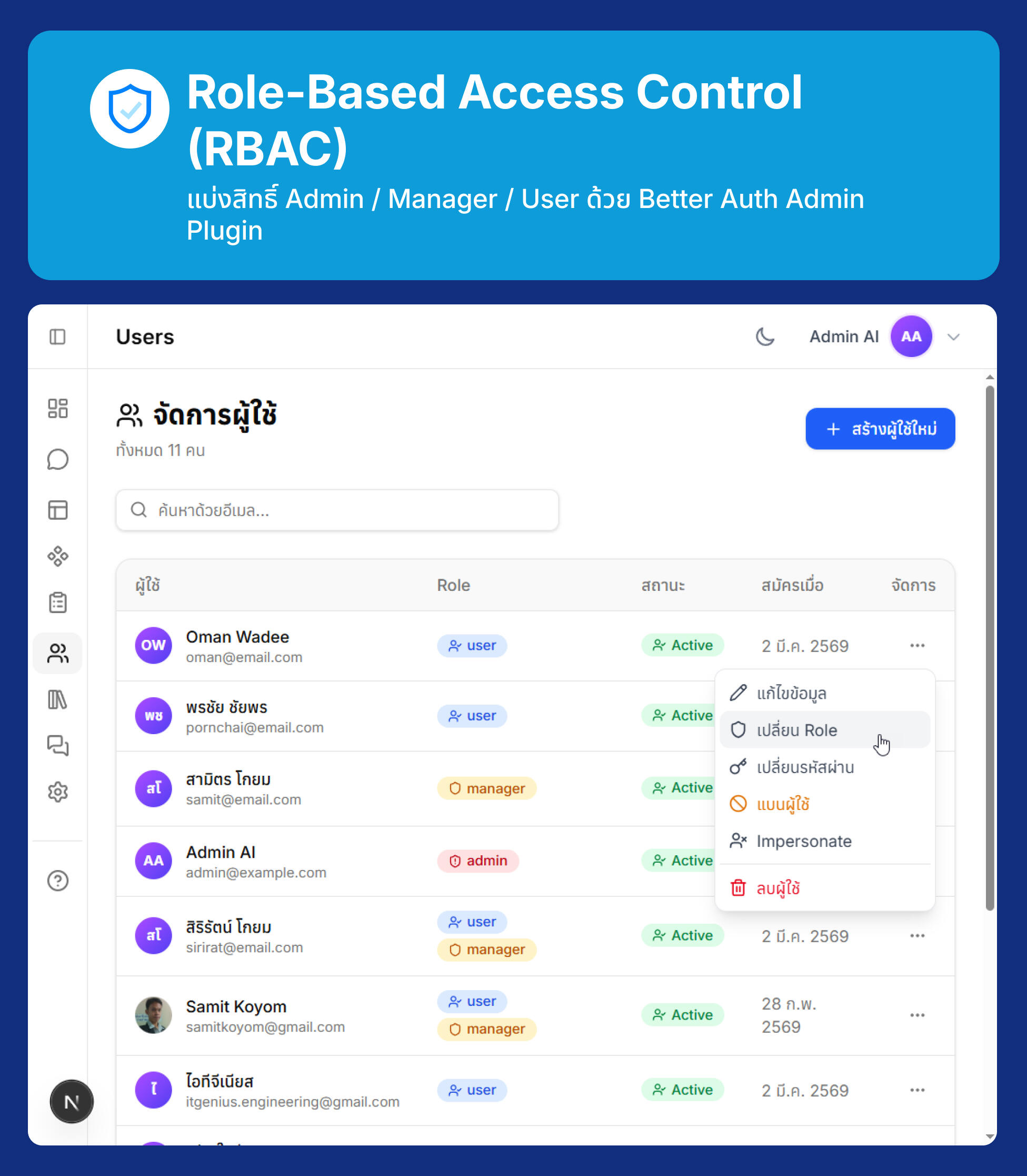
Next.js 16 AI-Native Developer Masterclass

Role-Based Access Control (RBAC)
แบ่งสิทธิ์ Admin / Manager / User ด้วย Better Auth Admin Plugin
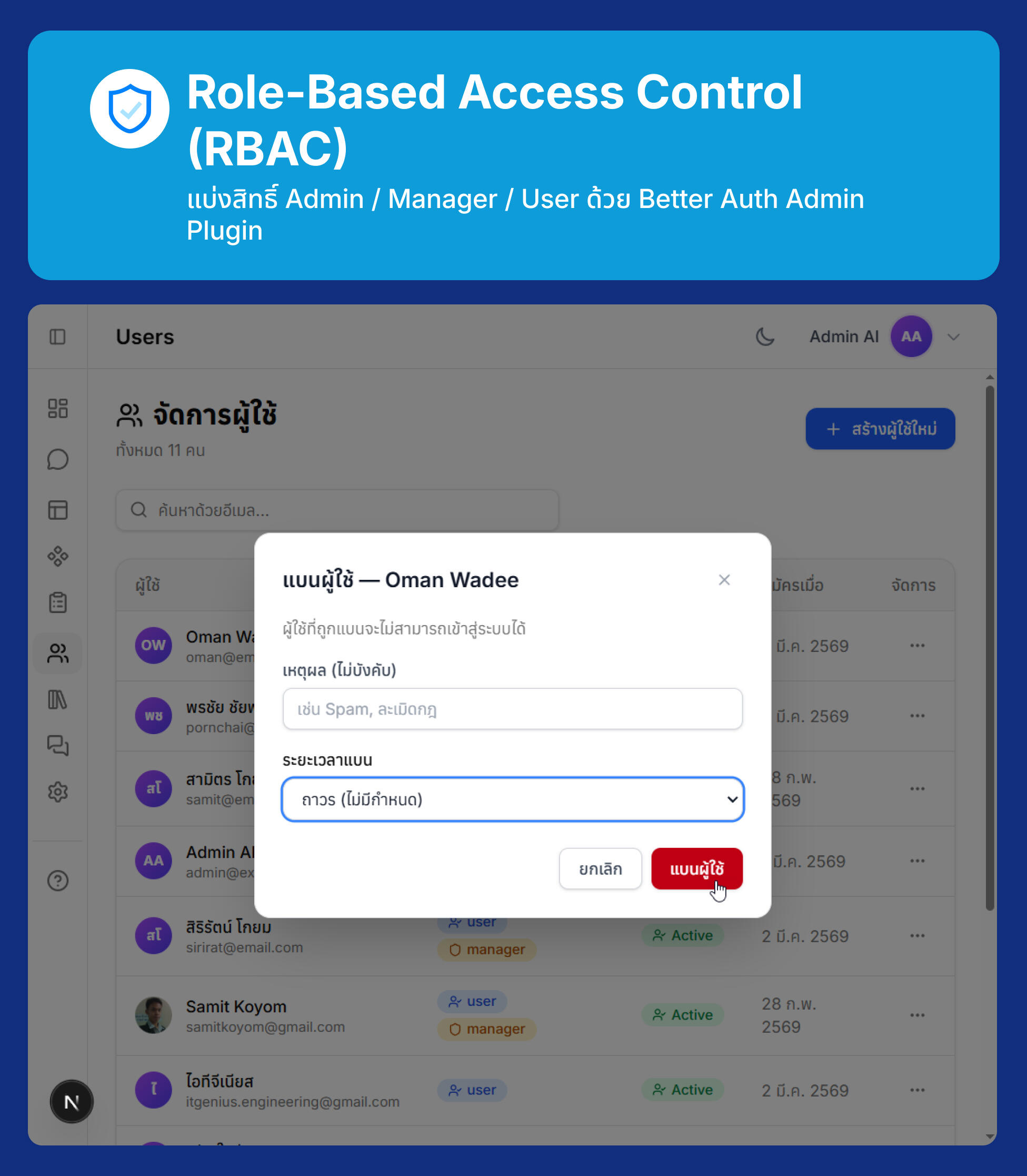
Next.js 16 AI-Native Developer Masterclass

Role-Based Access Control (RBAC)
แบ่งสิทธิ์ Admin / Manager / User ด้วย Better Auth Admin Plugin
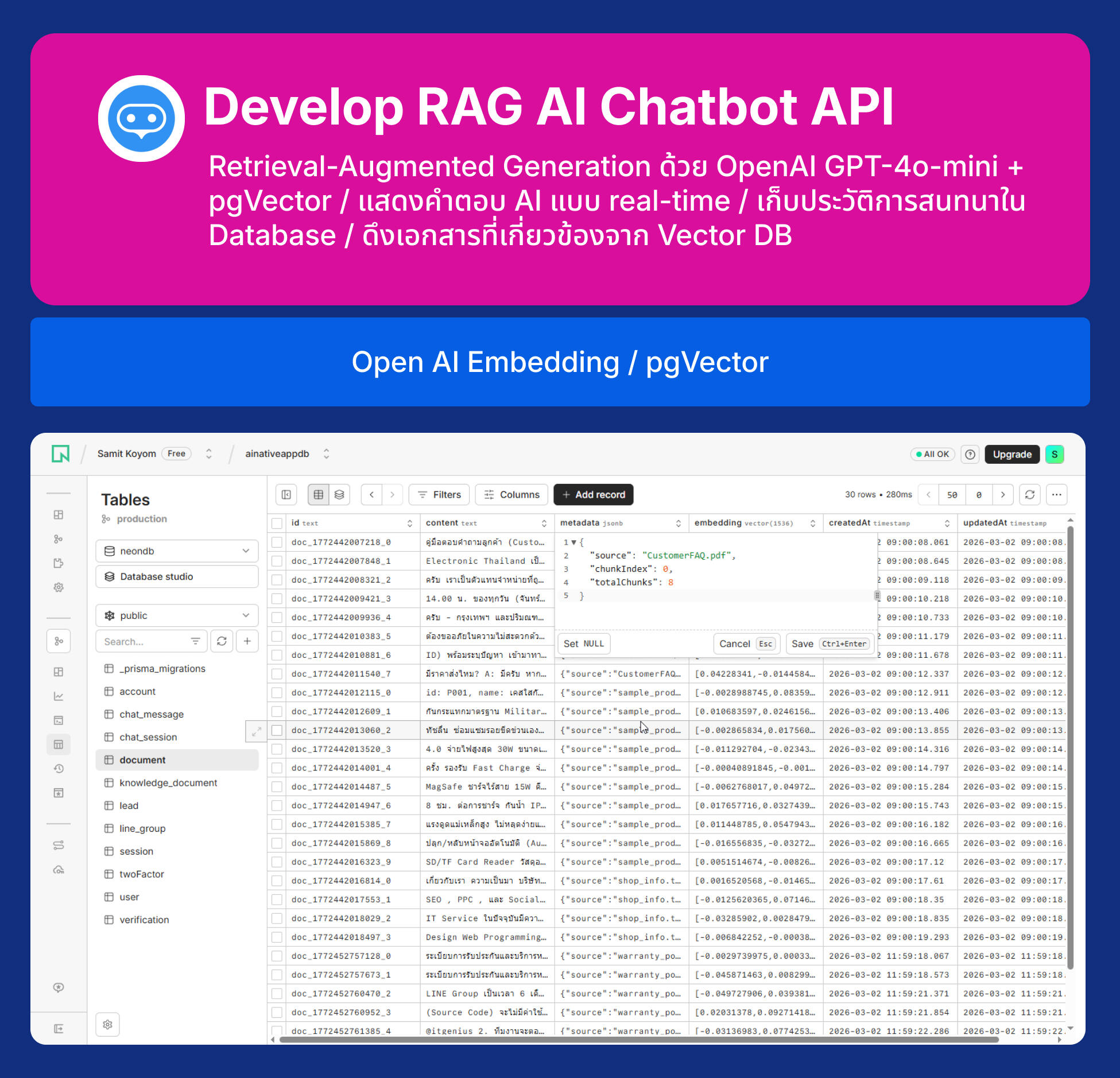
Next.js 16 AI-Native Developer Masterclass

Develop RAG AI Chatbot API
Retrieval-Augmented Generation ด้วย OpenAI GPT-4o-mini + pgVector / แสดงคำตอบ AI แบบ real-time / เก็บประวัติการสนทนาใน Database / ดึงเอกสารที่เกี่ยวข้องจาก Vector DB
Next.js 16 AI-Native Developer Masterclass

Develop RAG AI Chatbot API
Chat Widget — Floating Chat Button + Chat Window (popup)
Next.js 16 AI-Native Developer Masterclass

Develop RAG AI Chatbot API
Full Chat Page — หน้า Chat เต็มรูปแบบพร้อม Session Sidebar
Next.js 16 AI-Native Developer Masterclass

Knowledge Base

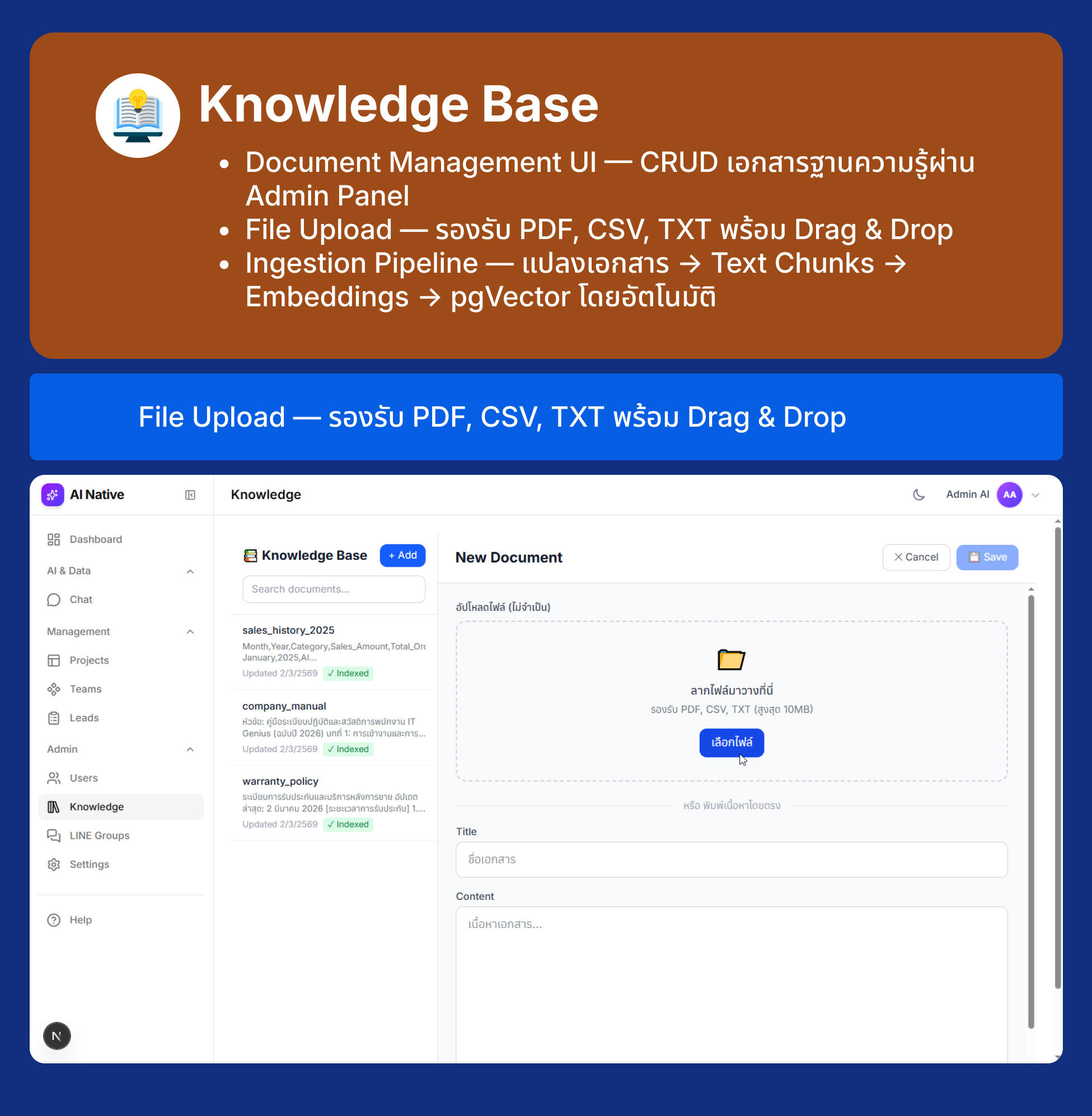
  • Document Management UI — CRUD เอกสารฐานความรู้ผ่าน Admin Panel
  • File Upload — รองรับ PDF, CSV, TXT พร้อม Drag & Drop
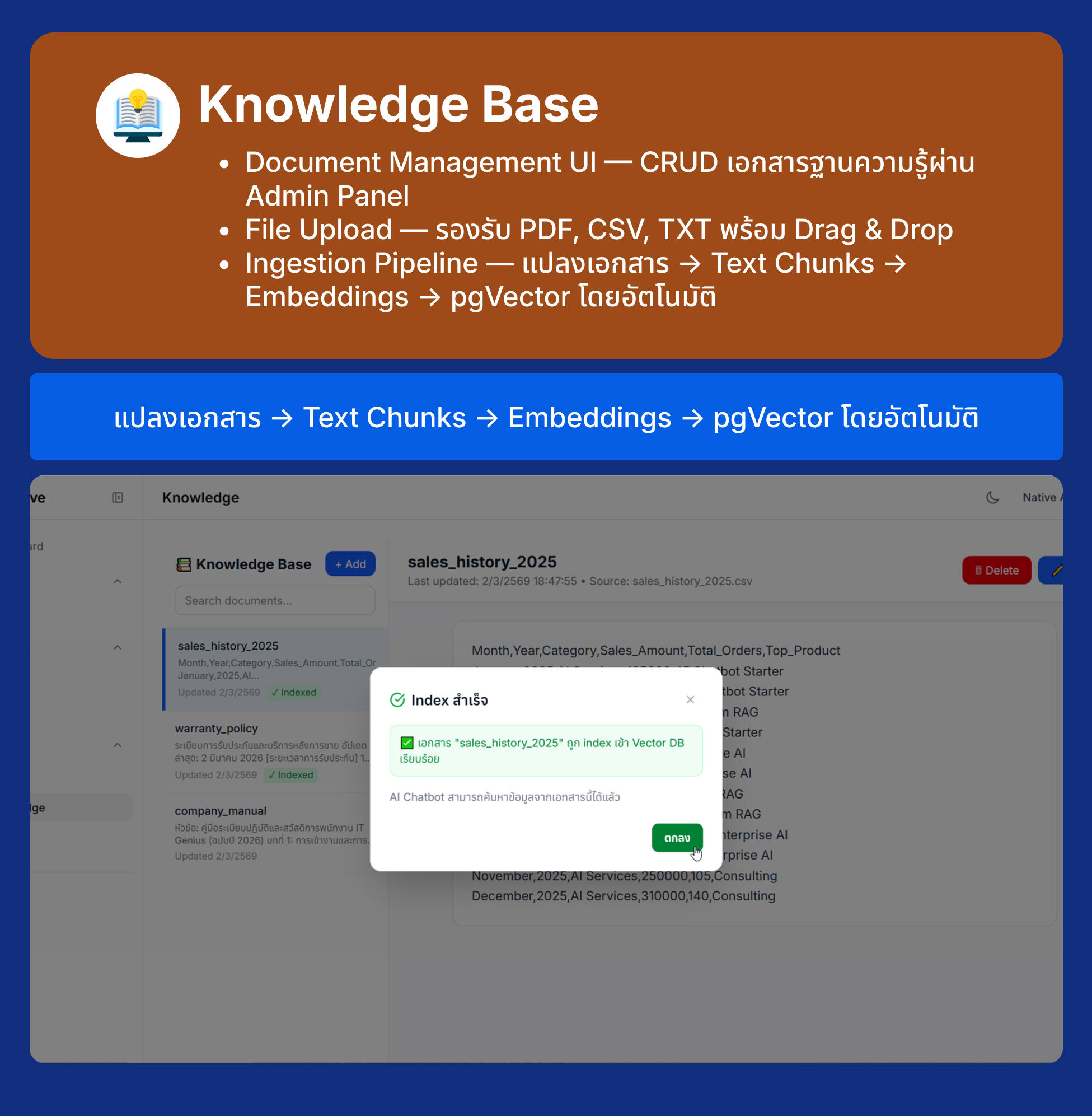
  • Ingestion Pipeline — แปลงเอกสาร → Text Chunks → Embeddings → pgVector โดยอัตโนมัติ
Document Management UI — CRUD เอกสารฐานความรู้ผ่าน Admin Panel

Next.js 16 AI-Native Developer Masterclass

Knowledge Base
File Upload — รองรับ PDF, CSV, TXT พร้อม Drag & Drop

Next.js 16 AI-Native Developer Masterclass

Knowledge Base
แปลงเอกสาร → Text Chunks → Embeddings → pgVector โดยอัตโนมัติ

Next.js 16 AI-Native Developer Masterclass

LINE Messaging API Integration + Automation
  • AI Chatbot บน LINE
  • Webhook • Rich Message • Lead Notification
  • n8n Workflow Automation
LINE Webhook — รับข้อความจาก LINE แล้วตอบด้วย AI (RAG)

Next.js 16 AI-Native Developer Masterclass

LINE Messaging API Integration + Automation
Rich Messages — รองรับ Flex Message สำหรับ LINE
Next.js 16 AI-Native Developer Masterclass

LINE Messaging API Integration + Automation
Auto Group Registration — บันทึก Group ID อัตโนมัติเมื่อ Bot เข้ากลุ่ม
Next.js 16 AI-Native Developer Masterclass

LINE Messaging API Integration + Automation
n8n Workflow Automation
Next.js 16 AI-Native Developer Masterclass

Lead Management

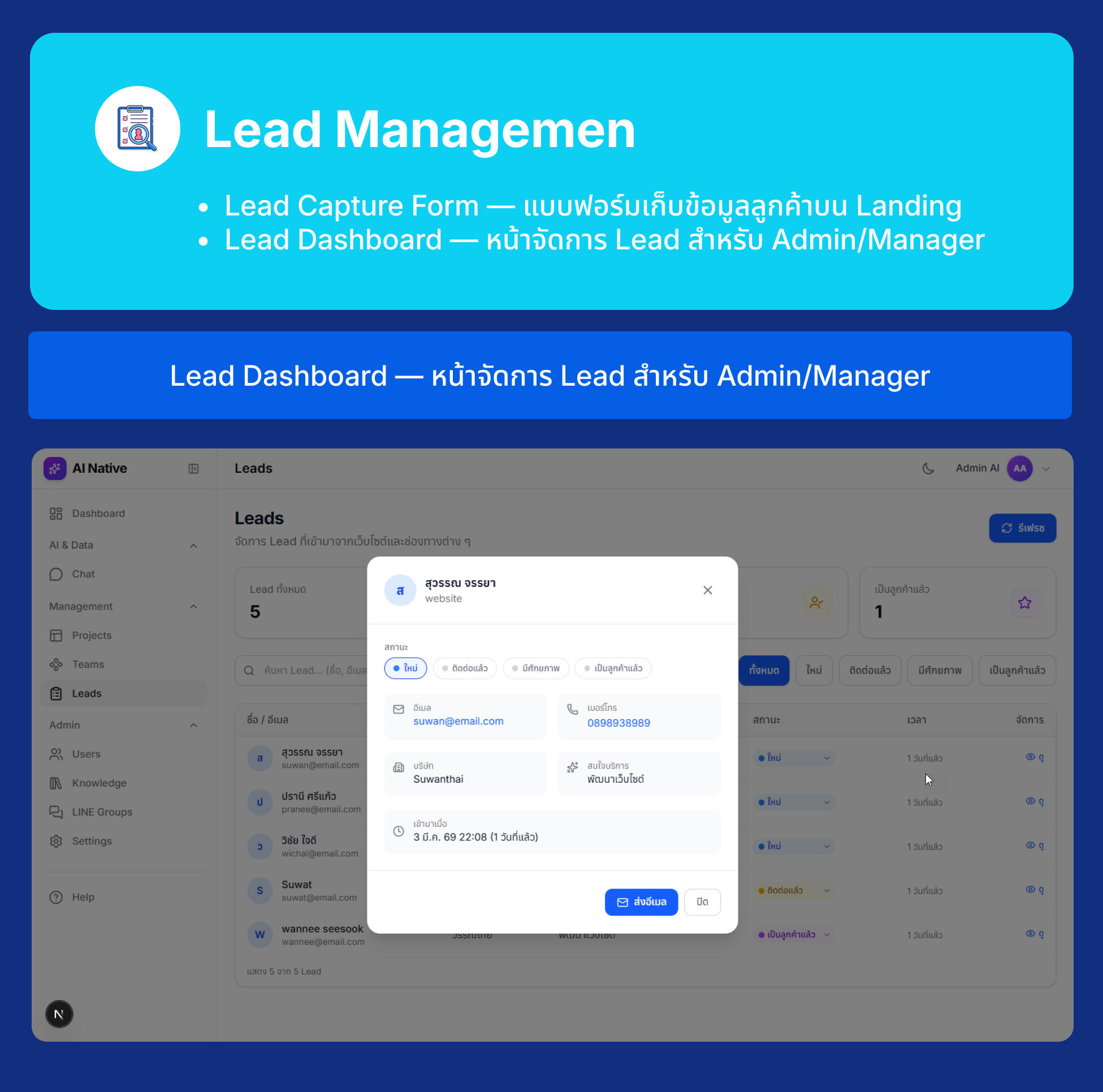
  • Lead Capture Form — แบบฟอร์มเก็บข้อมูลลูกค้าบน Landing
  • Lead Dashboard — หน้าจัดการ Lead สำหรับ Admin/Manager
Lead Capture Form — แบบฟอร์มเก็บข้อมูลลูกค้าบน Landing Page

Next.js 16 AI-Native Developer Masterclass

Lead Management
Lead Dashboard — หน้าจัดการ Lead สำหรับ Admin/Manager

Next.js 16 AI-Native Developer Masterclass

Production Deployment with Podman

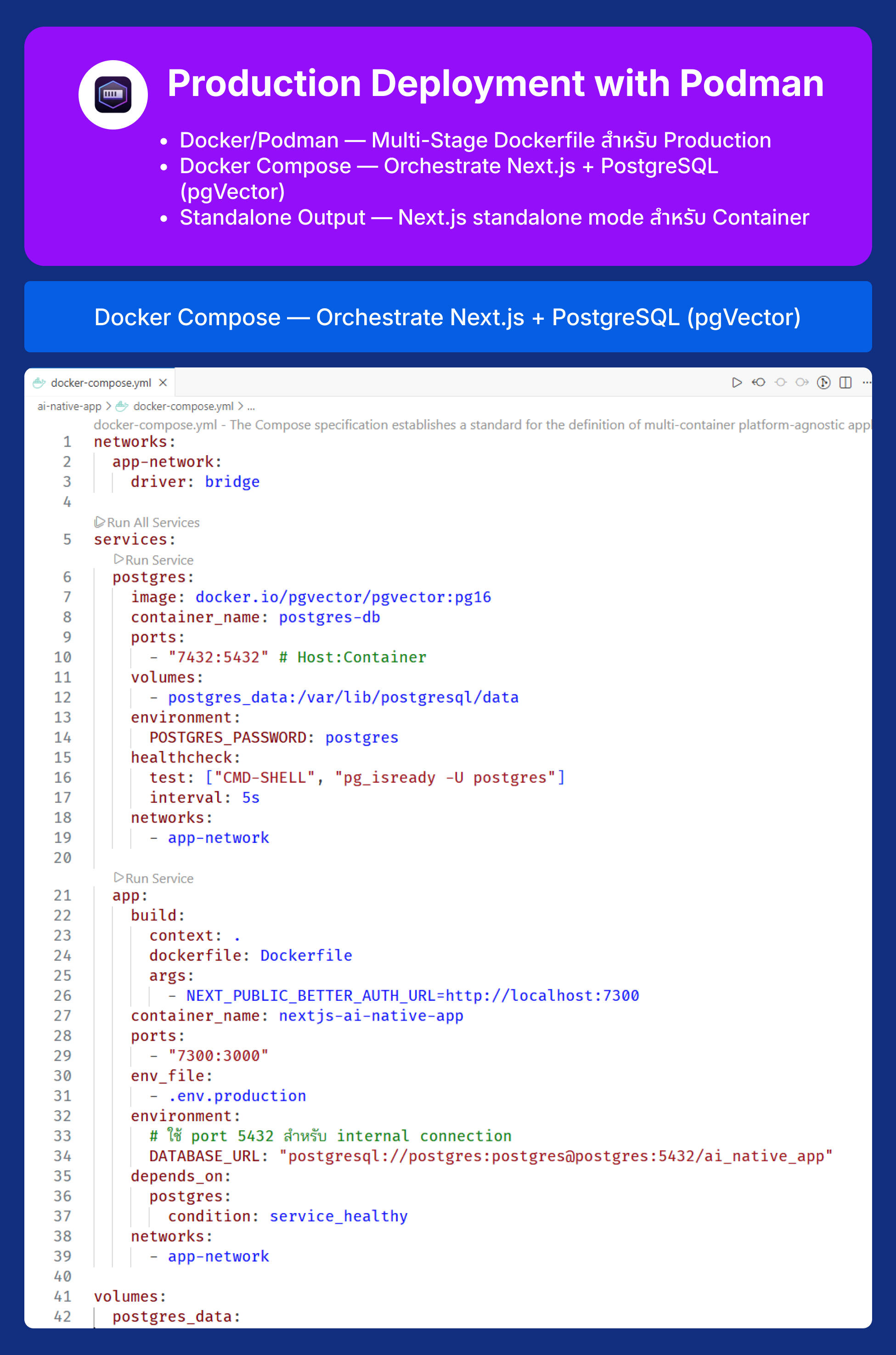
  • Docker/Podman — Multi-Stage Dockerfile สำหรับ Production
  • Docker Compose — Orchestrate Next.js + PostgreSQL (pgVector)
  • Standalone Output — Next.js standalone mode สำหรับ Container
Multi-Stage Dockerfile สำหรับ Production

Next.js 16 AI-Native Developer Masterclass

Production Deployment with Podman
Docker Compose — Orchestrate Next.js + PostgreSQL (pgVector)

Next.js 16 AI-Native Developer Masterclass

Production Deployment with Podman
Podman - Container
Next.js 16 AI-Native Developer Masterclass

Production Deployment with Podman
Project Deployment to Vercel Serverless

15 ชั่วโมง

ราคา 0 บาท

ลงทะเบียนแล้ว

0 คน

จะเปิดลงทะเบียนใน
สนใจสอบถามข้อมูลเพิ่มเติม
ติดต่อตามข้อมูลด้านล่างนี้