Practical Data Science with Jupyter

Practical Data Science with Jupyter

ปัจจุบันความก้าวหน้าทางเทคโนโลยีคอมพิวเตอร์เป็นไปอย่างรวดเร็ว เกิดข้อมูลขนาดใหญ่บนระบบคอมพิวเตอร์ ส่งผลให้การพัฒนางานเพื่อการวิเคราะห์ข้อมูลทางด้านวิทยาการข้อมูลเป็นที่ต้องการอย่างมาก โดยภาษาไพทอนนั้นเป็นภาษาหนึ่งที่มีผู้สนใจต้องการเรียนรู้เพื่อนำไปใช้ประโยชน์ดังกล่าว การพัฒนารายวิชานี้จึงเป็นประโยชน์และเปิดโอกาสผู้ที่สนใจสามารถเข้ามาศึกษาได้

คอร์สนี้เป็นการแนะนำเครื่องมือการเขียนโปรแกรมและไลบรารีที่จำเป็น Jupyter Notebook ทบทวนเทคนิคการเขียนโปรแกรมไพทอนพื้นฐานเช่น lambda, การจัดการไฟล์ .csv กระบวนการของวิทยาศาสตร์ข้อมูล การใช้ไลบรารี Pandas and Dataframe สำหรับการจัดการข้อมูลและเทคนิคการทำความสะอาดข้อมูลด้านวิทยาการข้อมูล การใช้ไลบรารี Numpy เพื่อการคำนวณทางวิทยาศาสตร์ และ การใช้ไลบรารี Mathplotlib เพื่อการแสดงผลข้อมูล

สาขากรุงเทพฯ (ลาดพร้าว)
  • ยังไม่มีรอบเปิดอบรม (ลงชื่อจองไว้ได้)
  • สามารถจัดการไฟล์ได้ตามกระบวนการของวิทยาศาสตร์ข้อมูลได้
  • นักวิทยาศาสตร์ข้อมูล
  • นักวิเคราะห์ข้อมูล
  • Python Basic
  • 18 ชั่วโมง
  • ราคาปกติ 9,500 บาท / คน
  • โปรโมชั่นลด 10% เหลือ 8,550 บาท / คน
  • ราคาเหมาจ่าย (ผู้อบรมตั้งแต่ 10 คน) ตามแต่ตกลงกัน
  • ขอใบเสนอราคา

Module 1: Installing Software and System Setup

  • Structure
  • Objective
  • System requirements
  • Downloading Anaconda
  • Installing the Anaconda on Windows
  • Installing the Anaconda in Linux
  • How to install a new Python library in Anaconda?
  • Open your notebook – Jupyter
  • Know your notebook

Module 2: Python Language Basics

  • Language Semantics
  • Indentation, not braces
  • Everything is an object
  • Comments
  • Function and object method calls
  • Variables and argument passing
  • Dynamic references, strong types
  • Attributes and methods
  • Imports
  • Scalar Types
    • Numeric types
    • Strings
    • Bytes and Unicode
    • Booleans
    • Type casting
    • None
    • Dates and times
  • Control Flow
    • if, elif, and else
    • for loops
    • while loops
    • pass

Module 3: Built-In Data Structures, Functions, and Files

3.1 Built-In Data Structures, Functions, and Files

  • Tuple
    • if, elif, and else
    • Tuple methods
  • List
    • Adding and removing elements
    • Concatenating and combining lists
    • Sorting
    • Slicing
  • Set
  • Built-In Sequence Functions
    • enumerate
    • sorted
    • zip
    • Reversed
  • List, Set, and Dictionary Comprehensions
    • Nested list comprehensions

3.2 Functions

  • Namespaces, Scope, and Local Functions
  • Returning Multiple Values
  • Functions Are Objects
  • Anonymous (Lambda) Functions
  • Generators
    • Generator expressions
    • itertools module
  • Errors and Exception Handling

Module 4: NumPy Basics: Arrays and Vectorized   Computation

4.1 The NumPy ndarray: A Multidimensional Array Object

  • Creating ndarrays
  • Data Types for ndarrays
  • Arithmetic with NumPy Arrays
  • Basic Indexing and Slicing
    • Indexing with slices
  • Boolean Indexing
  • Fancy Indexing
  • Transposing Arrays and Swapping Axes

4.2 Pseudorandom Number Generation

4.3 Universal Functions: Fast Element-Wise Array Functions

4.4 Array-Oriented Programming with Arrays

  • Expressing Conditional Logic as Array Operations
  • Mathematical and Statistical Methods
  • Methods for Boolean Arrays
  • Sorting
  • Unique and Other Set Logic

4.5 File Input and Output with Arrays

4.6 Linear Algebra

Module 5: Getting Started with pandas

5.1 Introduction to pandas Data Structures

  • Series
  • DataFrame
  • Index Objects

5.2 Essential Functionality

  • Reindexing
  • Dropping Entries from an Axis
  • Indexing, Selection, and Filtering
    • Selection on DataFrame with loc and iloc
    • Integer indexing pitfalls
    • Pitfalls with chained indexing
  • Arithmetic and Data Alignment
    • Arithmetic methods with fill values
    • Operations between DataFrame and Series
  • Function Application and Mapping
  • Sorting and Ranking
  • Axis Indexes with Duplicate Labels

5.3 Summarizing and Computing Descriptive Statistics

  • Correlation and Covariance
  • Unique Values, Value Counts, and Membership

Module 6: Data Loading, Storage, and File   Formats

6.1 Reading and Writing Data in Text Format

  • Reading Text Files in Pieces
  • Writing Data to Text Format
  • Working with Other Delimited Formats
  • JSON Data
  • XML and HTML: Web Scraping
    • Parsing XML with lxml.objectify

6.2 Binary Data Formats

  • Reading Microsoft Excel Files

Module 7: Data Cleaning and Preparation

7.1 Reading and Writing Data in Text Format

  • Filtering Out Missing Data
  • Filling In Missing Data

7.2 Data Transformation

  • Removing Duplicates
  • Transforming Data Using a Function or Mapping
  • Replacing Values
  • Renaming Axis Indexes
  • Discretization and Binning
  • Detecting and Filtering Outliers
  • Permutation and Random Sampling
  • Computing Indicator/Dummy Variables

7.3 Extension Data Types

7.4 String Manipulation

  • Python Built-In String Object Methods
  • Regular Expressions
  • String Functions in pandas

7.5 Categorical Data

  • Background and Motivation
  • Categorical Extension Type in pandas
  • Computations with Categoricals
    • Better performance with categoricals
  • Categorical Methods
    • Creating dummy variables for modeling

Module 8: Data Visualization

  •     Structure
  •     Objective
  •     Bar chart
  •     Line chart
  •     Histograms
  •     Scatter plot
  •     Stacked plot
  •     Box plot

คอร์ส Practical Data Science with Jupyter เหมาะกับใคร ต้องมีพื้นฐานอะไรมาก่อน

ดูรายละเอียดกลุ่มเป้าหมายและพื้นฐานที่ต้องมีได้ในหัวข้อ "กลุ่มเป้าหมาย" และ "พื้นฐานที่ผู้เรียนต้องมี" บนหน้านี้ หากไม่แน่ใจว่าพื้นฐานพอหรือไม่ ปรึกษาทีมงานได้ฟรีทาง LINE @itgenius หรือโทร 02-570-8449

คอร์ส Practical Data Science with Jupyter ราคาเท่าไร ใช้เวลาเรียนกี่ชั่วโมง

ราคาปกติ 9,500 บาท (โปรโมชันปัจจุบันเหลือ 8,550 บาท) ใช้เวลาอบรม 18 ชั่วโมง ราคานี้รวมเอกสารประกอบการอบรม อาหารกลางวัน และอาหารว่างตลอดหลักสูตร

เรียนจบได้รับ Certificate หรือไม่

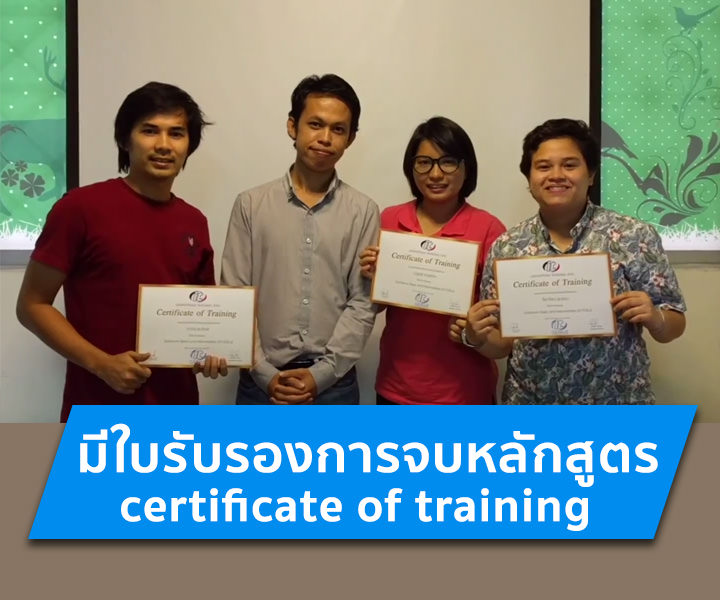
ได้รับ ผู้ผ่านการอบรมทุกท่านจะได้รับใบประกาศนียบัตร (Certificate of Completion) จากสถาบันไอทีจีเนียส

อบรมที่ไหน มีเรียนแบบออนไลน์หรือไม่

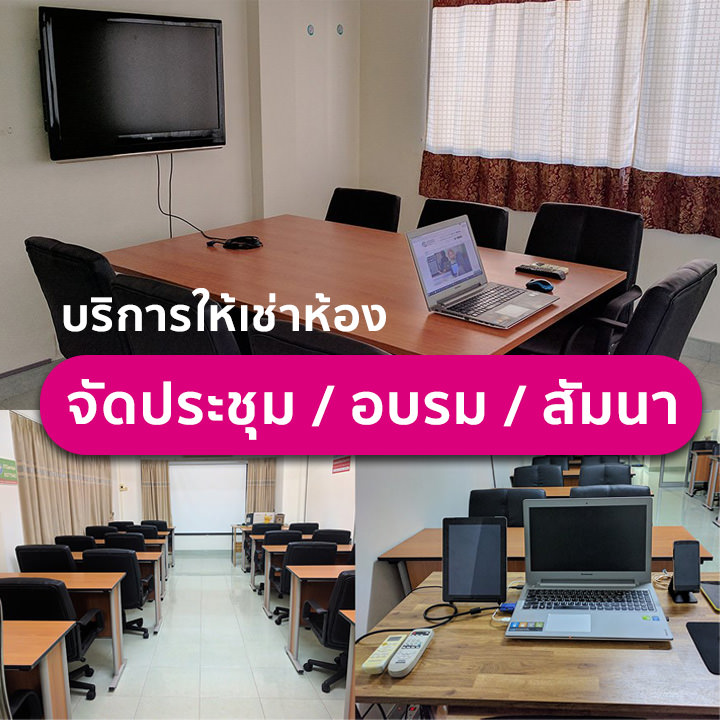
อบรมแบบ Onsite ที่สถาบันไอทีจีเนียส สาขาลาดพร้าววังหิน 68 กรุงเทพฯ และมีบริการจัดอบรมนอกสถานที่ (In-house Training) สำหรับองค์กร บางหลักสูตรมีเวอร์ชันเรียนออนไลน์ผ่าน GeniusHub ดูได้ที่เมนูคอร์สออนไลน์

ถ้าเรียนไม่ทันหรือขาดเรียน มีเรียนซ้ำ/เรียนชดเชยหรือไม่

มี ผู้เรียนสามารถแจ้งขอเรียนซ้ำ (repeat) ในรอบถัดไปของหลักสูตรเดียวกันได้ฟรีตามเงื่อนไขของสถาบัน ดูรายละเอียดที่หน้า "เรียนซ้ำฟรี" หรือสอบถามทีมงาน

สมัครเรียนหรือขอใบเสนอราคาในนามบริษัทได้อย่างไร

สมัครออนไลน์ได้จากแบบฟอร์มลงทะเบียนบนหน้านี้ หรือขอใบเสนอราคา (Quotation) ในนามนิติบุคคลได้ทันทีจากปุ่ม "ขอใบเสนอราคา" สอบถามเพิ่มเติมโทร 02-570-8449 หรือ LINE @itgenius