Programming with the Microsoft .NET Framework Using Microsoft Visual Studio 2012
รายละเอียด Course ID: adc-03-08
This five-day, instructor-led course provides an introduction to developing n-tier applications for the Microsoft .NET Framework 4.5 environment using Microsoft Visual Studio 2012 Service Pack 1 (SP1).
Delegates attending this course are planning to use the .NET Framework for future business application development. This course is intended for developers who wish to expand their understanding of application development in the .NET Framework, and it provides an initial foundation in .NET that can be built upon with more advanced .NET training. Programmers attending this course should ensure that they are familiar with the Visual Studio integrated development environment (IDE).
Object-oriented programming and the .NET Framework are the basic building blocks that all professional developers need to acquire before moving on to the more advanced courses and TS Certification.
รอบการเปิดอบรม
วิดีโอแนะนำคอร์ส
ไฟล์รายละเอียดคอร์ส
- Programming with the Microsoft .NET Framework Using Microsoft Visual Studio 2012 (Course outline PDF)
- โปรไฟล์ของบริษัทไอทีจีเนียส เอ็นจิเนียริ่ง (โปรไฟล์ไอทีจีเนียส PDF)
วัตถุประสงค์
- เพื่อให้เข้าใจถึงระบบฐานข้อมูลต่างๆ มากขึ้น
- เพื่อให้เข้าใจถึงการประยุกต์ใช้แอปพลิเคชั่นในส่วนของรายละเอียดต่างๆ
กลุ่มเป้าหมาย
- ผู้ที่สนใจพัฒนาเว็บไซต์ด้านการพัฒนาแอปพลิเคชั่นต่างๆ
- ผู้ดูแลเว็บไซต์ต่างๆ ขององค์กร
- ผู้ที่ต้องการพัฒนาความรู้มากขึ้น
ความรู้พื้นฐาน
- มีความรู้ด้านการเขียนโปรแกรมมาบ้าง
ระยะเวลาในการอบรม
- 30 ชั่วโมง
ราคาคอร์สอบรม
- ราคาปกติ 11,500 บาท / คน
- โปรโมชั่นลด 10% เหลือ 10,350 บาท / คน
- ราคาเหมาจ่าย (ผู้อบรมตั้งแต่ 10 คน) ตามแต่ตกลงกัน
- ขอใบเสนอราคา
วิทยากรผู้สอน
 อาจารย์สนิทวงศ์ กมลภากรณ์
คอร์สที่ควรอบรมก่อนหน้า
 Basic Programming (พื้นฐานการเขียนโปรแกรม)
คอร์สต่อเนื่องที่แนะนำ
 Programming ADO.NET Entity Framework and LINQ
เนื้อหาการอบรม
|
At Course Completion After completing this course, students will be able to:
|
Module 1: Software Design and Development in Visual Studio 2012 This module helps students to design and develop software by using Visual Studio 2012.Lessons
- Introduction to Software Design and Development
- Introduction to Software Development Frameworks and Methodologies
- Introduction to the Microsoft .NET Framework Applications
- N-Tier Application Development
Lab : Software Design and Development
- Exercise 1: Managing a Software Development Process
- Exercise 2: Recommend an Architecture
- Exercise 3: Discussion
After completing this module, students will be able to:
- Describe software design and development.
- Describe Microsoft .NET Framework Applications.
- Describe n-tier development.
Module 2: Object-Oriented Programming with Microsoft Visual Studio 2012 This module helps students to design and develop software by using Visual Studio 2012.
Lessons
- Object-Oriented Programming Concepts
- Defining a Class
- Creating a Class Instance
- Introduction to Inheritance
- Defining and Implementing Interfaces
- Creating and Using Delegates and Events
- Generics
Lab : Creating Classes in Visual Studio 2012
- Exercise 1: Create a Customer and Person Class Using the Class Designer
- Exercise 2: Create a BasicProduct and FullProduct in the Code Editor Window
- Exercise 3: Extend the DAL to Use the Class to Pass Data
After completing this module, students will be able to:
- Describe object-oriented programming concepts.
- Define a class.
- Explain how to create a class instance.
- Explain how to implement inheritance.
- Explain how to define and implement interfaces.
- Explain how to create and use delegates and events.
- Explain how to create and use generics.
Module 3: Data Validation
This module introduces data validation, and explains how to validate Windows Forms and ASP.NET applications.
Lessons
- Introduction to Data Validation
- Validating Windows Forms Applications
- Validating ASP.NET Applications
Lab : Data Validation
- Exercise 1: Adding Data Validation to the ASP.NET Application
- Exercise 2: Adding Data Validation to the Sales Interface
After completing this module, students will be able to:
- Describe the general concepts of data validation.
- Describe the technologies and techniques for validating Windows Forms applications.
- Describe the technologies and techniques for validating ASP.NET applications.
Module 4: Debugging and Profiling .NET Applications
This module helps students debug and profile applications by using Visual Studio 2012.
Lessons
- Code Tracing and Debugging
- Application Profiling
Lab : Code Tracing
- Exercise 1: Add Tracing to a Windows Forms Application
After completing this module, students will be able to:
- Add trace and debug statements to applications to use for debugging.
- Use the common language runtime (CLR) Profiler to optimize applications.
- Use the Performance Explorer to analyze performance bottlenecks in applications.
Module 5: Monitoring and Logging .NET Framework ApplicationsThis module introduces the concept of instrumentation, as well an instrumentation method.Lessons
- Introduction to Instrumentation
- Event Logs
Lab : Monitoring and Logging .NET Framework Applications
- Exercise: Writing to a Custom Event Log
After completing this module, students will be able to:
- Discuss the basics of instrumentation.
- Name the various technologies that are available for instrumentation.
- Explain what event logs are.
- Use event logs to instrument an application.
Module 6: Testing Microsoft .NET Framework ApplicationsThis module helps students to implement software testing by using Visual Studio 2012.Lessons
- Introduction to Software Testing
- Using Visual Studio 2012 Testing Tools
Lab : Software Testing
- Exercise 1: Using the object test bench
- Exercise 2: Creating and running a unit test
After completing this module, students will be able to:
- Describe the basic concepts behind software testing.
- Implement software testing by using the tools available in Visual Studio 2012.
Module 7: Introduction to LINQThis module introduces new language features and LINQ concepts.Lessons
- What Is New in VB.NET and C#
- Introduction to LINQ
- LINQ Data Providers
Lab : Using New Language Features
- Exercise 1: Define variables using local type inference
- Exercise 2: Define objects using the new object initializers
- Exercise 3: Define an anonymous type
- Exercise 4: Create an extension method for a string
- Exercise 5: Use a Lambda expression
Lab : Simple LINQ-to-Object Queries
- Exercise 1: Extract a subset of objects from a collection
- Exercise 2: Order the objects according to a specific field
Lab : Using LINQ to Datasets and LINQ to Objects
- Exercise 1: Filter the rows of a dataset according to a specific customer code
After completing this module, students will be able to:
- Describe new language features in Microsoft C# 3.0 and Microsoft VB.NET 9.0.
- Describe LINQ.
- Describe the basic LINQ architecture.
- Describe the various LINQ constructs.
- Write a basic LINQ query.
- List the various LINQ Data Providers that Microsoft provides.
- Use the LINQ to Objects provider.
- Use the LINQ to Datasets provider.
Module 8: Data Access with LINQThis module introduces new language features and LINQ concepts.Lessons
- LINQ to XML
- LINQ to Entities
- LINQ to SQL
Lab : Data Access with LINQ
- Exercise 1: Replace a XSLT Solution with LINQ to XML
- Exercise 2: Build a Data Access Layer around a New Entity Framework Model of the AdventureWorksLT Database
- Exercise 3: Build a Tool to Update Product Information in the AdventureWorks Database
After completing this module, students will be able to:
- Describe LINQ to XML.
- Use LINQ to XML to create new XML trees.
- Use LINQ to XML to query XML trees.
- Describe the Entity Framework.
- Describe LINQ to Entities.
- Create an Entity Framework Model.
- Use the Entity Framework and LINQ to Entities to query a database.
- Use the Entity Framework and LINQ to Entities to modify a database.
- Describe LINQ to SQL.
- Create a LINQ to SQL model.
- Use LINQ to SQL to query a database.
- Use LINQ to SQL to modify a database.
Module 9: Implementing Security in .NET ApplicationsThis module explains important security concepts and how to apply them in .NET Framework applications.Lessons
- Security Overview
- Implementing Code Access Security
- Implementing Role-Based Security
- Using Cryptography Services
Lab : Security in the .NET Framework
- Exercise 1: Use Code Access Security to Lock Down File Permissions
- Exercise 2: Use Role-Based Security to Implement Security Requirements
- Exercise 3: Encrypting Data
After completing this module, students will be able to:
- Describe security in the .NET Framework.
- Implement code access security.
- Implement role-based security.
- Use the cryptographic services in the .NET Framework.
Module 10: Network Programming
This module explains how to extend applications onto the network to access resources and send e-mail.
Lessons
- Introduction to Network Programming
- Setting Credentials
- Sending Mail
Lab : Network Programming
- Exercise 1: Use Code Access Security to Lock Down File Permissions
- Exercise 2: Sending Email on Receipt of an Order
After completing this module, students will be able to:
- Explain the basics of network programming.
- Create and send a Simple Mail Transfer Protocol (SMTP) mail message.
- Create and set network credentials.
Module 11: Creating Distributed ApplicationsThis module introduces the concept of distributed applications, and shows you how to create and consume XML Web services by using the Microsoft .NET Framework and Visual Studio 2012. It also covers the key features of Windows Communication Foundation (WCF), and explains how to build WCF services and clients.Lessons
- Introduction to Distributed Applications
- Creating and Consuming XML Web Services
- Building Windows Communication Foundation Services and Clients
Lab : Creating a Windows Communication Foundation Service
- Exercise 1: Expose the DAL by Using Web Services
- Exercise 2: Adding Windows Communication Foundation to the Solution
After completing this module, students will be able to:
- Describe the options for creating distributed .NET Framework applications and the key features of WCF.
- Create and consume XML Web services.
- Build WCF services and clients.
Module 12: Configuring .NET Framework Applications
This module helps students configure applications by using Visual Studio 2012.
Lessons
- Introduction to Configuring Applications
- Using .NET Configuration Files
Lab : Application Configuration
- Exercise 1: Set the connectionstring in the web.config File
- Exercise 2: Reading an Application Setting from a Configuration File
After completing this module, students will be able to:
- Describe .NET Framework configuration files.
- Name the most common configuration files.
- Explain how the various configuration files interact.
- Configure applications using .NET Framework configuration files.
Module 13: Deploying .NET Framework ApplicationsThis module introduces many of the features and options that Visual Studio 2012 and the Microsoft .NET Framework provide to help you build, test, and deploy applications.Lessons
- Introduction to Assemblies
- Overview of MSBuild
- Deploying .NET Framework Applications by Using ClickOnce
- Deploying .NET Framework Applications by Using Windows Installer
Lab : Deploying .NET Framework Applications
- Exercise 1: Publish the MiddleTierWS Web Service and Secure It
- Exercise 2: Create a Windows Installer Package for the SalesInterface Application
- Exercise 3: Deploy the SalesInterface Application Using Click-Once Deployment Technologies
After completing this module, students will be able to:
- Describe assemblies, and explain features of assemblies that relate to deployment.
- Explain how to use MSBuild to build an application.
- Deploy applications by using ClickOnce.
- Deploy applications by using Windows Installer.
Module 14: Windows Presentation Foundation Applications
This module introduces the concepts of using the Windows Presentation Foundation (WPF) applications to extend the range and flexibility of the applications that you can develop by using the .NET Framework 3.5 and Visual Studio 2012.
Lessons
- Introduction to Windows Presentation Foundation
- Introduction to XAML
- Programming Windows Presentation Foundation Applications
Lab : Building Windows Presentation Foundation Applications
- Exercise 1: Creating a Windows Presentation Foundation Application
After completing this module, students will be able to:
- Discuss the basic concepts behind WPF applications.
- Explain the basic concepts behind Extensible Application Markup Language (XAML).
- Create a simple WPF application.
คำถามที่พบบ่อย (FAQ)
คอร์ส Programming with the Microsoft .NET Framework Using Microsoft Visual Studio 2012 เหมาะกับใคร ต้องมีพื้นฐานอะไรมาก่อน
ดูรายละเอียดกลุ่มเป้าหมายและพื้นฐานที่ต้องมีได้ในหัวข้อ "กลุ่มเป้าหมาย" และ "พื้นฐานที่ผู้เรียนต้องมี" บนหน้านี้ หากไม่แน่ใจว่าพื้นฐานพอหรือไม่ ปรึกษาทีมงานได้ฟรีทาง LINE @itgenius หรือโทร 02-570-8449
คอร์ส Programming with the Microsoft .NET Framework Using Microsoft Visual Studio 2012 ราคาเท่าไร ใช้เวลาเรียนกี่ชั่วโมง
ราคาปกติ 11,500 บาท (โปรโมชันปัจจุบันเหลือ 10,350 บาท) ใช้เวลาอบรม 30 ชั่วโมง ราคานี้รวมเอกสารประกอบการอบรม อาหารกลางวัน และอาหารว่างตลอดหลักสูตร
เรียนจบได้รับ Certificate หรือไม่
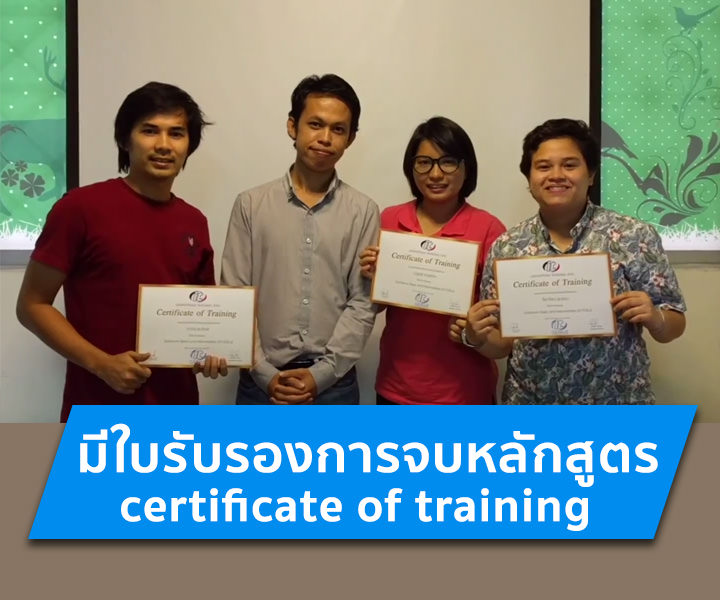
ได้รับ ผู้ผ่านการอบรมทุกท่านจะได้รับใบประกาศนียบัตร (Certificate of Completion) จากสถาบันไอทีจีเนียส
อบรมที่ไหน มีเรียนแบบออนไลน์หรือไม่
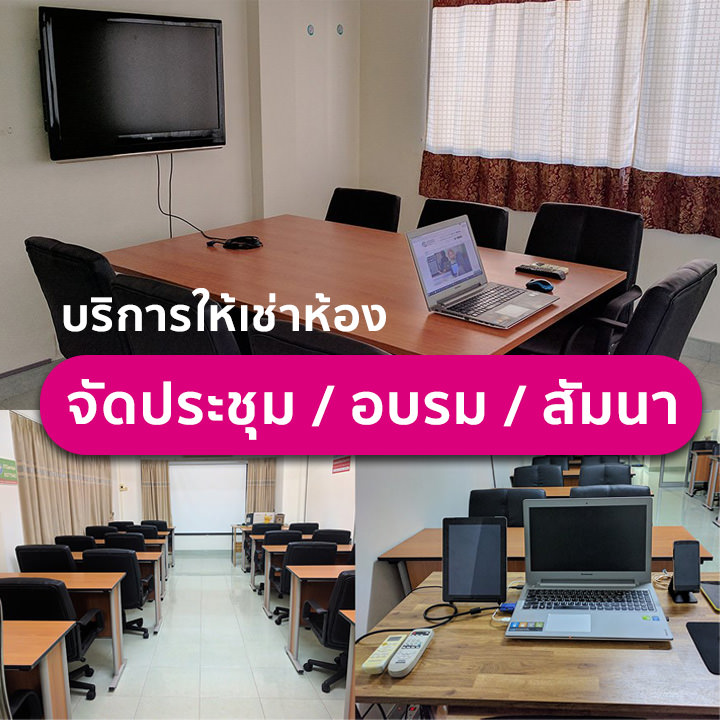
อบรมแบบ Onsite ที่สถาบันไอทีจีเนียส สาขาลาดพร้าววังหิน 68 กรุงเทพฯ และมีบริการจัดอบรมนอกสถานที่ (In-house Training) สำหรับองค์กร บางหลักสูตรมีเวอร์ชันเรียนออนไลน์ผ่าน GeniusHub ดูได้ที่เมนูคอร์สออนไลน์
ถ้าเรียนไม่ทันหรือขาดเรียน มีเรียนซ้ำ/เรียนชดเชยหรือไม่
มี ผู้เรียนสามารถแจ้งขอเรียนซ้ำ (repeat) ในรอบถัดไปของหลักสูตรเดียวกันได้ฟรีตามเงื่อนไขของสถาบัน ดูรายละเอียดที่หน้า "เรียนซ้ำฟรี" หรือสอบถามทีมงาน
สมัครเรียนหรือขอใบเสนอราคาในนามบริษัทได้อย่างไร
สมัครออนไลน์ได้จากแบบฟอร์มลงทะเบียนบนหน้านี้ หรือขอใบเสนอราคา (Quotation) ในนามนิติบุคคลได้ทันทีจากปุ่ม "ขอใบเสนอราคา" สอบถามเพิ่มเติมโทร 02-570-8449 หรือ LINE @itgenius