Developing Android and iOS Apps with C# using Xamarin
รายละเอียด Course ID: adc-03-27
Xamarin คือ Framework ในการพัฒนาโปรแกรมบน Smart Phone สำหรับ Android, IOS และ Windows Phone ด้วยภาษา C#.NET ในรูปแบบ Native App เหมาะสำหรับการพัฒนาแอพขนาดใหญ่ที่ต้องใช้เวลาในการพัมนาค่อนข้างนาน จำเป็นต้องทำทุก Platform
รอบการเปิดอบรม
วิดีโอแนะนำคอร์ส
ไฟล์รายละเอียดคอร์ส
- Developing Android and iOS Apps with C# using Xamarin (Course outline PDF)
- โปรไฟล์ของบริษัทไอทีจีเนียส เอ็นจิเนียริ่ง (โปรไฟล์ไอทีจีเนียส PDF)
วัตถุประสงค์
- เพื่อเรียนรู้การพัฒนาแอพพลิชันด้วย Xamarin สำหรับผู้เริ่มต้น
- สามารถประยุตก์ใช้ Xamarin ในงานของตนเองได้
กลุ่มเป้าหมาย
- ผู้ที่สนใจพัฒนาโปรแกรมบน Android, iOS และ Windows Phone
- ผู้สนใจทั่วไป
- นักเรียน-นักศึกษา
ความรู้พื้นฐาน
- ใช้งานคอมพิวเตอร์พื้นฐานได้
- มีความรู้การเขียนเว็บโปรแกรมมิ่งมาบ้าง
- เข้าใจหลักการพัฒนาแอพพลิชันมาบ้าง (ถ้าไม่มีจะทบทวนให้)
ระยะเวลาในการอบรม
- 18 ชั่วโมง
ราคาคอร์สอบรม
- ราคาปกติ 9,000 บาท / คน
- โปรโมชั่นลด 10% เหลือ 8,100 บาท / คน
- ราคาเหมาจ่าย (ผู้อบรมตั้งแต่ 10 คน) ตามแต่ตกลงกัน
- ขอใบเสนอราคา
วิทยากรผู้สอน
 อาจารย์สนิทวงศ์ กมลภากรณ์
เนื้อหาการอบรม
1. Introduction to Xamarin
- Introduction to Xamarin
- Xamarin vs. Hybrid Framework vs. Native Framework
- Xamarin Development IDE – Visual Studio and Xamarin Studio
- Xamarin Architecture
- Xamarin Cross platform solutions
- Xamarin Advantages
- Xamarin Shared Projects
- Xamarin Portable Class Libraries
2. Using Visual Studio or Xamarin Studio
- Creating New Project
- Review Project Structure
- New/Import File to Project
- Auto Completion
- Refactoring Source Code
- Debugging
- Adding Library Package & Component
3. Get Started with XAML
- Introduction to XAML
- XAML vs Code
- Content Property
- Accessing Elements in Code-behind
- Data Binding
- Binding Context
- Property Element Syntax
- XAML Compilation
4. Layouts
- Stack Layout
- Absolute Layout
- Relative Layout
- Grid
- Scroll View
5. Images
- Image Sources
- Activity Indicator
- Embedded Images
- Platform-specific Images
- Application Icons
- Dealing with Sizes
6. Lists
- Populating a Basic List
- Cell Appearance
- Custom Cells
- Grouping Items
- Handling Selections
- Context Actions
- Pull to Refresh
- Search Bar
7. Navigation
- Introduction to Navigation
- Hierarchical Navigation
- Modal Pages
- A Simple Master Detail
- Master Detail Page
- Tabbed Page
- Carousel Page
- Displaying Popups
- Toolbar Items
8. Forms and Setting Pages
- Introduction
- Switch
- Slider
- Stepper
- Entry and Editor
- Picker
- Date and Time Picker
- Table View
- Custom Cells
- Bindable Properties
- Picker with Navigation
9. Data Access
- Introduction
- Application Properties
- A Cleaner Implementation
- File System
- PCLStorage
- Setting Up SQLite
- Using SQLite
- INotifyPropertyChanged Interface
10. Consuming REST-based Web Services
- How to integrate with and consume RESTful web services in mobile applications.
- Techniques to monitor the network status of the device
- Introduction to the tenets of REST architecture
- how to properly retrieve, insert, update and delete information from a REST-based service
- Using the cross-platform HttpClient class
11. MVVM Architectural Pattern
- What is MVVM?
- Code-behind and Testability
- Extracting a View Model
- BaseViewModel
- Domain vs View Model
- Dealing with Xamarin Dependencies
คำถามที่พบบ่อย (FAQ)
คอร์ส Developing Android and iOS Apps with C# using Xamarin เหมาะกับใคร ต้องมีพื้นฐานอะไรมาก่อน
ดูรายละเอียดกลุ่มเป้าหมายและพื้นฐานที่ต้องมีได้ในหัวข้อ "กลุ่มเป้าหมาย" และ "พื้นฐานที่ผู้เรียนต้องมี" บนหน้านี้ หากไม่แน่ใจว่าพื้นฐานพอหรือไม่ ปรึกษาทีมงานได้ฟรีทาง LINE @itgenius หรือโทร 02-570-8449
คอร์ส Developing Android and iOS Apps with C# using Xamarin ราคาเท่าไร ใช้เวลาเรียนกี่ชั่วโมง
ราคาปกติ 9,000 บาท (โปรโมชันปัจจุบันเหลือ 8,100 บาท) ใช้เวลาอบรม 18 ชั่วโมง ราคานี้รวมเอกสารประกอบการอบรม อาหารกลางวัน และอาหารว่างตลอดหลักสูตร
เรียนจบได้รับ Certificate หรือไม่
ได้รับ ผู้ผ่านการอบรมทุกท่านจะได้รับใบประกาศนียบัตร (Certificate of Completion) จากสถาบันไอทีจีเนียส
อบรมที่ไหน มีเรียนแบบออนไลน์หรือไม่
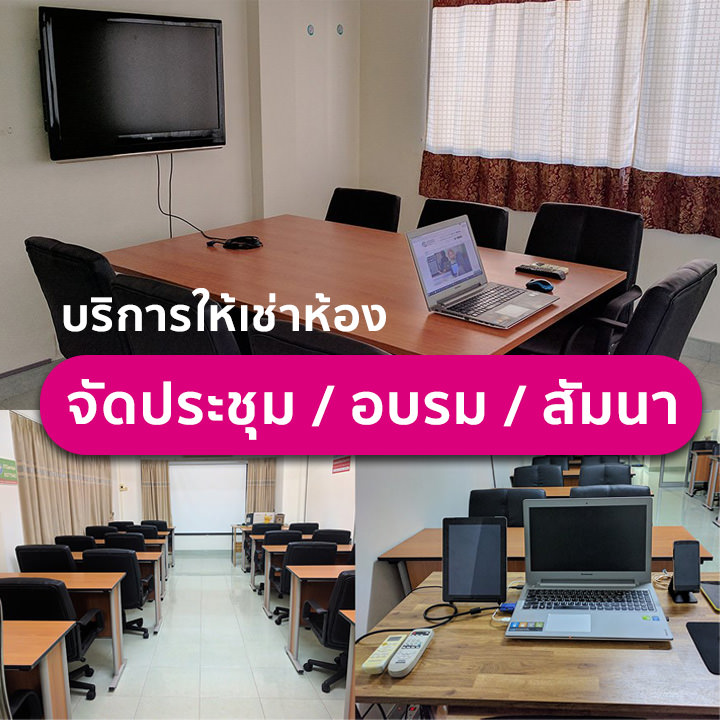
อบรมแบบ Onsite ที่สถาบันไอทีจีเนียส สาขาลาดพร้าววังหิน 68 กรุงเทพฯ และมีบริการจัดอบรมนอกสถานที่ (In-house Training) สำหรับองค์กร บางหลักสูตรมีเวอร์ชันเรียนออนไลน์ผ่าน GeniusHub ดูได้ที่เมนูคอร์สออนไลน์
ถ้าเรียนไม่ทันหรือขาดเรียน มีเรียนซ้ำ/เรียนชดเชยหรือไม่
มี ผู้เรียนสามารถแจ้งขอเรียนซ้ำ (repeat) ในรอบถัดไปของหลักสูตรเดียวกันได้ฟรีตามเงื่อนไขของสถาบัน ดูรายละเอียดที่หน้า "เรียนซ้ำฟรี" หรือสอบถามทีมงาน
สมัครเรียนหรือขอใบเสนอราคาในนามบริษัทได้อย่างไร
สมัครออนไลน์ได้จากแบบฟอร์มลงทะเบียนบนหน้านี้ หรือขอใบเสนอราคา (Quotation) ในนามนิติบุคคลได้ทันทีจากปุ่ม "ขอใบเสนอราคา" สอบถามเพิ่มเติมโทร 02-570-8449 หรือ LINE @itgenius