Building Microservices with Node.js
รายละเอียด Course ID: wdc-43
Microservices ช่วยให้เราสามารถพัฒนาซอฟแวร์เป็นชิ้นส่วนเล็กๆ ที่สามารถทำงานร่วมกันได้ โดยสามารถพัฒนาแยกกัน ซึ่งนับเป็นข้อดีที่องค์กรต่าง ๆ เริ่มหันมาใช้แนวทางการพัฒนาแบบนี้ ในช่วงไม่กี่ปีที่ผ่านมานี้ Node.js ได้รับความนิยมในหมู่นักพัฒนาอย่างสูง และได้กลายมาเป็นมาตฐานหนึ่งในการพัฒนา Microservice เนื่องจาก Node.js มีประสิทธิภาพ ง่าย และมีความยืดหยุ่นสูง ในหลักสูตรนี้นำเสนอแนวทางและสถาปัตยกรรมของ Microservice ที่พัฒนาบน Node.js
เนื้อหาในหลักสูตรเจาะลึกถึงโซลูชันต่าง ๆ ที่ใช้ในการทำงานเช่น Docker Swarm และ Kubernetes เพื่อให้สามารถ Scale โครงสร้าง microservice ของเราได้ หลักสูตรนี้จะช่วยให้คุณใช้เทคนิคและรูปแบบการออกแบบ microservice ที่มีประสิทธิภาพของคุณเอง
รอบการเปิดอบรม
วิดีโอแนะนำคอร์ส
ไฟล์รายละเอียดคอร์ส
- Building Microservices with Node.js (Course outline PDF)
- โปรไฟล์ของบริษัทไอทีจีเนียส เอ็นจิเนียริ่ง (โปรไฟล์ไอทีจีเนียส PDF)
วัตถุประสงค์
- Implement caching strategies to improve performance
- Integrate logs for all microservices in one place
- Execute long-running tasks in asynchronous microservices
- Create sophisticated deploy pipelines
- Make all of this production-ready
- Use a service mesh for resiliency
กลุ่มเป้าหมาย
- นักเรียนนักศึกษา
- ครู อาจารย์ วิทยากรที่สนใจ
- นักวิชาการ นักไอที หรือผู้ดูและระบบ
- ตลอดจนผู้สนใจทั่วไปใน Microservices with Node.js
ความรู้พื้นฐาน
- พื้นฐานภาษา JavaScript
- พื้นฐานการใช้งาน Node.JS
- พื้นฐานการใช้งานฐานข้อมูล
- พื้นฐานการใช้งาน Windows
ระยะเวลาในการอบรม
- 12 ชั่วโมง
ราคาคอร์สอบรม
- ราคาปกติ 5,500 บาท / คน
- โปรโมชั่นลด 10% เหลือ 4,950 บาท / คน
- ราคาเหมาจ่าย (ผู้อบรมตั้งแต่ 10 คน) ตามแต่ตกลงกัน
- ขอใบเสนอราคา
วิทยากรผู้สอน
 อาจารย์สนิทวงศ์ กมลภากรณ์
คอร์สที่ควรอบรมก่อนหน้า
 Basic Node.js (คอร์ส Node.js พื้นฐาน)
เนื้อหาการอบรม
Module 1: Design Your Microservices Architecture
What Is a Microservice?
- Define what makes up a microservices based architecture
- Explain why we use microservices
- Understand the key differences between microservices and monolithic applications
Design Principles for Microservice Architectures
- Learn about the key design principles
- Explore how to organize microservices using components of business processes
- See the project management, communication channels to use and governance of the services
Meet Your Class Project
- Learn about the Kona Surf and Snorkel, the application that will be built in the course
- See some basic designs for beginning of the project
- Look at some of the codes that will be used to create the first basis of the application’s reporting feature.
Node.js for Microservices with Express
- Explore models, views and controllers
- See how the controllers and models will work within the MVC pattern
- Learn about the MVC, Model View Controller pattern
Design the Microservices Architecture
- Evaluate the steps of the design
- Design the microservices architecture
Module 2: Setting Up a Microservices Environment
- Organization of Code: Git Repos and VS Code
- See Git Repository Styles – Multi and Mono Repo
- Look at the Visual Studio Code
Node.js and Express
- Program Environments for Node.js
- Learn Callbacks, Event Emitters and Promises
MongoDB
- Install MongoDB
- Connect to MongoDB in Node.js
- Understand Other Database ideas/solutions
Intro to React
- Overview of React
- Create a test harness application
Module 3: Building the Remaining Microservices
Handling Callbacks with Event Emitters and Promises
- See Callbacks
- Explore Event Emitters
- Understand Promises
Setting Up the Remaining Microservices
- Configure the ports
- Build the remaining microservices
Creating an API Gateway
- Build the API Gateway
- Identify alternatives like AWS or load balancers as an API gateway
Module 4: Deploying Microservices
Strategies for Microservice Deployment
- Analyze Multiple Services Per Host
- Apply Single Service Per Host
- Learn about the Container and Serverless Deployment
Deploying Microservices Using PM2
- Install PM2
- Explore Manual Deployment
- Set up the ecosystem.json for deployment
Using Docker Containers
- Learn about Docker
- Learn how to install Docker
- Execute an Ubuntu Linux environment inside a Docker container
Module 5: Scaling Microservices with NGINX
Scaling Microservices
- Understand Load Balancing
- Look at the Decomposing Apps
- See Data Sharding
Installing NGINX on Ubuntu
- Install NGINX
- Analyze NGINX
Load Balancing with NGINX
- Set up the config file
- Start NGINX
- Test the Load Balancer Configuration
Using NGINX as an API Gateway
- Set up the config file
- Reload NGINX
- Test the API Gateway
Module 6: Monitoring and Alerting
Monitoring with PM2 and Keymetrics
- Run PM2 Monitoring from the Command Line
- Register for Keymetrics
- Monitor microservices with Keymetrics
Creating a Monitoring Microservice
- Explore Event Emitter Service Pattern
- Review the code of the Monitoring Microservice
Alerting Upon Microservice Failure
- Set up alerting for the monitoring service
- Review the code of the Send Alert promise
Uptime Robot as an Off-Site Monitoring Service
- Look at the uptime robot overview
- Learn uptime robot register and configure it
- Explore uptime robot Dashboard and alerts configuration
คำถามที่พบบ่อย (FAQ)
คอร์ส Building Microservices with Node.js เหมาะกับใคร ต้องมีพื้นฐานอะไรมาก่อน
ดูรายละเอียดกลุ่มเป้าหมายและพื้นฐานที่ต้องมีได้ในหัวข้อ "กลุ่มเป้าหมาย" และ "พื้นฐานที่ผู้เรียนต้องมี" บนหน้านี้ หากไม่แน่ใจว่าพื้นฐานพอหรือไม่ ปรึกษาทีมงานได้ฟรีทาง LINE @itgenius หรือโทร 02-570-8449
คอร์ส Building Microservices with Node.js ราคาเท่าไร ใช้เวลาเรียนกี่ชั่วโมง
ราคาปกติ 5,500 บาท (โปรโมชันปัจจุบันเหลือ 4,950 บาท) ใช้เวลาอบรม 12 ชั่วโมง ราคานี้รวมเอกสารประกอบการอบรม อาหารกลางวัน และอาหารว่างตลอดหลักสูตร
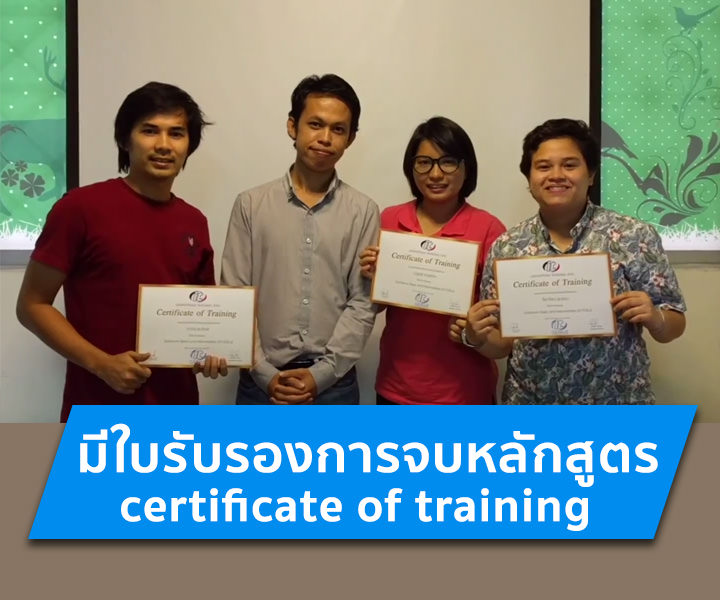
เรียนจบได้รับ Certificate หรือไม่
ได้รับ ผู้ผ่านการอบรมทุกท่านจะได้รับใบประกาศนียบัตร (Certificate of Completion) จากสถาบันไอทีจีเนียส
อบรมที่ไหน มีเรียนแบบออนไลน์หรือไม่
อบรมแบบ Onsite ที่สถาบันไอทีจีเนียส สาขาลาดพร้าววังหิน 68 กรุงเทพฯ และมีบริการจัดอบรมนอกสถานที่ (In-house Training) สำหรับองค์กร บางหลักสูตรมีเวอร์ชันเรียนออนไลน์ผ่าน GeniusHub ดูได้ที่เมนูคอร์สออนไลน์
ถ้าเรียนไม่ทันหรือขาดเรียน มีเรียนซ้ำ/เรียนชดเชยหรือไม่
มี ผู้เรียนสามารถแจ้งขอเรียนซ้ำ (repeat) ในรอบถัดไปของหลักสูตรเดียวกันได้ฟรีตามเงื่อนไขของสถาบัน ดูรายละเอียดที่หน้า "เรียนซ้ำฟรี" หรือสอบถามทีมงาน
สมัครเรียนหรือขอใบเสนอราคาในนามบริษัทได้อย่างไร
สมัครออนไลน์ได้จากแบบฟอร์มลงทะเบียนบนหน้านี้ หรือขอใบเสนอราคา (Quotation) ในนามนิติบุคคลได้ทันทีจากปุ่ม "ขอใบเสนอราคา" สอบถามเพิ่มเติมโทร 02-570-8449 หรือ LINE @itgenius