Basic Kotlin Multiplatform (KMP) for Mobile Apps

Basic Kotlin Multiplatform (KMP) for Mobile Apps

การรองรับการเขียนโปรแกรมหลายแพลตฟอร์มถือเป็นหนึ่งในคุณประโยชน์หลักของ Kotlin ช่วยลดเวลาที่ใช้ในการเขียนและดูแลรักษาโค้ดเดียวกันสำหรับแพลตฟอร์มต่างๆ ในขณะที่ยังคงความยืดหยุ่นและประโยชน์ของการเขียนโปรแกรมแบบเนทีฟ

สาขากรุงเทพฯ (ลาดพร้าว)
  • ยังไม่มีรอบเปิดอบรม (ลงชื่อจองไว้ได้)
  • สามารถพัฒนา Mobile Application ระบบปฏิบัติการ Android โดยใช้ Kotlin Multiplatform ได้
  • สามารถพัฒนา Mobile Application ระบบปฏิบัติการ iOS โดยใช้ Kotlin Multiplatform ได้
  • ผู้สนใจทั่วไปในการพัฒนาแอพพลิเคชั่นแบบ Cross Platform ด้วย Kotlin Multiplatform
  • พื้นฐานการเขียนแอพ Android มาบ้าง
  • พื้นฐานการออกแบบแอพพลิเคชั่น
  • พื้นฐานการใช้งานฐานข้อมูล
  • พื้นฐานการใช้งานเว็บไซต์และการสืบค้นข้อมูล
  • 18 ชั่วโมง
  • ราคาปกติ 9,500 บาท / คน
  • โปรโมชั่นลด 10% เหลือ 8,550 บาท / คน
  • ราคาเหมาจ่าย (ผู้อบรมตั้งแต่ 10 คน) ตามแต่ตกลงกัน
  • ขอใบเสนอราคา

Module 1: Introduction to Kotlin Multiplatform

  • Learn key concepts
  • Use code sharing mechanisms
  • Add dependencies
  • Configure compilations
  • Build final binaries
  • Create multiplatform libraries

Module 2: Understand basic project structure

  • The basics of Kotlin Multiplatform project structure
  • Common code
  • Targets
  • Source sets

Module 3: Development Setup

  • Install Java JDK – Windows / MacOS
  • Install IntelliJ IDEA – Windows PC / MacOS
  • Install Android Studio -Windows PC / MacOS
  • How to Import Kotlin Code / Resources into IntelliJ

Module 4: Set up targets for Kotlin Multiplatform

  • Set up targets for Kotlin Multiplatform
  • Distinguish several targets for one platform

Module 5: Operations and Operators

  • Adding Numbers
  • Subtraction
  • Multiplying Numbers
  • Division
  • Remainder
  • Incrementing and Decrementing
  • How to Convert Between Data Types

Module 6: Conditional and Loop in Kotlin Multiplatform

  • Conditional operators (<,>, ==, !=, <=, >=)
  • If-else Statements and Conditional operators
  • Logical Operators (AND, OR, NOT)
  • When Expression
  • For Loop
  • While Loop
  • Do while Loop

Module 7: Introduction to Classes and Objects - Object Oriented Programming in Kotlin Multiplatform

  • Functions With Parameters
  • Functions Return Types
  • Functions - No return Type, No parameters
  • Variable Scope
  •  Introduction to Object Oriented Programming - OOP
  • What's a Class?
  • Let's Create our First Class
  • Setters and Getters
  • Inheritance - Introduction
  • Inheritance
  • Overloading Constructors
  • Controlling Access to fields (Instance Variables - Properties)
  • Class Extension
  • Nested Classes
  • Inner Classes
  • Companion Object in Kotlin
  • Overloading Operators

Module 8: Installing the Android Studio and Setup Kotlin Multiplatform and Run First App

  • Running UPDATED Android Studio - No Extension Needed
  • Android Studio Quick Tour
  • Android Studio Tour - File Structure, Manifest, Strings
  • App - What's My Name
  • String.xml, Manifest and Android Studio File

Module 9: Creating User Interface - TextViews, Buttons, EditTexts and More UI Widgets

  • Android Toast and Context Class
  • TextViews, EditText and Buttons - Enter Name and Show name
  • Enter Name and Show - Final
  • App - How much you weigh on mars?
  • App - How much you weigh on other planets?
  • Check Boxes in Android
  • App- How Much You Weigh on Improved Version 2
  • App- How Much You Weigh on Improved Version 3 - Final

Module 10: Activities and Navigations

  • What's an Activity?
  • Activity lifecycle
  • Navigating from One Activity to Another
  • Passing Data between Activities
  • Passing data back to first Activity
  • App - Animals Bio - User Interface

Module 11: Storage in Android and Kotlin - Sharedpreferences, Database - Internal Storage Shared Preferences

  • Introduction to Databases in Android - Kotlin - Sqlite
  • App - Chores - Demo
  • App - App - Chores - User Interface
  • App - Chores - Database handler Class
  • App - Chores - Add and Retrieve a Chore
  • App - Chores - Finalize CRUD Functions
  • App - Chores - Saving User Input to Database
  • App - Chores - Custom Listrow - User Interface
  • App - Chores - Recycler Adapter
  • App - Chores - Showing Chores on Recycler Adapter
  • App - Chores - Adding Toolbar Add Button
  • App - Chores - Create Custom Popup
  • App - Chores - Saving Chore from Popup
  • App - Chores - Deleting Chore
  • App - Chores - Final Touches

Module 12: Connecting and Consuming JSON data from the Internet

  • Introduction to HTTP Request and JSON and Networking in Android
  • What's an Android Library?
  • Volley String Request
  • Volley JSON ArrayRequest
  • Volley JSON ObjectRequest
  • App - Recipe Finder - Demo
  • App - Recipe Finder - User Interface
  • App - Recipe Finder -RecyclerAdapter
  • App - Recipe Finder - Parsing Recipies
  • App - Recipe Finder - Show Recipes on RecyclerVew

Module 13: Firebase - Cloud Based Application Development

  • Firebase - Introduction to Cloud Based Services - Setup
  • Firebase - Read Values from Fireabase Database
  • Firebase - Save Objects and Use Push
  • Firebase - Login User with Email and Password
  • Firebase - Create Account

Module 14: Drawing on the Screen - Custom Views in Android

  • Introduction to Drawing on Screen
  • Drawing Circles
  • Drawing Images - Bitmaps
  • Custom TextViews

Module 15: Share code

  • Share code on platforms
    • Share code on platforms
      • Share code on all platforms
      • Share code on similar platforms
      • Share code in libraries
      • Connect platform-specific libraries
  • Expected and actual declarations
  • Rules for expected and actual declarations
  • Different approaches for using expected and actual declarations
  • Default hierarchy template
  • Manual configuration
  • Hierarchical project structure

Module 16: Build a Breathe App

  • User Interface Setup
  • Setup Animation Library
  • Setup Shared Preferences - Saving data on Device
  • Finalizing the App
  • Final Product - Breathe App
  • Build and deployed application to store

คอร์ส Basic Kotlin Multiplatform (KMP) for Mobile Apps เหมาะกับใคร ต้องมีพื้นฐานอะไรมาก่อน

ดูรายละเอียดกลุ่มเป้าหมายและพื้นฐานที่ต้องมีได้ในหัวข้อ "กลุ่มเป้าหมาย" และ "พื้นฐานที่ผู้เรียนต้องมี" บนหน้านี้ หากไม่แน่ใจว่าพื้นฐานพอหรือไม่ ปรึกษาทีมงานได้ฟรีทาง LINE @itgenius หรือโทร 02-570-8449

คอร์ส Basic Kotlin Multiplatform (KMP) for Mobile Apps ราคาเท่าไร ใช้เวลาเรียนกี่ชั่วโมง

ราคาปกติ 9,500 บาท (โปรโมชันปัจจุบันเหลือ 8,550 บาท) ใช้เวลาอบรม 18 ชั่วโมง ราคานี้รวมเอกสารประกอบการอบรม อาหารกลางวัน และอาหารว่างตลอดหลักสูตร

เรียนจบได้รับ Certificate หรือไม่

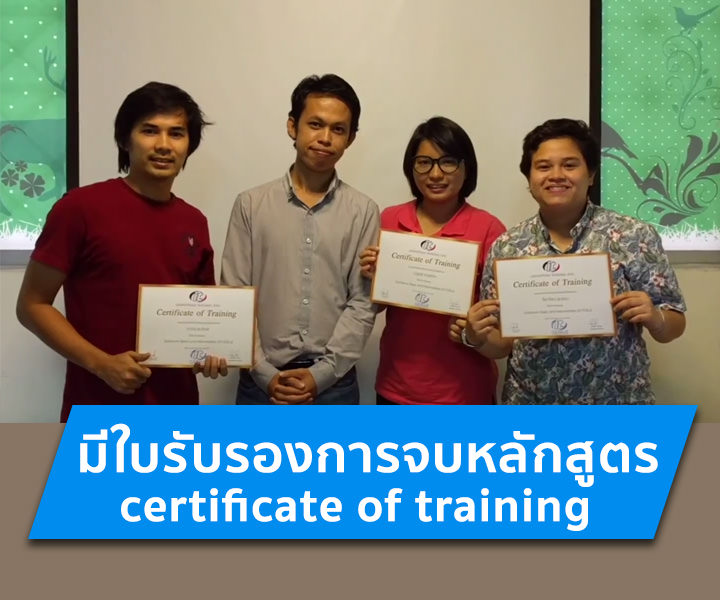
ได้รับ ผู้ผ่านการอบรมทุกท่านจะได้รับใบประกาศนียบัตร (Certificate of Completion) จากสถาบันไอทีจีเนียส

อบรมที่ไหน มีเรียนแบบออนไลน์หรือไม่

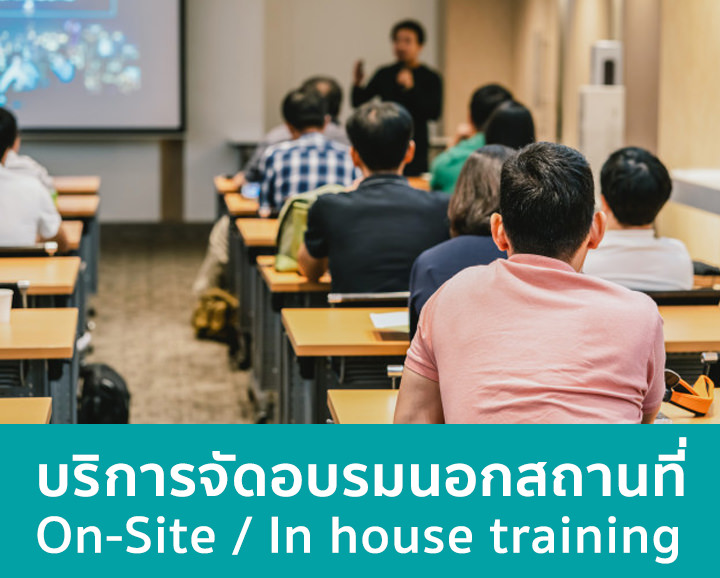
อบรมแบบ Onsite ที่สถาบันไอทีจีเนียส สาขาลาดพร้าววังหิน 68 กรุงเทพฯ และมีบริการจัดอบรมนอกสถานที่ (In-house Training) สำหรับองค์กร บางหลักสูตรมีเวอร์ชันเรียนออนไลน์ผ่าน GeniusHub ดูได้ที่เมนูคอร์สออนไลน์

ถ้าเรียนไม่ทันหรือขาดเรียน มีเรียนซ้ำ/เรียนชดเชยหรือไม่

มี ผู้เรียนสามารถแจ้งขอเรียนซ้ำ (repeat) ในรอบถัดไปของหลักสูตรเดียวกันได้ฟรีตามเงื่อนไขของสถาบัน ดูรายละเอียดที่หน้า "เรียนซ้ำฟรี" หรือสอบถามทีมงาน

สมัครเรียนหรือขอใบเสนอราคาในนามบริษัทได้อย่างไร

สมัครออนไลน์ได้จากแบบฟอร์มลงทะเบียนบนหน้านี้ หรือขอใบเสนอราคา (Quotation) ในนามนิติบุคคลได้ทันทีจากปุ่ม "ขอใบเสนอราคา" สอบถามเพิ่มเติมโทร 02-570-8449 หรือ LINE @itgenius